LOWEST PRICE

In 2-in-1 Laptop

01
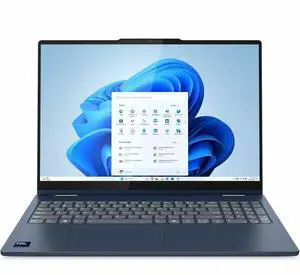
Lenovo IdeaPad 5 16" Touchscreen 2-in-1 CoPilot+ PC Laptop - AMD Ryzen AI 7 350 - 16GB - 1TB SSD - Windows 11 Home - AMD Radeon 860M - Wi-Fi 7 - 83KU0013US
  • Processor Name: AMD Ryzen AI 7 350
  • Memory: 16GB
  • SSD: 1TB
  • Neural Processing Unit (NPU): up to 50 TOPS
  • Model #: 83KU0013US
  • Item #: 1XV-0001-02T77
  • Return Policy: 15-Day Return Policy
Save 6%
$939.99
$999.99
Free Shipping
02
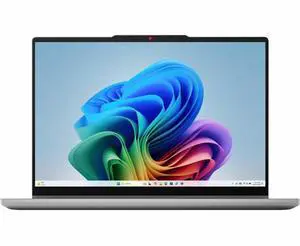
Microsoft Surface Pro Copilot+ PC (11th Edition) Touchscreen 13" Qualcomm Snapdragon X Elite 32GB RAM 1TB SSD Windows 11 Home - Platinum
Microsoft Surface Pro Copilot+ PC (11th Edition) Touchscreen 13" 2880 x 1920 Qualcomm Snapdragon X Elite 32GB RAM 1TB SSD Windows 11 Home - Platinum
  • Processor Name: Qualcomm Snapdragon X Elite X1E-78-100
  • Memory: 32GB
  • SSD: 1TB
  • GPU/VPU: Adreno
  • Model #: ZID-00001
  • Item #: 9SIAEWJKFW1099
  • Return Policy: View Return Policy
$2,099.00
$2,199.00
Free Shipping
03
Acer Swift Spin 14 AI 2-in-1 Convertible Laptop - Snapdragon X2 Elite X2E-78-100 - 16GB RAM - 512GB SSD - Windows 11 Home SFSP14-Q51T-X867
  • Processor Name: Snapdragon X2 Elite X2E-78-100
  • Memory: 16GB DDR5
  • SSD: 512GB PCIe
  • Neural Processing Unit (NPU): Qualcomm Hexagon
  • Model #: NX.W0KAA.002
  • Item #: N82E16834360465
  • Return Policy: 15-Day Return Policy
$1,388.99
$11.62 Shipping

Qualcomm's Snapdragon X2 ARM chips and ARM for Windows have come a long way since they made a reappearance a few years ago. The first attempt was a failure with Microsoft's RT, and even the X launch a few years ago was a bit rough, but right now the X2 chips are fast, efficient and run long and cool. Windows and apps still lag behind a bit in terms of support but there's either workarounds in place or they are being worked on. Here's what I like about the Swift Spin 14 AI + Thin and light build quality in a 2-1 design. All metal finish and it is light, and you can flip it into tablet mode to allow you to sketch or write or use it like a tablet. This is great for both art or if you're on the go and want to take notes. Are you a contractor or adjustor that wants to write notes, dimensions and estimates? Do your kids love to draw and you're tired of paper all over the place? And now with AI, you can really clean up your text or send a draft image to Copilot to clean up. + Snapdragon X2 Elite is super fast for typical productivity/office workloads, responsive and provides great battery life. You get 12 CPU cores and X2-85 GPU so performance and efficiency are top notch although heavy gaming is still not recommended due to both GPU performance and Windows emulation problems. + Super fast WiFi7. I'm getting full 2Gbps which is nearly the limit of my internet plan and WiFi mesh system. 2000Gbps up and down, my Intel and AMD-based systems are only doing 1.5Gbps or so max. So while you don't have ethernet, you don't really need it with WiFi this fast! + 2 fast USB-C connections that allow AC Power, video, data transfer and device connectivity. Full HDMI 2.1 output also makes it easy to connect to an external display or TV. + Stylus included and slots into the body of the laptop on the right side. + Video playback is excellent with great battery life, although I did have to disable hardware gpu acceleration in Edge because youtube TV would just spin and not load. I really like using this laptop in my mancave as I can watch football, shop for parts, watch Youtube for DIY projects, or use AI to map out and engineer fixes around the house. Its awesome when you can bring this laptop into the bathroom and pull up videos or research parts while you are under the sink trying to swap out a faucet. + The display is bright and glossy and looks good overall. It is IPS and not OLED as is the trend nowadays, but at this price point that is understandable. OLED on a part like this isn't great either as you can risk burn-in if you leave it on long periods. It is at 150% scale but I would go ahead and change it to 125% or even 100% or you won't see a lot of desktop and everything is large in size. Resolution is 1920x1200 which is understandable for a 14" laptop.