
Your Browsing History


Joshua S.
Joined on 08/14/02
0
0
product reviews
- 3
good AP
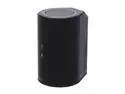
D-Link Cloud Router 2500 (DIR-836L), Wireless N750, Dual-Band, Gigabit Ports, USB SharePort, mydlink enabled
Pros: Easy to set up. Pretty standard D-link menus and options. The coverage for 2.4Ghz is much improved over my old DGL4300 802.11g at the same "medium" power level. I get coverage in the back yard where I barely got coverage before. The 5GHz (350 MBs) link is awesome for watching HD content from my HTPC on my tablet, even upstairs from the router. Sleek/modern look, minimal blinky lights (only one constant green light when powered), so makes it pretty much invisible in my media center. Even when you see it, the cylindrical shape kinda camouflages it.
Cons: The usb HDD share option only works for a narrow range of HDD's and android/IO clients. This is clearly stated by several reviews, and is in the documentation details, if you do your homework. I knew this when I bought it, but I still knock it one egg for not supporting windows. I would have used this functionality if it did. Other than that, it would be great if it would make me eggs in the A.M. ;-p
Overall Review: Please note: I have NOT used this as a router. I turned all router functions off and I am using it as a switch/wireless AP ONLY. Having said that, the menus appear to offer essentially the same QoS/prioritization options as my DGL4300, maybe in different places, called different names, but for me it made more sense to leave the 4300 in the closet as the main router (with wireless disabled), and put this one out near my TV/HTPC for better wireless coverage throughout my house. I immediately upgraded the firmware. I recommend you do the same. I never use the "set up for dummies" wizards, since I have been setting up home networks for 15 yrs plus. So far, so good. Hopefully it lasts as long as my DGL4300 (6+ yrs and still going strong) and is as reliable.
2/26/2013See more detail
Satisfied overall
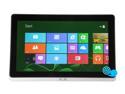
Acer Iconia Tab W700-6607 4GB DDR3 Memory 11.6" 1920 x 1080 Tablet PC Windows 8 64-bit
Pros: Nice battery life. Solid construction and feel. Appears to be one piece aluminum case. Windows 8 really is made for touch interfaces. Nice dock-stand and blue-tooth keyboard. The low power mode is (CPU locked to 770MHz) more than enough CPU power to do most things you'll find yourself doing on a tablet. Email, web browsing, games/metro apps, etc. The EUFI lets this thing cold boot in under 6 sec. Very nice. I don't even use "sleep" mode with this kind of cold boot speed. Though sleep mode is pretty good on power savings, nothing can beat 0 power use. Battery life: this is mainly laptop replacement for my wife. She gets all day use out of it, sometimes more than one day. She is mostly surfing, web mail, facebook, and
Cons: 1) There is a slight defect in the touch layer (not the LCD display, the glass over it that you touch) has a bubble below the surface. Can't feel it but, it looks like a small droplet of water or something, but you can't wipe it off as it is in the middle of the glass. Luckily, it is in the corner, so it is not terribly distracting. So far, I haven't RMA'd due to the hassle. Still considering it. Everything else seems very high quality, must have been missed in QA. 2) Don't know if this was Acer's config or Windows 8 default, but the i3 chip in this system is a "u" for ultra low power. This is nice, but *ALL* power presets, even "high performance" and "balanced" in Windows8 had the CPU hard locked to 770MHz. This made some desktop apps that needed the extra cycle to load so slow that they apppeard to "hang". Also, some HD video (like Netflix) got a little jittery. Once I found the issue, I set the lower power preset to the low CPU speed and the others I set to allow the full 1.8GHz speed, when needed. 3) The wireless drivers out of the box were a little flaky. Updated to newer version from Acer's website, seems to have fixed it. Occasionally the wireless would lose it's mind, and need to be "reset." Normally, it was resolved within 10-15 sec, but still annoying when surfing. 4) I.E. 10 metro needs better support for flash games (like facebook games). Can't play words with friends, since the touch "layer" of I.E. 10 interprets the touches as zoom and drag/pan the page instead of grabbing tiles and moving them. Swithcing to desktop mode is a pain, since you lose any session info (have to log in again), but once you're in desktop mode, these games work as expected.
Overall Review: This little tablet has plenty of power to do anything a laptop could, and you can still switch back to the low power mode, if you are familiar with windows power profiles/presets. I just wish Acer had done better with the out of the box power profile configs. I suspect it may have been to boost battery life ratings/tests. I upgraded to Windows pro for Media Center. Media Center is one of the apps that needed more CPU than 770 MHz to start up, and menu nav. This is more an issue with Media Center being xml based: not optimized for low power/CPU speed. But, this i3u has the horsepower, when you unchain it. I ended up turning off BT since I have only used the BT kb early on when setting up more user accounts, early set up stuff. Saves significant battery. I will probably try to set it so when docked, BT is on, off otherwise. The Acer ring app is very handy to handle power profile switching/turning on/off BT, and launching non-metro Apps. Wish it was a bit more configurable in terms of what apps I can add to the favorites. Check out iegallery.com and install a tracking prevention list in I.E. 10 to avoid pop-ups, and most annoying ads. You can get the same list that adblocker add-on for firefox uses.
2/26/2013See more detail
junk
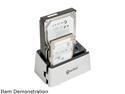
SYBA CL-ENC50038 2.5" & 3.5" White SATA I / II / III USB 3.0 Dual Mode SATA III HDD Duplicator + Docking Station
Pros: Worked for about 10 min.
Cons: Died mid stream of ~1.5 TB of data
4/4/2015See more detail