
Your Browsing History


Fred Z.
Joined on 02/12/18
0
0
product reviews
- 3
Blazing Fast Micro PC
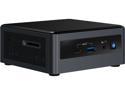
Intel NUC 10 Performance Kit BXNUC10I7FNH1 10th Gen Intel Core i7-10710U Supports up to 3 Displays 5 USB Ports Mini / Booksize Barebone System
Pros: - Small form factor - Blazing fast - Excellent fit and finish - Quiet - Good warranty
Cons: - Pricey - No rear audio jack - Installing the M.2 SSD mounting screw is tricky
Overall Review: I ordered my Intel NUC 10 kit BXNUC10I7FNH1 along with an Intel 660p Series M.2 2280 512GB SSD and CORSAIR Vengeance 32GB (2 x 16GB) 260-Pin DDR4 SO-DIMM DDR4 2666 RAM from NewEgg. Delivery was prompt and all items arrived in perfect condition. I also purchased a 2.5” 1TB WD Blue internal SSD as a second HD elsewhere. Installation of RAM and SSDs was pretty much the same as the NUC 8 -- so I was able to follow instructional videos online. I wore a grounding wrist strap to reduce the chance of ESD. The only issue I had was reinstalling the M.2 SSD mounting screw. It is tiny and I kept dropping it. I would recommend using a magnetic Philips #0 (jeweler’s size) screwdriver. That would make the job a lot easier. I opted to install Windows 10 Pro via USB thumb drive. The Windows installer completed but failed to set up networking because it couldn’t find the Intel NIC driver. That was somewhat annoying but not a big problem. The solution was to log on to another PC after Windows was installed and download the NIC driver from Intel onto a flash drive. Then log in to Windows on my new NUC 10 and install the missing network driver. As for hooking up a monitor, I wasn’t sure what type of cable would work with my Dell 27” monitor. I purchased a HDMI to DVI cable and a USB-C to DisplayPort cable. They both work – which proves I think that my NUC 10 will drive dual displays (Intel says it will drive up to 3 displays). My NUC 10 boots in seconds and the Core i7 processor is blazing fast. It is working great with Windows 10 Pro and all the components I selected. I’m very happy with my new NUC. If you are looking for a powerful micro PC, this is a good choice.
1/19/2020See more detail
Good Choice for Intel NUC 10

CORSAIR Vengeance 32GB (2 x 16GB) 260-Pin DDR4 SO-DIMM DDR4 2666 (PC4 21300) Laptop Memory Model CMSX32GX4M2A2666C18
Pros: - Easy to install - Fast
Overall Review: I ordered 2 x 16 GB (32 GB total). Installation was easy. It works great in my Intel NUC 10 Performance Kit BXNUC10I7FNH1.
1/20/2020See more detail
Good Choice for Intel NUC 10
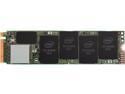
Intel 660p Series M.2 2280 512GB PCIe 3.0 x4, NVMe 3D2 QLC Internal Solid State Drive (SSD) SSDPEKNW512G8X1
Pros: - Fast - Inexpensive - Intel brand name
Cons: - Somewhat tricky installing the M.2 SSD mounting screw in my Intel NUC 10
Overall Review: I'm using it as my Windows 10 Pro 'C' drive in my Intel NUC 10 Performance Kit BXNUC10I7FNH1 Micro PC. Installation was challenging because the mounting screw is tiny and I have big hands. Suggestion: get a magnetic Phillips #0 screwdriver so you don't drop the screw inside the bowels of the NUC under the motherboard (that almost happened to me). Windows 10 boots in seconds. Apps load almost instantaneously. No issues. Thumbs up!
1/20/2020See more detail