
Your Browsing History


Richard O.
Joined on 01/25/04
0
0
product reviews
- 36
Virtualization Works Well in Windows 7 Pro XP Mode!
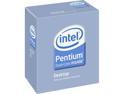
Intel Pentium Dual-Core E6500 - Pentium Wolfdale Dual-Core 2.93 GHz LGA 775 65W Processor - BX80571E6500
Pros: Works for what I needed it for. I got this to replace an e7200 Chip in a Dell Optiplex 330 because two devices do not yet have driver support for Windows 7. I snapped this chip in, enabled Virtualization in BIOS and I was able to install Windows XP mode and run a virtual XP machine in about 10 minutes. Now the user can use her XP-only devices (USB) perfectly!!
Cons: None
1/24/2010See more detail
The absolute BEST value SSD per dollar! - No Win7 Reinstall required!
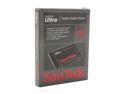
SanDisk Ultra 2.5" 120GB SATA II Internal Solid State Drive (SSD) SDSSDH-120G-G25
Pros: 1) Price - $129.99 for 120GB? the best! 2) Speeds - running 285MB / 275MB w/ 4K blocks 3) Still working after a whole 2 months
Cons: None.
Overall Review: I had a 6 month old sweet AHCI install on a 40GB HDD that was partitioned by the Win7 utility so the alignment was already OK. My drive upgrade steps are as follows; 1 Create a system image of the 40GB HDD with the Win7 backup utility and save it to my data drive 2 Install the SSD and Boot from the Win7 CD 3 Select the advanced option to restore from system image, browse to the image file on my data drive and voila! Windows of course restored the exact old drive size (37.5GB) so I then went into Disk mgmt, right-clicked on the system partition and select "Expand volume" and selected the entire SSD free space. When I ran the ATTO test I was blown away because I was already bracing myself for a clean install that turns out to be not required. 285R / 275W! Amazing!!
1/25/2012See more detail
10DegC drop with push-pull on my Corsair H50
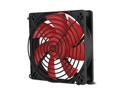
Rosewill RFX-120 - 120mm Computer Case Cooling Fan - Black Frame with Red Fan Blades, 2-Ball Bearing, Silent, 2-Speed with PWM Control
Pros: Moves a lot of air and aesthetically righteous in my Thermaltake V9 BlackX case. I bought a pair of these for push-pull on my Corsair Hydro H50 to cool my PhenomII 965 which I have OC'd to 4.00GHz. They have brought my temps down by 4 degC idle (down to 40degC) and about 10 deg at full burn Prime95 (down to 56DegC) and this is in a room of ambient 78degC.
Cons: None really; the fan speed controller is rather flimsy and it would defeat the purpose for which I bought the pair. Not very quiet but noise level is tolerable considering my requirements.
Overall Review: I have an AsRock 870Extreme3 board which is capable of controlling the speed of these fans from BIOS; but turning them down from full speed will not give me the temp drop that I need so it's a trade-off that is OK with me.
7/10/2011See more detail
Budget Overclocker's Dream!!
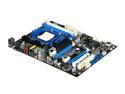
ASRock 870 EXTREME3 AM3 AMD 870 USB 3.0 ATX AMD Motherboard
Pros: Solid build Quality; all the features for future-proofing in such a budget package! USB3 / SATA6G etc. BIOS settings are really fine-grained for maximum tweaking. On-board switches for power / reset and the clear CMOS switch on the rear iO panel is ideal for those of us who get too ambitious too quickly! The board is probably the only board that supports 2 x8 PCIe slots on the 870 chipset so Crossfire support is a pleasant surprise.
Cons: None really, except that I have maxed out my 5 SATA 6G ports; 2 HDDs, 1 ODD and my Thermaltake case has 2 external top bays for bare drive plug-in. Others also mention the annoying placement of the front panel audio header directly under the main PCIe slot.
Overall Review: I EFFORTLESSLY set my Phenom II 965 to 4 GHz on this thing with 8GB of G.Skill DDR3 1600! I set the multiplier to x 20 and bumped voltage to 1.355 and voila! 4 GHz rock solid for a few weeks now. Specs ASRock 870 Extreme3 / PhenomII 965 @ 4.0GHz @ 1.355V Corsair H50 CPU cooler 8GB G.Skill DDR3 1600 9-9-9-24 1T @ 1.55V 40GB WD SATA II (soon to be OCZ 120GB SSD) + 1TB Cavair Black nVidia 8800 GTS 320 (soon to be Sapphire HD6850) Thermaltake V9 BlackX / OCZ ModXtreme 550 PSU
1/19/2011See more detail
Works Like a Charm - Problem solved!
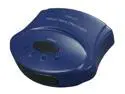
GWC SS2115 USB 2.0 2-Port Manual Share Switch
Pros: 1) Very small footprint 2) Works exactly as expected - switches back and forth between USB print server and local USB connection. 3) No software required for WinXP 4) Price I bought this thing to solve a problem for a customer with an HP OfficeJet all-in-one that has a USB print server connected to it so other PCs and a Mac can share it. The problem was that with the print server in use, scanning and PC Fax function is lost from the main workstation. I bought this thing so that when she needs scanning, she switches to local use (port 1), and when scanning is not required, switch back to the print server (port 2). This thing works flawlessly back and forth.
Cons: None
Overall Review: If you need the two additional USB A-B cables, be sure to purchase them separately (here from the egg I got them for $2.00 each). Also the initial setup requires that both devices be powered OFF while the USB cables are being connected.
11/20/2010See more detail
Too Simple - Works Great with HP Officejet 6200 AIO
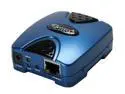
Zonet ZPS1002 Print Server RJ45 USB 2.0
Pros: 1) Works as intended. 2) Very small footprint. 3) Software utility (for 1st time setup) works even with Windows 7. 4) Works with Mac OSX. 5) Very easy to setup - you wonder if you left something out!
Cons: None really, other than that the manual says to use the "supplied cable" (as in usb) to connect to printer; does not come with the usb cable.
Overall Review: I am currently using this on a network with an iMac, 2 Win7 laptops and a WinXP Pro desktop all printing to the HP Officejet 6210 AIO. I used the software wizard to set the IP address (because I couldn't be bothered with changing my subnet just to connect to it), set to use TCP/IP, print server uses LPR and port lp1. It's THAT simple!!!
9/14/2010See more detail