
Your Browsing History


Dwight F.
Joined on 11/03/08
0
0
product reviews
- 10
Great picture, if you have enough light

EDIMAX IC-3030PoE Triple Mode H.264 / MPEG4 / MJPEG Internet IP Camera with PoE Function; 1.3M Pixel for Max. Resolution 1280x1024; External SD Card and Live View for iPhone / Smart Phone Support
Pros: 1) Going from 640x480 to 1280x1024 with in a surveillance camera is a revelation. 2) Firmware features at this price are amazing. 3) One of few 802.3af compliant PoE cameras in this price range. 4) Though not small, still not very obvious once mounted. 5) Flexible design for mounting base. You'll understand when you see it, but it's pretty good.
Cons: 1) The 5mm lens @ f/2.8 is poor in low light. 2) Cheaper Trendnet and D-Link cameras have an angle of view of about 35 degrees vertical, 45 degrees horizontal, and 57 degrees in the hypotenuse. This camera is similar, but this camera is 1280x1024, so the aspect ratio is 5:4 instead of 4:3 (640x480). Because the view is closer to a square, the angle of view can be confining in some applications. 3) MPEG maxes out @ 1024x768. Don't know why. Honestly, I could tolerate the last two if I could get better low light performance. I know that there is now an infrared version of this camera, but that probably trades one problem for another, bringing in bizarre colors under normal light.
Overall Review: Works great with Zoneminder, but be careful. The following paragraph applies to ZM users, or anyone that wants to use this with a 3rd-party app. One 1280x1024 camera equals 4.3 640x480 cameras in pixel count. You need much more storage to record a stream and significantly more processing power to perform motion anaysis, especially with MJPEG. If you're running this on a 100mb LAN, a camera like this at full resolution can eat more than half your bandwidth at 15fps while it streams. Streaming the max resolution over the Internet is virtually impossible for the average home. Running a megapixel surveillance camera takes serious resources, and you have to have to necessary infrastructure to support it. If you can handle this camera, go for it. If not, consider the hidden costs. Zoneminder MJPEG Setup Source Type: FFmpeg Source Path: http://username:password@ipaddress/mjpg/video.mjpg (substitute your cam's info, duh) Source Colours: 24 bit colour Everything else is common sense
2/28/2012See more detail
For 15 bucks...?
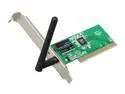
Rosewill RNX-N150PC Wireless Adapter (1T1R) IEEE 802.11b/g/n PCI 2.2 Up to 150Mbps Wireless Data Rates 64/128 bits WEP WPA (TKIP with IEEE802.1x) WPA2 (AES with IEEE802.1x) XP/ Vista/ Win7
Pros: Small. Cheap. Ralink has a GPL chipset driver for Linux that's not difficult to install if you read the instructions carefully.
Cons: With two average sheetrock walls between the adapter and the router at a distance of about 30ft, this card can barely sustain a 20mbps SMB file transfer in an N-only environment. It only got that fast after I: (1) boosted the signal strength on my Asus RT-N16 router (running Tomato USB) to 70mW and (2) I put a +7dBi antenna on the card (comes with +2dBi). It was doing about 8mbps before these two changes. Also, would a low profile bracket be too much to ask?
Overall Review: If you don't use your network to do anything other than surf the web, or if your Internet connection is below 8mbps down, you probably won't notice how slow this card is. Go ahead and try it. It's one of the cheapest PCI N cards available. For everyone else, here's my humble opinion. For the price of a GOOD wireless N PCI card, you could flash Tomato USB or DD-WRT onto a product like the Asus RT-N12 (or Asus WL-520GU for people running G or looking for a USB port) and put the device in Wireless Bridge mode. The signal is stronger and you'll never worry about drivers. However, if you're committed to a card solution, get a 2 or 3 antenna model. To get this card to run at decent speeds, you have to be so close to your router/AP that you should probably just wire up.
5/3/2011See more detail
Met my expectations
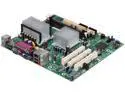
Intel LAD865GVIPL Intel Celeron M @ 1.3GHz Socket 478 Intel 865GV Micro ATX Motherboard / CPU Combo
Pros: Coolest running Pentium 4 desktop board you're likely to ever encounter. Can keep older systems with dying motherboards afloat, or can run a low powered system with the old RAM and PATA drives you may have lying around.
Cons: Factory thermal paste job was poor. Arctic Silver 5 made a big difference. I wish capacitors were further away from the CPU heatsink. May cause the board to age a bit prematurely. Driver disk was packaged poorly; got severely scratched by the pins on the bottom of the motherboard. Got the drivers from the Intel website, but the destruction of the disk was preventable. Included IDE cable behaved a bit strangely when I imaged a disk with Clonezilla, as if master/slave position affected how the new drive booted. I can't pin down the exact issue, but I had more success with my longer, rounded IDE cable. If you get this board and it acts weird, try a different cable.
Overall Review: Bought this board to migrate a Win2000 installation of a dying motherboard that also had an Intel 865 chipset. A little tricky in the beginning, but no fault of the board. I don't understand why SATA cables came with the board as there are no SATA headers. Not complaining though. Who can't use another SATA cable? As previously mentioned by another reviewer, CPU doesn't run so cool as to not need good ventilation. Having good case airflow (or case ventilation, at least) is in your interest. If you've got some old RAM and IDE drives lying around, this is a great way to put them back to work. I see this board inside a couple servers in my future. Would give this board 3.5 stars, but 3 would be a bit harsh.
9/26/2011See more detail
Why the long faces?

Linksys Wireless-N+RJ45 IP Camera with 1-Way Audio / Wi-Fi Protected Setup / MAX Resolution 640x480(WVC80N)
Pros: Using this camera with Zoneminder 1.24.2 on Ubuntu. Firmware is very stable and Image is good for price point Wireless works very well Design doesn't draw attention to itself Also, one other pro that most may not appreciate: Manual lists ALL CGI commands. You any use this camera in virtually any software environment because the controls are transparent.
Cons: Doesn't work with standard Power over Ethernet splitters Some rotate or flip options in the firmware might be nice No reboot option in firmware. Would be convenient for remote administration. Workaround is to reinstall firmware (no, you won't lose your settings)
Overall Review: WOW. There's a lot of misinformation floating around on these reviews. You don't necessarily need Internet Explorer to hear sound. Type: http://##.##.##.##/img/video.asf OR http://User:Password@##.##.##.##/img/video.asf into 'VLC Media Player: Media -> Open Network Stream'. It will play the MPEG4 stream with sound. MJPEG stream doesn't carry sound. This stream may also work on Windows Media Player, but I run Linux, so I didn't bother checking. Try it for yourself, or download VLC. TZO is unnecessary. Go to www.dyndns.com or freedns.afraid.org and set up an account. Paying for Dynamic DNS went the way of the Dodo years ago. You don't need a Linksys router for this, but a decent one helps. I use an Asus RT-N16 running Tomato USB. IMHO, running any IP camera on wireless G is asking for trouble. Too much frame dropping. Finally, if you don't know what port forwarding is, read this, you'll need it: http://portforward.com/help/portforwarding.htm
6/2/2011See more detail
NOT LOW PROFILE
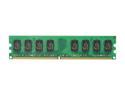
Kingston 2GB DDR2 800 (PC2 6400) Desktop Memory Model KVR800D2N6/2G
Pros: Works. No problems. Not knocking any eggs off.
Cons: PHOTOS ARE DECEPTIVE. MODULE IS NOT LOW PROFILE. Needed the module sooner than an RMA would allow, so I ended up keeping it.
Overall Review: No complaints about item. There have been complaints about these photos in previous reviews to no avail. Customers don't care what photos the manufacturer gave the retailer. Our relationship is with Newegg, not the manufacturer. Newegg, fix this!
5/5/2011See more detail
Buy it. Today.
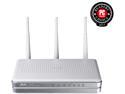
ASUS RT-N16 802.11b/g/n Gigabit Wireless Router up to 300 Mbps DD-WRT Open Source support with USB Storage, Printer and Media Server
Pros: Excellent specs (CPU & RAM) Accepts open source firmwares External antennas 2 USB ports Won't engage in hyperbole. Read the other reviews. It's as good as they say it is, but you have to use Tomato USB, DD-WRT, or some other open-source third-party firmware. Otherwise, it's like driving a Lamborghini in rush hour on the Cross Bronx Expressway. Waste of time, money, and potential.
Cons: Stock firmware is as useful as used toilet paper. I don't see why they even bother. Asus should just donate to the DD-WRT and Tomato USB projects and fire whoever develops this junk. Do what Buffalo did and get a custom version of good, open source development for their routers. LEDs could be dimmer, but it's not a big deal. 5Ghz might be nice, but if I wanted it badly, I would have bought a Linksys E3000. I wanted two USB ports so I could get a network printer and get SMB/FTP in one device. This router's ports reportedly don't supply much power. Flash drives work fine, though. Powered usb hubs may be a possible work around for bus powered hard drives, but investigate that as I've never tried it.
Overall Review: One knock that's recurring in the reviews is that data transfer is slow if you use one of the USB ports for a network share or FTP server. Tomato USB reports a CPU load of about 4 when the router is doing large transfers. This means the device needs a 2.1 Ghz CPU (528 Ghz * 4) to keep up with what's being thrown at it. My point? The CPU in this router has low-end Pentium 3 speed and probably has a much simpler instruction set. You can't passively cool this device and max it out for USB transfer speeds. In summary: -8MB/s wired, 2MB/s wireless is what you'll get for SMB. If you need more speed, pony up for a good NAS. -Unless you have a more than 60mpbs upload speed on your WAN (and you likely have less that a tenth of that), this device is great as an FTP server. -Don't blow money on a 7200rpm USB drive for this; it's a waste. A WD Elements or some other slow drive is perfect for these applications.
3/16/2011See more detail