




 here!
here!
I’m your shopping assistant for PC builds, upgrades, and everything tech.
Got questions? Ask away!
Start a conversation
here!
I’m your shopping assistant for PC builds, upgrades, and everything tech.
Got questions? Ask away!
Start a conversation

Joined on 01/11/15
Excellent Motherboard
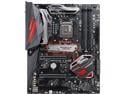
Pros: Had an early Asus X 99 deluxe which was a nightmare, it finally failed using a Intel 5930. I replaced that motherboard and processor with this board and an Intel 8700 and was really surprised at the performance increase. I have overclocked the processor to 5.0 MHz. Once you learn how to set it up it's a breeze.
Cons: Cheap bracket to hold the auxiliary fan. It's so flimsy that the 30 or 40 MM fans vibrate.
Overall Review: I'm not one who usually recommends anything but this motherboard works as advertised.
Disappointed
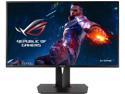
Pros: Not many
Cons: The gray scale from one side to another varies looking white in the center and yellowish 2 inches from each edge. Black print actually changes color across the screen.
Overall Review: I would not recommend this product it appears the reviews I have read are correct and you should not buy this product. I contacted Asus support where I kept getting disconnected, finally got to speak with their technical people who could not even explain the difference in the color of the light on the power button. The explanation with the instructions indicate three colors yellow white and blue however the indicator shows yellow blue and red with no explanation.The person I spoke with could not understand what I meant by a grayscale shift across the screen and stated it was normal. This monitor reminds me of an old TV screen that needed to be the degaussed. I guess I bought the wrong product.
Works as advertised

Pros: Drop temperatures of an 8700 K almost 30°C
Cons: Use caution when using this product less is best
Overall Review: Ran some tests in application with two different processors and I'll share my results. Apply clear nail polish to the four contacts near the die and after it dries apply tape around the die. Apply a tiny amount on the die remember less is best and then spread it. I have found by only applying on the die and not the IHS and using no sealer the temperatures dropped by almost 30C. Apply superglue on the outside corners only to secure the IHS and that is not even necessary if you install it and clamp it correctly in the socket. It appears if you apply the sealant and a second coat of the thermal compound on the IHS it increases the gap between the IHS and the die. After trying the two application procedures the way I suggested decrease the temperature another 5C. Running 5.0 GHz at 1.328 V and testing with AID64 the maximum temperature 63C. Just a quick note the original temperature under stress would spike to 93C.
Best thermal paste I've ever used
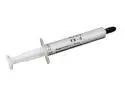
Pros: I have always used Arctic Silver 5 but I thought I would try something different when remounting my cooler. When stress testing with Arctic Silver I would run a package temperature as high as 82c but when switching to Tuniq TX-4 I could hardly believe my eyes the package temperature dropped to an absolute high of 71c.
Cons: None
Overall Review: I have always been hesitant to make recommendations but this stuff is the real deal.
The real deal
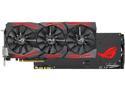
Pros: This card works as advertised no throttling, maximum temperature with heavens bench test 63 and a speed out of the box of 2025 I am really impressed.
Cons: I cannot think of a thing I would change in the way this card works it is dead quiet. I've heard other people complain about coil whine this one is dead silent and you can't even tell when the fans are running. The best graphics card I've ever owned!
Overall Review: I originally purchased another 1080 TI from another manufacturer which I purchased from Newegg and that thing ran so hot that it throttled most of the time. When contacting the manufacturer all I got were excuses and told it can run up to 91° and they were not willing to do anything about it. So I found the perfect fix the Asus ROG GTX 1080 TI OC edition. Let me emphatically state you get what you pay for, don't waste your money buying any other 1080 TI. If you want solid performance don't hesitate this is the one for you.
Hot like a toaster
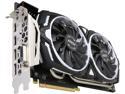
Pros: Appears fast really fast and it does not appear to be a reference board with a different cooler.
Cons: When flying X plane 11 this card runs with fans at maximum 100% temperature hovers between 81 and 85 way too hot! At these temperatures I don't think this card will not hold up. My previous Asus 1080 Strix addition including overclocking ran at a cool maximum of 73°, I am really disappointed!
Overall Review: The only suggestion I would make is to hold off for a different card with better cooling. After contacting MSI, I was told that this graphics card comes with a three-year warranty from the manufacturer as long as you retain the original cooler and it is normal according to their specifications to run up to 90°. I have contacted this company several times regarding problems with their website and am unable to register the card. I have never dealt with a company as evasive and uncooperative as MSI. Needless to say this is the last product I will ever purchase from them.


