
Your Browsing History


Michael H.
Joined on 09/27/02
0
0
product reviews
- 2
Modular, impressive, and easy
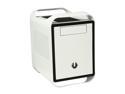
BitFenix Prodigy Arctic White Steel / Plastic Mini-ITX Tower Computer Case
Pros: -Modular hard drive bays: remove what you don't need, rotate to desired position -Removable optical bay -Accommodates fan mounting in rear, top, and front, most of which are 120-140mm or larger. Room for multiple radiator setup -'Feet' at bottom of case help keep computer off the ground for better ventilation -Easy install: I can get to all sides easily, no acrobatics. -PSU area is isolated and allows for some cable management -Clean look
Cons: -Could be better clearance when mounting the motherboard screws (More on this in 'Other Thoughts') -PSU area is a bit small. NOT ALL POWER SUPPLIES WILL FIT. READ BELOW!!! -Handles are plastic, wish they were more reinforced or made of metal All very minor issues that I can easily live with!
Overall Review: Probably the best case I've ever owned. Amazingly flexible accommodations and build quality feels great. It's a fairly stocky, wide case, which I wasn't expecting, but that's my fault for not measuring. The big boon for this case is that they thought of just about every mounting possibility possible, and managed to pull off decent cable management abilities. The top section allows for two 120mm filtered fan positions, with enough room for a single-length radiator, or double-length when you remove the optical bay. The front allows for a 120mm fan, but you can go up to dual fans or stick a whopping 230mm if you remove the optical bay. Another spot for a 120/140 at the rear, and filtered venting at the bottom to help out a standard fan-cooled PSU. the two HDD cages allow an insane amount of drives in such a small case, or can be removed if you don't want them. SSD mounting can go in the cages, mount to the floor under the bottom cage, or there's room for two on the back wall. What I liked best is that this case allows me to have support for my Corsair H60 (which I could probably have room for push/pull), plus room for an Arctic Accelero's radiator, and still not be crammed. I wish the handles were the same steel as the rest of the case, or at least thicker, because I don't like how they bend - I'm worried I will lean on the case and snap a handle. Maybe it's just me. When I was mounting the motherboard, I had trouble getting a screwdriver in place to screw the board in place. There is *just* enough room to fit a standard size Craftsman screwdriver, but you have to bring it in at an angle and then stand the tool up once you have it inside the case. My motherboard, an ASUS P8Z77-I Deluxe, has a daughterboard on one side, which is incorporated into the mounting holes. I had to use a flexible-head screwdriver in order to get these screws tightened to the case's mounting plate Yes, the PSU area is not as deep as it could be. I think they did this because they allow you to mount two SSDs between the PSU area and the bottom HDD cage, but I would rather see them omit that option and push that wall out for more PSU space (after all, there's an ungodly abundance of room for SSDs in other locations). Anything over a 160mm depth PSU will not fit. A 160mm full-modular PSU will be crammed, but does work. I am successfully using a SeaSonic SS-520FL. BitFenix is very proud of their product, and they offer some great FAQ and how-to videos on youtube, which was helpful in making sure everything fit.
2/14/2013See more detail
Bargain barrel salvation?
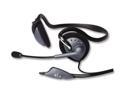
Logitech Extreme 3.5mm Connector Supra-aural PC Gaming Headset
Pros: Decent sound quality, controls, price
Cons: Mic is not the best quality for VoIP applications. Wire that runs between the two earpieces pops out of its plastic track.
Overall Review: Probably one of the better choices for people on very tight budgets. I use mine for gaming, and I get occasional complaints that the microphone is boomy or hisses.
11/23/2006See more detail