

Your Browsing History


Ted M.
Joined on 11/13/08
0
0
product reviews
- 14
Inexpensive on sale
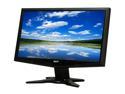
Acer 18.5" 60Hz TN LCD Monitor 5 ms D-Sub G185HVb
Pros: At $89.99 on sale, this fit the needs of an economical build that I performed for my daughter and grand daughter who will be using this system primarily for school work and surfing the web. The graphics are acceptable and the colors are sharp and vivid. Assembly was easy allowing tilt in the base. I like the obvious on/off led illuminated power switch
Cons: There is only a VGA connection even though the MSI N430GT video card used for this build has HDMI/DVI-1/D-Sub ports
7/13/2012See more detail
WD My Passort Ultra is JUNK!
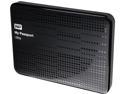
WD 1TB My Passport Ultra Portable Hard Drive USB 3.0 Model WDBZFP0010BBK-NESN Black
Pros: None, unless you enjoy having your blood pressure elevated
Cons: I purchased this to back up my computer. My computer running Windows 7 Home Premium refuses to recognize this external drive. I spent half an hour with Western Digital Tech Support and "Mike" could not resolve it even after downloaded their diagnostics software. All it reported was "Unable to access, corrupted files". He suggest that I return it to Newegg for warranty exchange.
Overall Review: What a waste of time and money.
8/1/2014See more detail
Cheap but it works
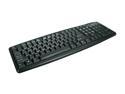
Rosewill RK-201 - Standard Keyboard - Black, 107 Normal Keys, PS/2 Wired
Pros: Every time you do a build you need a keyboard and a mouse. This keyboard has the PS/2 connection and fortunately, my build had a PS2 port for a keyboard. So if you are doing a low end build, this keyboard is suitable and about what you get from a computer manufacturer as their standard unless you are willing to pay for a premium upgrade.
Cons: Cheap and about as basic as you can get, but what do you expect for $5.99? A full featured Microsoft keyboard could run you over $60.00
Overall Review: Acceptable only as a keyboard for typical light home use and internet browsing, basically
7/13/2012See more detail
Good for a basic build
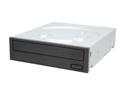
Sony Optiarc 24X DVD Burner, Bulk Package 24X DVD+R 8X DVD+RW 12X DVD+R DL 24X DVD-R 6X DVD-RW 16X DVD-ROM 48X CD-R 32X CD-RW 48X CD-ROM Black SATA Model AD-7280S-0B
Pros: Inexpensive and works the way it is supposed to. Good for an inexpensive build
Cons: This is about as basic as you can get, no screws, no mounting hardware, no instructions, nada.
7/13/2012See more detail
Adequate for most home use
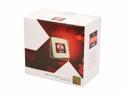
AMD FX-6100 - FX-Series 6-Core 3.3 GHz Socket AM3+ 95W Desktop Processor - FD6100WMGUSBX
Pros: Great price for a 6 core CPU that has more than adequate power for all but the most demanding home computing applications. Packaged with its own cooling fan
Cons: BE EXTREMELY CAREFUL INSTALLING THE COOLING FAN!!! The cooling fan housing clips are cheesy and difficult to attach to the CPU mounting brackets. If you are not careful wrestling this poorly designed mounting clips you will bend the pins on the CPU and render it worthless. I have already had that experience on a previous build and trust me, Newegg or AMD will have no sympathy about your misfortune.
Overall Review: Mount the CPU and the cooling fan on the motherboard before you ever place it in your computer case. Once you have carefully inserted the CPU into the motherboard socket (notice the corner gold triangle for orientation), firmly lock the CPU and never remove it once you begin the cooling fan bracket mounting hassle.
7/13/2012See more detail
Easy install
Microsoft Windows 7 Home Premium SP1 64-bit
Pros: After I build a computer from Newegg components, I inserted this release in the CD/DVD (optical) drive and let it run. The entire operation was easy and with no problems.
Cons: After the installation, I connected to the internet and MS downloaded 87 upgrades over 550 MB in size and this consumed a couple of hours. Additionally, the computer hung a few times after it was supposed to restart and I had to manually restart it a few times and ignore the warnings and let Windows start normally. It finally installed OK, except for 2 "Important upgrades" that refused to load.
7/13/2012See more detail