
Your Browsing History


Fedor K.
Joined on 11/11/04
0
0
product reviews
- 5
inexpensive, very good performance!
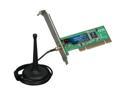
Rosewill RNX-G300EX Wireless Card IEEE 802.11b/g PCI Up to 54Mbps Data Rates 64/128bit WEP WPA WPA2 802.1x, 802.11i, AES, TKIP with 100cm cable external 2 dBi Antenna
Pros: The major pro: according to speedtest, my connection speed nearly doubled in comparison to USB wifi adapter with an internal antenna! External antenna can be positioned conveniently (I've put mine on top of the computer case). The card itself is fairly small and thus unlikely to interfere with internal cable arrangements.
Cons: I am not very keen on the included wireless utility (I have seen it crash on other systems), so I turned it off and am using Windows' own wifi manager instead. Antenna cable is not very long, but that's a minor disadvantage.
Overall Review: When it arrived, the box made rattling sound due to loose cable. There was no physical damage though. My previous adapter (USB stick, see above) started randomly switching to a channel somewhere in 4 GHz range, according to its bundled utility. I am glad I found a better replacement.
6/4/2009See more detail
Quiet and conveniently sized
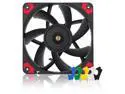
Noctua NF-A12x15 PWM chromax.black.swap, Premium Quiet Slim Fan, 4-Pin (120x15mm, Black)
Pros: Excellent fit for front panel of Meshify C, and a good way to avoid interference with components in space-constrained situations. Rubber dampeners are a nice touch, but the fan itself is pretty quiet.
Cons: I do not believe there is a 140x15mm version, which is unfortunate.
Overall Review: I needed to replace an existing regular-thickness 140mm fan in front panel of Meshify C because of ~5mm interference with the shroud of a new graphics card. This seemed to be the best available option, and it worked out great despite being smaller. The air flow did not seem to suffer too much.
9/17/2022See more detail
Interesting nonreference cooler
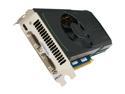
PNY GeForce GTX 560 Ti (Fermi) 1GB GDDR5 PCI Express 2.0 x16 SLI Support Graphics Card VCGGTX560TXPB
Pros: The card I received features a nonreference cooler with centrifugal fan, similar in appearance to the ones used in GTX570 and GTX580. It runs cooler at lower fanspeed when idle and blows all hot air outside. The card works well in SLI system and allows to play most things on high settings at 1920x1200 resolution.
Cons: Gets warm under sustained high load, but as far as I can tell nothing outside of the ordinary.
Overall Review: The model number is the same as PNY GTX560Ti I acquired nearly a year ago from a different retailer, which uses conventional 560Ti cooler shown in product photos. Needless to say, I prefer the new card.
1/10/2012See more detail
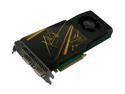
PNY VCGGTX260CXPB GeForce GTX 260 Core 216 896MB 448-bit GDDR3 PCI Express 2.0 x16 HDCP Ready SLI Supported Video Card
Pros: I can play games at 1920x1200 with high to very high settings. I like the cooling design - my temps went down. I also like the use of 2 power connectors because I was able to hook up separate 12V rails to them. All in all, a great step up from 7900GT. Free game was an icing on the cake, and an enjoyable one at that.
Cons: It is large, and necessitated removal of a card 2 slots down from PCI-E slot. I also had to use a different SATA connector for my hard drive. Please check for such things before the installation!
Overall Review: I think my score in Trackmania went up. Wonder why?
7/23/2009See more detail
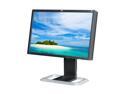
HP LP2475w Black 24" 6 ms Height,Swivel,Pivot & Tilt Adjustable Widescreen LCD Monitor 400 cd/m2 1000:1
Pros: It seems to be the least expensive 24" 1920x1200 *-IPS panel. Viewing angles, colors, responsiveness, connection options and overall features are pretty great. I can connect both my desktop and laptop through DVI, and (when using the laptop) adjust the height so that it is right above the laptop screen, giving a very comfortable dual-monitor experience.
Cons: I wish the stand could go a little bit higher for more flexible adjustments in portrait mode, but since the monitor is a widescreen, it is possibly too much to ask. It would also be nice if PIP was not limited to analog inputs. The brightness was set to 90 out of the box. It may be necessary to manually select an input if the monitor went to power save mode and you connected a new device to it.
Overall Review: It did not occur to me at the time of purchase, but sitting at a regular distance from this monitor can give better viewing angle and image quality than an average movie theater. While I realize this is not considered to be a "gaming" monitor, games do in fact look very good on it.
7/23/2009See more detail