




 here!
here!
I’m your shopping assistant for PC builds, upgrades, and everything tech.
Got questions? Ask away!
Start a conversation
here!
I’m your shopping assistant for PC builds, upgrades, and everything tech.
Got questions? Ask away!
Start a conversation

Joined on 12/22/06
Fast NAS
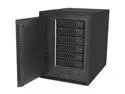
Pros: FAST Expandable RAID Arrays Powerful Processor Lots of Features (Like a mini-server)
Cons: A bit bulky (compared to other desktop devices) UI jargon might be intimidating for novice NAS users Finicky touch panel
Overall Review: DISCLOSURE: I RECEIVED THE READYNAS ON A LOANER BASIS FROM NETGEAR IN ORDER TO PROVIDE MY OPINION Wow, this thing is big compared to most other desktop consumer computing devices today, but its small when compared to the full-tower PC computing devices of yore. Considering it has the space to hold and cool 6 full-size HDD; I guess it is acceptable (I wish it was bit smaller so my wife wouldn’t make me hide it). Not much in the way of physical setup, just an Ethernet cable and Power cord. Plugged both in and powered it up – Fan is noisy at first but settles down after going through the initial web-based setup. I followed the onscreen instructions and it was pretty straightforward except for 2 minor nits. 1.) The touch panel on the front is actually a capacitive touch – so just a light touch is all that’s needed. If you press too hard like I did, thinking it was similar to my microwave oven, it made the behavior unpredictable. 2.) Remember me having to hide it because of the wife? Well, I should have done it after setup, because I had to touch a button on the device after getting to a certain step onscreen, and where I stashed it made it difficult to do in the allotted 3 min time. But after that, this thing just works and is VERY fast for file transfers (especially if you are wired via Gigabit). Over normal WiFi from my MacBook Air, I was getting around 1.5MB/Sec but when wired, it jumped to 113 MB/Sec! This thing was clearly tuned for maximum performance even in the RAID protected mode this thing was in. Dual Gigabit Ethernet ports and even a mysterious HDMI output shows that this thing was designed to have a lot of upgradeability. On the UI side, I found the color and fonts to be quite friendly and inviting – HOWEVER upon closer inspection, there was a fair amount of technical jargon. Its clear that the team is trying to make this product appeal to a larger audience than just the hardcore NAS users, but I would suggest perhaps a distinct “advanced user UI mode” and perhaps a simplified “simplified beginner NAS UI mode”. Similar to what NETGEAR does in its router interfaces. Overall, a fantastically powerful NAS, and if you have some familiarity with NAS devices, I would not hesitate to recommend this device. But if you are just getting into the NAS world, this one might be a little intimidating at first (like buying a DSLR as your very first camera).


