
Your Browsing History


Greg P.
Joined on 04/18/08
0
0
product reviews
- 12
Great drive
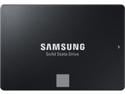
Samsung 870 EVO SATA III SSD 1TB 2.5” Internal Solid State Drive, Upgrade PC or Laptop Memory and Storage for IT Pros, Creators, Everyday Users, MZ-77E1T0B/AM
Overall Review: I really liked the specs and price of this drive. I've done something a bit different in my upgraded system than anything I've done before by having 2 of these drives in a RAID 0 configuration which I use as a drive pool for my Steam game storage. This works beautifully. I do have separate drives in RAID 1 for backup purposes in case one of these drives fail, but I expect it will be many years from now before that would ever be a concern. Great drives!
5/13/2023See more detail
Excellent Graphics Card
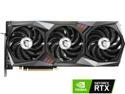
MSI Gaming GeForce RTX 3070 8GB GDDR6 PCI Express 4.0 Graphics Card 3070 GAMING Z TRIO 8G LHR
Pros: This is a beoutiful card and the performance I get out of it with my gaming is great! This is the first RTX card I've owned and the capabilities I get from it in some of the games I play that make use of the RTX features are quite stunning.
Cons: Be warned that playing games that make full use of the RTX features will put off a lot of heat. The fan configuration does a good job keeping the GPUU and the card at reasonable temperatures but be sure your case fans can adequately exhaust the hot air quickly as well.
Overall Review: I definitely reccomend this graphics card.
11/21/2023See more detail
Good product
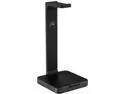
Corsair ST50 Premium Headset Stand Black
Pros: If you previously just had to set your headphones down on your desk when they weren't on your head, this stand will actually help you save space on your desk as well as keep them from getting tangled up with anything else on your desk.
Cons: The only reason I didn't give this product the highest score is because of the price. Considering you're buying something with no moving parts and no electronics in it, it seems like it should be a bit less in price. It is heavy to ensure it doesn't tip over and appropriately holds up the headphones on it so perhaps the material in it that gives it this weight is the source of this cost.
Overall Review: It's simple, elegant and a very practical way to store your headphones when they aren't on your head. If your headphones are also made by Corsair, then that's even better.
5/13/2023See more detail
Extremely helpful monitor mounting system
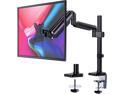
HUANUO Monitor Mount Stand - Adjustable Single Arm Desk Mount with Clamp, Grommet Base, HDMI Cable for LCD LED Screens up to 32 inch, Gas Spring Articulating Full Motion Arm Holds up to 17.6lbs
Overall Review: My low vision requires me to have my monitor a little closer to me than most users. One issue with doing this with a normal desktop stand is that the stand can limit house much space you have for your keyboard. After setting up this stand with my monitor, I was able to re-attach the writ rest on my keyboard and my keyboard is actually underneath the monitor as it 'hovers' above my desk on the movable arm. It is also a great improvement in ergonomics as I can have the monitor perfectly at eye level and maintain good, upright sitting posture in my chair. It's also nice to be able to swing my monitor over to one side should I need to use the desktop beneath it for other work temporarily so there's no need to have to move the monitor completely off the desk--just the keyboard and mouse which are much easier to move aside than a 32-inch monitor on a traditional stand.
5/13/2023See more detail
Easy to setup a new system
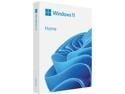
Microsoft Windows 11 Home (USB)
Pros: As I have low vision and make use of the accessibility features, one of the most notable new features in Windows 11 for me were the high contrast desktop themes. It basically makes all applications and web pages be in a dark theme (or whichever one is selected) and this is extremely helpful for me. Occasionally, there is a web page element like a radio button that is difficult or impossible to see if it is selected or not but it works well in a high majority of cases.
Cons: The ONLY issue I had with the installation process was that the stage of the setup where you select which drive to install to does not display detailed enough drive information--it only displays the size. As I had a 1Tb NVMe drive and 2 1Tb SATA SSDs, all drives appeared identical in the setup program so I had to stop the process and disconnect the 2 SATA drives so only the NVMe drive would display when I was selecting which drive to install to. After completing the Windows 11 installation, I could then reconnect those SATA drives to set them up.
Overall Review: Most systems today don't have CD or DVD drives so if you are setting up a brand new system that you've built that has empty, non-formatted drives in it, a USB installation is the way to go. Windows 11 has a lot of great features and has been running very stable for me so I'd definitely recommend it.
5/13/2023See more detail
Excellent!
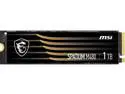
MSI SPATIUM Series M.2 2280 1TB PCI-Express 4.0 x4, NVMe 1.4 3D NAND Internal Solid State Drive (SSD) M480
Overall Review: This is my first M.2 NVMe SSD and I am very impressed with the speed of this drive. I certainly recommend this as a primary drive for your OS. I imagine it would be good for a content creator for saving/editing video if you were to make a drive pool of these using a PCIe 4.0 expansion card to install 4 of the drives together.
5/13/2023See more detail