
Your Browsing History


Lucian Z.
Joined on 08/12/03
0
0
product reviews
- 6
FAST!
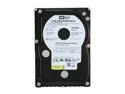
Western Digital Raptor WD740ADFD 74GB 10000 RPM 16MB Cache SATA 1.5Gb/s 3.5" Internal Hard Drive Bare Drive
Pros: - NCQ + 16MB = nice improvement over the 8MB models.. one of these single rapy is ~20MB/s faster than my other 74 8MB. - Got 4 of these rapies in RAID0 on the Areca 1210 i got from newegg aswell for ~320MB/s avg. read in HD Tach benchmark.. TCQ/NCQ + read/write cache enabled. - Very quite, even 4 of them. - Temp.wise, very cool running. - Did i mention they're fast.. custom winxp install in 4 minutes.
Cons: None so far..
Overall Review: If you want the highest performing sata hard drive, this is it!
5/29/2006See more detail
Awesomely Fast!
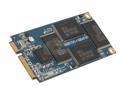
SUPER TALENT 32GB Mini PCIe (SATA) MLC Internal Solid State Drive (SSD) FPM32GRSE
Pros: 82.x mb/s hdtach read + this sata mini pcie ssd turned the asus eee pc900 into an xtremely fast/snappy eee + shockingly fast app/game/etc installs
Cons: too fast? nah never fast enough
2/20/2009See more detail
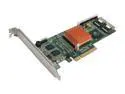
HighPoint RocketRAID 3520 SATA II RAID Controller with Intel 2nd Generation PCI-Express I/O Processor
Pros: read below
Cons: read below
Overall Review: since ive bought the 3510 from newegg.. if any of you have drives on the rr3520 and cant/want to use the drives on other controllers.. this can be reverted by writing zeros to the drives.. connect sata cable/s to onboard motherboard.. start pc.. after all drives spin up.. disconnect the cables @ hard drives from the 3520 then connect the cables from onboard to the drives.. at this point have the data lifeguard tools cd loaded.. run it.. write zeros to all drives.. restart pc.. drives should be detected by other controllers
5/22/2008See more detail
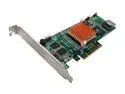
HighPoint RocketRAID 3510 SATA II Hardware RAID Controller with Intel 2Nd Generation PCI-Express I/O Processor RAID 0/1/5/6/10 JBOD
Pros: performance
Cons: @ bios 1.3 theres no warning if staggered spinup is enabled.. which enables puis thus drives wont be detected by any other controller.. bios 1.4 includes warning
Overall Review: if any of you have drives on the rr3510 and cant/want to use the drives on other controllers.. this can be reverted by writing zeros to the drives.. connect sata cable/s to onboard motherboard.. start pc.. after all drives spin up.. disconnect the cables @ hard drives from the 3510 then connect the cables from onboard to the drives.. at this point have the data lifeguard tools cd loaded.. run it.. write zeros to all drives.. restart pc.. drives should be detected by other controllers
5/22/2008See more detail
Re-review - 1 beasty sound card!
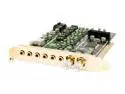
AUZEN AZT-XM71 7.1 Channels 24-bit 192KHz PCI Interface Auzen X-Meridian 7.1 Sound Card
Pros: Before i begin, at first the way i had split the center/subwoofer channels was correct but not the sound, had a strange echo and just didnt sound the way it should. So i've tried the same home theater 7.1 cable that i used on my X-fi to split the center/bass and the echo is gone and the center/sub sound is correct and FlexBass worx, actually pretty good. PS: 2 x center channels/2 x subwoofer channels, just like on my X-fi. Where should i start.. **i repeat - 192KHz on all 8-channels not just 2 and theres very clear difference to 96KHz @ 8-channels. **Surprisingly it uses low system resources without an X-fi like sound processor + onboard memory @ everything: games, movies, music. **Nasty bass!.. just nasty/beasty bass! i thought the X-fi's bass + 15% boost was nasty on my 2 x 500-watt subwoofers, i was wrong, this sound card eats Ks of sub-watts for breakfast. **Light-weight drivers/software. **High-quality components.
Cons: User-inferiority :D
Overall Review: I've been a very long time sound blaster user @ ~20 sound blaster cards but the X-Meridian has put every ~X-fi including the X-fi to shame in every possible way, for me anyways. [Dont stone me :)] Try it, you'll be surprised. ;) Cant wait for Auzen's next sound card...
2/9/2007See more detail
24-bit/192khz @ 7.1
AUZEN AZT-XM71 7.1 Channels 24-bit 192KHz PCI Interface Auzen X-Meridian 7.1 Sound Card
Pros: 24-bit/192khz @ 7.1 - clear, strong, amazing sound on all 8 channels the X-fi cant touch! which i just upgraded from. Im hearing stuff i didnt hear before.
Cons: No onboard memory. C-media sound processor - i shiver! but despite that final sound output is through the OPAMPS, thats a relief. The FlexBass LFE crossover frequency just doesnt work which is disappointing, hope Auzen will fix it.
Overall Review: I would to see a more powerful sound processor + ram from Auzen on their next sound card. About time Creative's got some competition.
11/28/2006See more detail