
Your Browsing History


Ivo B.
Joined on 05/25/07
0
0
product reviews
- 49
A long review but there is a lot to be said

D-Link DCS-931L Cloud Wireless IP Camera, Wi-Fi Extender, Sound and Motion Detection, mydlink enabled
Pros: - Price – this camera is a bargain for the quality, functionality and the free apps that it comes with. - It has simple and stylish design. - Can mount to a wall or ceiling in any direction. The pivot is manually adjustable in all direction. It can also be placed on a flat surface like a desk and can simply be used as a net camera. - I personally think that the camera is the right size, as small as one part of a flip phone. - The camera has Password protection that one can set upon initial install. - The installation wizard and the dlink download page were very well designed and easy to follow. - Installation was a breeze on my Dlink-655 router. It took 5-7 min. There is a step by step instruction in the user manual on how to set up the camera. - The camera supports both Windows and MAC OS. - Supports sound/motion detection and can send email alerts with captured pictures attached – it works OK, but can be messy if one does not enter the right settings. - Can work as wi-fi signal extender – works as expected. - Has built in microphone – the sound was clear for me.
Cons: - Short power cord- only 4 feet. I would expect at least 6 and I would hope for 12 ft in case I would like to mount the device on the ceiling. That was huge disappointment for me. -There is no night vision. Model 932L has night vision but does not have motion detection. I guess one has to sacrifice one of the features or go to a more expensive option. I would expect “led” night light at least. Nowadays, even the cheapest 3 dollar cameras have led night illumination. - There is no remote Pan/tilt, but for the price this is expected. - Does not have capture support through firmware viewer. However, I have to confess that there is pretty good free application called D-ViewCam (reviewed below) provided by Dlink for capturing and managing multiple cameras.
Overall Review: - I did not encounter any difficulties setting up the camera to my Dlink-655 router both wired and wirelessly. It took me 5-6min to set up. - Important: During the installation wizard, take a note of your user name (in most cases it will be “admin”) as you will need it later. Note that one can always find the MAC ID and Mylink # attached on a sticker to side of the camera. - At installation, one can also select wired or wireless connection to be used. - I found 4 ways to view content: 1) Using a web service through mydlink, for which one has to register on the dlink website during initial installation. Advantages are that one can view the camera through internet, either using the website or through a mobile app that is free to use. 2) Using mobile app. The quality of this service I found to depend on your internet speed. It is user friendly and good enough. 3) Through local network. Open your web browser. Type the camera IP that was displayed at the end of the set up wizard (will look like 192.168.x.xxx). Important: For user name type “admin” and then your camera password. You will be displayed the firmware of the camera. From here you can view the camera using your home network locally. This is also the place where you adjust camera settings. Through the browser (using firmware viewer) the camera can be viewed in two video formats in 640x480 resolution – MJPEG and H.264. The picture is clear. The sound is clear and can be turned off, which I found helpful. It also has 4 levels of digital zoom, which I think is very, very nice. Overall, the result is very pleasing, but note that this is using high speed home network. The experience viewing the camera through internet will vary based on the quality of the internet connection. 4) Dlink also provides a D-ViewCam downloadable software that I found very helpful. It can be used for capturing images, video recording, scheduling, and playback. Through the app, one can manage up to 32 cameras and 64 users. Once you install the software, sign in using “admin” as user name and your camera password, go to System settings > Camera tab and add your camera. The camera can be configured to start recording triggered by sound/motion detection. One can choose not to record audio if desired. The recording scheduler has day, week, holiday and custom modes, which is pretty comprehensive. It can also email captured images based on a preset schedule. The Playback viewer can be searched by date and time. One can setup Live streaming server and Remote playback server, also put date, time, camera name/number stamp. The software can display from 1 to 32 cameras on one screen. Very nice and comprehensive. Overall, I was pleasantly surprised by this cloud camera. Definitely worth the money.
7/23/2013See more detail
Garbage
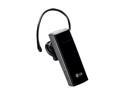
LG HBM-235 Black Bluetooth 3.0 Headset w/ 13hrs Of Talk Time & Multi-Point Connectivity
Pros: Got the rebate!
Cons: Terrible! I use it on LG phone. I have problems pairing the device with my LG phone. People cannot hear me. It does not filter side noises either. After a month I cannot her at all. Nothing! Low capacity battery. I had to recharge after 1-2 hour talk.
Overall Review: Although I got it for 8 bucks it is waste of money and time. Avoid!
12/15/2010See more detail
Team Color Turn 16GB USB 2.0 Flash Drive (Green) Model TG016GE902G

Team Color Turn 16GB USB 2.0 Flash Drive (Green) TG016GE902G
Pros: -Works.
Cons: -Nope
11/27/2016See more detail
Panasonic 5-Blade Wet/Dry Shaver with Multi-Flex Head, Nanotech Blades and Quick Lift Foil ES-LV61-A

Panasonic 5-Blade Wet/Dry Shaver with Multi-Flex Head, Nanotech Blades and Quick Lift Foil ES-LV61-A
Pros: - shaves okay when new - holds good charge - discharges for about 7-8 shaves 3:30min each
Cons: - the blades worn up in two years. Now I have to drop additional $60... - vary expensive
Overall Review: - I stepped up from a 3blade Panasonic model - After 2 years of use and having to spend again $76 for blades, I feel like it probably not very good value for the money. In another two years, I will have to probably replace the blades and the battery, so overall $400 - a whoping $100 per year.
11/27/2016See more detail
SAMSUNG 840 EVO MZ-7TE250BW 2.5" 250GB SATA 6Gb/s 1x nm Samsung Toggle DDR 2.0 3-Bit MLC NAND Flash Memory (400Mbps) Internal Solid State Drive (SSD)
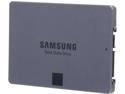
SAMSUNG 840 EVO MZ-7TE250BW 2.5" 250GB SATA 6Gb/s 1x nm Samsung Toggle DDR 2.0 3-Bit MLC NAND Flash Memory (400Mbps) Internal Solid State Drive (SSD)
Pros: -Good so far Purchased a separate PCIe SATA controller to get the SDD speeds of about 400Mbps
Cons: Nope
11/27/2016See more detail
OKGEAR 18" SATA 6 Gbps Cable, Straight to Right Angle W/Metal Latch, UV Blue, Backward Compatible with 3 Gbps and 1.5 Gbps
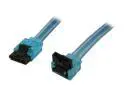
OKGEAR GC18AUBM12 1.5 ft. (18 in.) SATA 3.0 Cable with Metal Latch, Straight to Right Angle, UV Blue
Pros: -Works good
Cons: Nope
11/27/2016See more detail
seller reviews
- 1
Good experience. Item arrived on time. CS rep called to let me know I need to sign upon receipt of the expensive TV, so I arranged for it. They also informed me what I need to do when I accept the item in cases it is damaged. The packaging was not great for such expensive item. It should have been double boxed. I found 2 large holes in the center of the packaging, front and back, but I do not think the TV was damaged.
On-time
Delivery
Product
Accuracy
Customer Service
Satisfactory
10/31/2017See more detail