

Your Browsing History


cheryl g.
Joined on 04/24/05
0
0
product reviews
- 7
Calibration
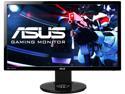
ASUS VG248QE 24" Full HD 1920 x 1080 1ms (GTG) 144Hz DVI-D HDMI DisplayPort Built-in Speakers Asus Eye Care with Ultra Low-Blue Light & Flicker-Free Backlit LED NVIDIA 3D Gaming Monitor
Pros: 144hz is amazing for shooters which I'm sure is a large majority of the people that purchased this. Adjustability in the stand is great. Once tweaked, the picture is pretty good. See my settings in other thoughts for nvidia owners.
Cons: Picture out the box is AWFUL. Once tweaked still not perfect but ok. Contrast, gamma, and colors are not perfect. Makes me want to constantly upgrade video cards to run games above high settings at 144 fps. A 780 cannot max modern games at 144hz defeating the purpose of having 144hz :( .
Overall Review: If you have an nvidia card I suggest checking these settings out as I have played with them a lot and found this to be very good. I play in a medium-dim room (don't let the initial settings scare you before you adjust the nvidia setting): Monitor Settings- Brightness: 40 Contrast: 50 Saturation: 53 Color temp: User Red: 100 Green: 97 Blue: 99 Skin tone: Reddish Nvidia Control Panel Settings>Display>Adjust desktop color>check "use nvidia settings"- Brightness: 47 Contrast: 50 Gamma: .89 Digital Vibrance: 58% Apply... This will give you a slightly oversaturated color that is good for games and have a good contrast/not washed out. If it is too dark for you in shadow/dark area of a map (I have not found it to be), you can use either the in game brightness control or bump the brightness up a notch or 2 in nvidia or monitor settings or change gamma in nvidia settings to .91. Hope you enjoy these settings as much as I do!
3/12/2014See more detail
Liking it a lot so far.

Acer TimelineU M5-581TG-6666 15.6" Ultrabook
Pros: Thin, relatively light, great battery life, and runs diablo 3, black ops 2, borderlands 2, and CS:GO all perfectly fine with latest nvidia drivers. Unlike some people I love the keyboard. I can type fast and haven't noticed any missed keys. The backlight on the keyboard is nice. Boots and wakes pretty quick. 2xusb 3.0 and HDMI. Excellent feeling fit and finish. The brushed steel looks and feels great.
Cons: The mechanical drives they put in these must be garbage! My hdd died after about 40 days, sent to Acer (which I'll never do via ups again$$) got it back 2 weeks later but its been running perfectly since(another 40ish days). The USB ports in the back take some getting used to but i actually kind of like it, i do see that they could be too close together if you have wide flash drives. Never had anything not fit but have had to squeeze(i have one fat drive that i use). My only real complaint is the glossy screen. Its reflectiveness can be pretty annoying. The resolution doesn't bother me much because if it was higher it probably couldn't run my games so well and wouldn't have as good of battery life.
Overall Review: Hearing the problems with win 8 bothers me but i need 7 still for school so I'm hoping Acer will update their drivers before i make the change. Probably throw in a crucial 256gb msata and a matching 8gb stick of RAM to speed this thing up even more. Been very happy overall with performance and pretty much everything else except the obvious needing a new mechanical drive and me not being a fan of the gloss screen.
1/9/2013See more detail
AMD?
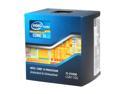
Intel Core i5-2500K - Core i5 2nd Gen Quad-Core 3.3GHz (3.7GHz Turbo Boost) LGA 1155 95W Intel HD Graphics 3000 Desktop Processor - BX80623I52500K
Pros: Just wanted to add to my previous review... I always used AMD processors before this (last was a PhenomII x3 unlocked to 4 and OC'd to 3.5). I even waited until AMD's new chips came out to make my decision. I don't buy based off a name, I buy what is the best value. Intel has blown out AMD the past year or 2 IMO. SO here I am with an i5.
Cons: Again, doesn't have hyper threading or 6 cores for free...
Overall Review: I picked up a 2500k and z68-udh3-b3 for $275 at micro center brand new. Droolllll. I will be posting a review for the evga 560ti 448 classified later today or tomorrow. This will be my first ever nvidia card. AMD needs to step it back up. Never thought I'd have an all intel rig but so far I couldn't be happier. 2500k @4ghz stock voltage so far 8gb GSkill 1866 1.5v($45? thank you newegg!) Gigabyte z68-ud3h-b3 EVGA 560 ti 448 classified 2x500gb WD re3 in raid 0 Cooler master hyper 212+ Cooler master 700w power supply Antec 300 case with gelid fans
12/8/2011See more detail
best console gaming monitor!!!
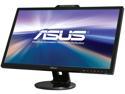
Asus VK278Q Black 27" 1920x1080 Full HD HDMI LED BackLight LCD Monitor w/Webcam 300 cd/m2 10,000,000 :1 (ASCR)
Pros: I play xbox first person shooters competitively online and this is the best screen I've ever seen a console hooked up to for that purpose! I decided to make the switch from my beautiful 42" Panasonic g15 plasma to a monitor so I could move the TV to my bedroom to watch blurays before bed. I could not be happier! I sit a little closer, but honestly for gaming, this monitor looks better then my darn nice tV. Highly Highly recommend to any console gamer! Its better then any TV as far as games go. Oh I bought this cuz the non webcam version is always out of stock and whats $15?
Cons: I know its just a monitor but a remote would be nice which leads me to... the monitor made me sick how absolutely horrible the picture looked out of the box! I actually enjoy setting my electronics up to perform their best but a remote would have made it take half the time or less. So be prepared to calibrate and do it with not the most intuitive controls. Oh and I've only noticed 2 slight instances of ghosting after about 16 hours of all out gaming. Verrrryyy slight to the point where I think im the only person who could've noticed something so small lol
Overall Review: My cons are not really cons as, after I got it setup, I could not be happier with my purchase. If you're gaming try these settings: brightness: 50-55, contrast: 60, saturation 47, sharpness: 60 or 80, change the red, green and blue all down to 60-65. It looks lifelike and sharp enough to see everything perfectly. That's with a x360 hooked up through hdmi. The only reason I put my tech level 5 is because I have a lot of experience with high end tvs and gaming on them for my computer parts reviews I put 4(: buy this monitor!
12/17/2010See more detail
amazing value!
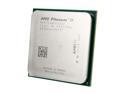
AMD Phenom II X3 740 Black Edition - Phenom II X3 Triple-Core 3.0 GHz Socket AM3 95W Desktop Processor - HDZ740WFK3DGI
Pros: 24 hour prime95 stable with 4th core unlocked and overclocked to 3.434! Temps never went above 49C with a cooler master hyper 212+. If that not wroth $89 I dont know what is.
Cons: Any con must be my fault...
Overall Review: Had it stable at 3.5, tried to go higher it didn't work. Then it wouldn't pass prime for more then 7 hours at the 3.5 no matter what voltages I tried(my setup seems to like low voltages from what I've seen even though I haven't seen the NB or cpu go over 50C during prime, guess that's good lol), my bad I guess for being greedy :P but still stable at 3.434 so I can't complain at all. My setup: This chip @4 cores and 3.43ghz Gigabyte 880ga ud3h 4gigs Mushkin blackline running 1606 7-8-7-24-1t 2x western digital 500gig re3 hdds in raid 0 Cooler master silent pro m700 power supply Cooler master hyper 212+ cooler Old powercolor HD3850 (I don't game on my pc and its more then enough but I still want to upgrade soon)
11/29/2010See more detail
Maybe 4 1/2 eggs?
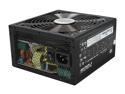
COOLER MASTER Silent Pro M700 RS-700-AMBA-D3 700W ATX12V V2.3 SLI Certified CrossFire Ready 80 PLUS BRONZE Certified Modular Active PFC Power Supply
Pros: Looks nice minus one thing (read cons), didn't run into a single problem during install not even with the rubber isolaters, flat modular cables good for my older case. Powers everything just fine.
Cons: Even though the modular cables are flat I would've liked them to have the net as well, I knew it going in but it still makes the modular cable LOOK cheap. Also if you have a case with lots of sharp edges the netting could help.
Overall Review: Works great, easy and clean install. SYSTEM SPECS: -AMD PhenomII x3 740 unlocked to 4 cores -Cooler Master hyper 212+ cpu cooler -Gigabyte 880ga-ud3h -4gigs of Mushkin Blackline ddr3 1600 at 7-8-7-24-1t -2x 500gb Western Digital re3 hard drives in raid0 -This power supply -Powercolor hd3850 (know its old but I don't game on my pc, still might upgrade soon)
11/12/2010See more detail