




 here!
here!
I’m your shopping assistant for PC builds, upgrades, and everything tech.
Got questions? Ask away!
Start a conversation
here!
I’m your shopping assistant for PC builds, upgrades, and everything tech.
Got questions? Ask away!
Start a conversation

Joined on 08/18/09
Excellent
Pros: Works really nice in my EeePC 1015PED.
Cons: None.
Nice price
Pros: Cheap price. Good quality.
Cons: Cap is small and easily lost.
Overall Review: At this low price, 4GB is plenty enough to carry my data in my pocket, everywhere. And if it breaks or get lost, well I'll just order a new one!
Good choice.
Pros: Cheap price. Does its job nicely. I'm absolutely not afraid to break it if it ever falls on the ground or if someone accidentally steps on it.
Cons: A little bulky and you might not always have enough space to stick two of them one beside another. Just to take in consideration if that's an issue for you... The cap does not fit as firmly on the storage tab as it could, but then, some drives make you leave the cap on the table.
Overall Review: Would definitely buy again.
Why pay hundreds for HMDI cables?
Pros: Got 3 Bytecc HDMI cables at low cost and they all work great: 1 x Bytecc 6ft for my upscaling DVD player 1 x Bytecc 6ft for my HDTV terminal 1 x Bytecc 15ft for my PC (with a proprietary ATI DVI-HDMI adaptor I got from XFX to have HDMI audio)
Cons: None
Overall Review: Cables from other brands are often described as "HDCP compliant". This made me hesitant to get this one but I've read the devices must be HDCP compliant, the cables have nothing to do with it.
Why spend hundreds on HDMI cables?
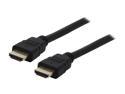
Pros: Got 3 Bytecc HDMI cables at low cost and they all work great: 1 x Bytecc 6ft for my upscaling DVD player 1 x Bytecc 6ft for my HDTV terminal 1 x Bytecc 15ft for my PC (with a proprietary ATI DVI-HDMI adaptor I got from XFX to have HDMI audio)
Cons: None
Overall Review: Cables from other brands are often described as "HDCP compliant". This made me hesitant to get this one but I've read the devices must be HDCP compliant, the cables have nothing to do with it.
Awesome card !
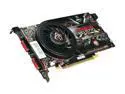
Pros: - Low cost for high performances - Single-slot (if it's a concern for you) - Runs cool, and quiet - Double lifetime warranty. Make sure to register. - XFX customer support has been great, and fast. - This card DOES audio over HDMI. XFX has a guide on how to set it up. You actually NEED a proprietay ATI DVI-HDMI adaptor that will pass over audio. I wasn't able to find one easily and contacted XFX about it, they sent one the next day! My setup is working great: PC (Radeon HD5770) DVI ==> ATI DVI-HDMI adaptor ==> Bytecc HDMI cable (from Newegg, cheap price) ==> Samsung 40in 1080p HDTV
Cons: - None yet - I would have liked one HDMI port instead of two DVI, but I new what I was buying upfront. This is of no concern with a DVI-HDMI adaptor anyway.
Overall Review: A few years ago I spent nearly 400$ to go dual X1950 in Crossfire hoping to be set for a while. Technology is evolving so fast now that I changed my strategy I found it much more beneficial to go for mid-to-high end hardware instead of going with bleeding edge technology. This way I'm saving a lot of money, and can upgrade every 2-3 years if needed, at much lower cost. I spent a lot of time searching for the best card at low price. My criterias were (1) below 150$ (2) 1024M GDDR (3) Radeon 5XXX or over. I wanted to be able to play current games at high/ultra settings without going overkill with a Super-Expensive-Dual-GPU that would have to be replaced in a few years anyway. I'm very satisfied with this card, and with the experience I had with XFX support.


