
Your Browsing History


Joseph B.
Joined on 09/19/04
0
0
product reviews
- 4
Solid system, get some band-aids ready.
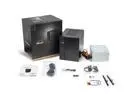
ASRock DESKMEET X300 Mini PC Barebone System AMD X300 DisplayPort, HDMI & D-Sub Supports a discrete Dual slot Graphics card up to 20CM(card not included) 8 Liter compact size
Pros: Super compact and quiet. Perfect Office/Work PC, if you want a small but functional form factor. -It stays cool, pushed it with Heaven for an hour and the the R5 5500 topped out at 60c. -The case was simple enough to put together and mostly intuitive. -Ram in 2 and 4 (from CPU side) documentation doesn't easily make this clear - XMP set to 3200 without any issues.
Cons: Expect to cut yourself. This case demands a blood sacrifice. -There are a lot of 'awkward' cable bends that have to be made. -3.5 inch HDD power cable is smashed in a corner when the drive is mounted. -PS cables are basically jammed into the case when you bolt the PS down (and pray your cables didn't get stuck in the CPU cooler). -The machine takes forever to boot until you run a BIOS update on it. It's not just ram learning from Ryzen, it is just sluggish until the update. -I cut my hands in three places, its sharp and tight. -Expect to pancake a lot spare power supply cables, it comes with far too many for what is necessary and there isn't much room for cable management of those cables. -Documentation could be less infographic and more informative (grab the product manual from the website if you need it, helped me sort out the RAM installation). -Standby LED could land a plane. -There is a metal tab for a lock built into the outer case, do yourself a favor and rip it off (it's designed for this, wiggle it back and forth till it comes free ). It jams or catches every time I've attempt to close the outer case. -"Enjoy" attaching the wi-fi antenna cables. -It's deceptively heavy when fully loaded. - I have concerns about replacing the power supply down the line, its internal fan runs in reverse of normal power supplies to draw cool air in from the back.
Overall Review: -I've worked in tighter mini-itx cases that require less blood sacrifices to build in. -Still, I'd build in it again if I needed to. This would be very cost effective for a family member a Ryzen APU. -Specs: Ryzen 5 5500 - w/Wraith cooler 2x 8 gigs @ 3200 GTX 960 - spare card, just need triple monitors, powered without an issue.
7/16/2022See more detail
DOA
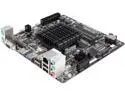
GIGABYTE GA-J1800N-D2H Intel Dual-Core Celeron J1800 SoC (2.41 GHz) Mini ITX Motherboard / CPU / VGA Combo
Pros: I enjoy working with mini-itx form factors for low cost servers or dedicated machines for dashboards, etc. When it comes to the form factor and build, it felt solid.
Cons: Except the unit was DOA. I opted to just send it back and move over to an APU. I had expected better, but the product is new. I've used the chip, or rather is quad-core brother, in a few tablets. I had high hopes.
Overall Review: The product, if functional, could be an impressive machine. But until Win 7 drivers are released (nothing against 8.1) and the board hits a few revisions, I wouldn't advise anyone to touch it. The lack of Win 7 out the gate is confusing individuals purchasing this equipment. Currently it only works with Windows 8.
3/1/2014See more detail
Excellent case
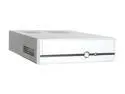
IN WIN IW-BT611T.300SL Silver/Black Best Performed 0.8mm SECC Japanese Steel metal Micro ATX Desktop Computer Case 300W Power Supply
Pros: Strong power supply and easy to transport. I throw it in a duffel bag when i transport it. Decent ventilation when your components are not miniature ovens. Will run the Ati 4650 low profile video cards. It can game.
Cons: No second HDD mount (unless you butcher the case yourself). The stock fan needs to go, pick up a thermaltake variable speed fan with thermal sensor and stick it near the gpu.
Overall Review: I wrote up a review for this case a year ago, running a 45 watt 2.1 AMD x2. 4 gigs of G.Skill 800 ram. Some now defunct Asus mATX board. 500 gig WD Green. Low profile D-Link wireless G. What I'm really posting about is I had an ati 3650 low profile card in that machine. Two weeks ago I upgraded to the 4650 low profile card. No complaints, decent card, decent thermals (seriously.. the case only has only one fan).
5/18/2009See more detail
4650 trumps 3650
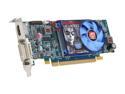
SAPPHIRE Radeon HD 4650 512MB GDDR2 PCI Express 2.0 x16 Low Profile Ready Graphics Card 100253HDMI
Pros: Its for a media/gaming pc. Unlike the 3650 this card can handle TF2 on medium settings at 1920x1080 (nigh unplayable on the 3650 at low settings) on a 42 inch TV. It can also run WoW on high settings at 1920x1080 at 40-80 fps, unlike the 30s the 3650 could do.
Cons: I would have liked to see GDDR3 on this card, even if the cooler encompasses more of the card.
Overall Review: While one has mentioned he noticed 'no improvements', I would venture to say it is quite substantial. I bought the card on a whim, and almost canceled from said review. -XP sp3
5/6/2009See more detail