
Your Browsing History


Nathan D.
Joined on 06/22/06
0
0
product reviews
- 3
Solid card - careful with drivers
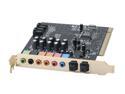
Turtle Beach TBS-3300-01 7.1 Channels 24-bit 96KHz PCI Interface Montego DDL Sound Card
Pros: I wouldn't consider myself an audiophile, but I'm an electrical engineer who knows a lot more than your average person about audio stats, frequency response, and how these things work at a hardware level. Pros... -It definitely sounds better compared to my motherboard's audio, though my motherboard's audio certainly wasn't bad (Asus P6X58D) -DDL, which is the entire reason I got this card -Price is low
Cons: -Only stereo on the optical in (not a problem for 99% of people) -Drivers Drivers: Do not install turtle beach drivers. Any of them. Not the ones on the CD, not the new ones on their website. I was unable to make 5.1 work in computer games with these drivers. Instead, do a google search for c-media drivers. I have windows 7 64-bit. I downloaded the CMI8786 drivers, so I chose accordingly (V8.17.40). CMI8786 is referring to the big black silicon chip on the sound card, and as long as you get drivers that were made for this chip, they should work. C-media is the company that makes these chips and they sell them to other companies who re-package and sell them again...turtle beach being one of those companies. Once I downloaded and installed these drivers, EVERYTHING worked. It was a beautiful thing. DDL worked, and I was finally able to play my computer games in true 5.1 surround sound on my sony home theatre system. Half life 2 in 5.1 is a whole new experience.
Overall Review: I've got a sony receiver with dolby digital and DTS capabilities. It's got 5.1 hooked up. Ever try setting HL2 to 5.1 and you only get 2.1? This is what I'll help explain in these next paragraphs. Optical connections CANNOT support uncompressed 5.1 audio out. There isn't enough bandwidth. You must send dolby compressed audio. In things like DVDs and blu-ray, the audio already has this compression and that's what gets sent out. Your receiver, if it has DD and DTS, can decode this compressed audio. Now, normally the rest of your system (like computer games) just sends out raw 5.1 when you tell it to do so. Like I said, optical (and coax too) simply can't transmit uncompressed 5.1. You NEED DDL. DDL is a hardware encoder that takes this uncompressed 5.1 and compresses it so that it can be sent over optical to your receiver, and then decoded there. With DDL, you can finally play your video games in all the great glory that is 5.1. You'll never look back.
8/20/2010See more detail
Not really worth it
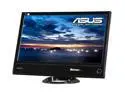
ASUS ML239H Black 23" IPS Panel Full HD HDMI LED BackLight LCD Monitor 250 cd/m2 ASCR 50,000,000:1 (3,000:1)
Pros: -IPS is nice...no color shifting really with changing angles unlike regular led backlit monitors. -Good adjustable base -23" is very engrossing for video games compared to 21.5"
Cons: -Really, really bad bleeding around the edges. The bottom left corner is orange and the bottom right corner is purple. On anything dark at all, it really sucks. -Compared to my Asus 228H, the whites aren't as white and blacks aren't as black. The colors are better though. -Not as crisp as my 228H, but that might be because it's 1.5" bigger so the pixel pitch is larger.
Overall Review: -I'm really considering returning this. The backlight bleed is just so horrible. -1 egg for the black/whites being OK at best, and -2 eggs for the bleeding. -The ONLY reason I could see you getting this is for the wide viewing angle if you really, really need it for multiple people. Otherwise, just get a regular LED monitor and adjust the stand so it faces you properly...because they do everything this monitor does better.
8/4/2011See more detail
Not a good monitor
ASUS ML239H Black 23" IPS Panel Full HD HDMI LED BackLight LCD Monitor 250 cd/m2 ASCR 50,000,000:1 (3,000:1)
Pros: -IPS means that color really doesn't change with viewing angle, which is very nice. That's why I got this. -Good stand and adjustment ability
Cons: -Horrible backlight bleed bottom left and bottom right. On a black background, the bottom left is orange, bottom right is purple. -Compared to my ASUS MS228H, the whites aren't as white, blacks aren't as black, and colors aren't as rich. I've tried messing with settings to no avail. -There is *slight* blurring in games like CSS, even when messing with the trace free setting adjusted. There's no such blurring at all with my ASUS MS228H. -Text is blurrier than the MS228H
Overall Review: Other than IPS for color shifting, it's simply worse in every way compared to a regular monitor. Sure color shift on a regular monitor can be annoying, but as long as you can adjust the stand so it's not a problem. You can't change the problems that I have with this monitor. The backlight bleed is what really kills it. I might have kept the monitor if not for that. This'll be my first ever time returning something on newegg...
8/3/2011See more detail