
Your Browsing History


Kevin B.
Joined on 11/02/08
0
0
product reviews
- 13
Impressive

LOGISYS Computer CS888CL Transparent Clear Acrylic ATX Mid Tower Computer Case Pre-Assembled
Pros: Makes a fantastic first impression, especially if it's a surprise to the viewer. After all, why did you buy it if not to show off? Apparently the manufacturer (LogiSys, NOT LogiTech) reads these reviews and makes improvements. Several people stated that theirs had no headers for front audio or USB but mine does. I had no problems with broken plastic or missing parts, nor with fit or finish.
Cons: I can't really call it a con, but someone said they had problems with grounding in this case. Well, duh! Anything installed in a plastic case that requires a case ground will have to be independently grounded, it goes with the territory. The real con was the shipping; it was shipped by On-Trac, and I have never seen a more disorganized and unprofessional shipper. I live in a rural area, but all the rest of the big shippers can find my place; these guys took a week and a half instead of three days to find it after several 'phone calls on my part. They never attempted to contact me after their failures to deliver, each time I had to call them with further instructions, each time they had a lame excuse, and when they finally did deliver they dropped it over a six-foot fence rather than leave it outside the gate as requested. This thing is clearly marked as a computer part and as plastic! Fortunately no damage, no thanks to OnTrac. The screw count is a bit short if you are installing more than one HDD, but these screws are quite easy to find; they are #6X1/2". I was OK with two optical drives because only two screws are required per drive, the thick front panel holds the front of the drive securely. Yes, the feet supplied with the case are a joke. Who needs clear plastic scratchable feet on this case, especially with weak adhesive? Aftermarket rubber or felt feet work much better.
Overall Review: Of course it went on sale two weeks after I bought it, could have saved $10.00! Others have complained about parts not fitting, warping, scratching, etc. Hey, this is a plastic case, look up the definition of plastic! A clear case could be made of glass, at a much higher price, and it would be much more fragile and much heavier. Acrylic is probably the most ideal substance for a clear case available, and it has these shortcomings. If you can't live with this, get a standard metal case or just buy a Dell and be done with it! I wanted something nobody else I knew has, and this is it; I'll live with the minor problems.
11/25/2012See more detail
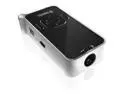
Pretec MP120 Multimedia MP4 & Projector
Pros: Fun toy. Works as expected for the most part, seems especially suited for slideshows.
Cons: Very picky about what video files it will or will not play. It might run one .avi file and report the next as unsupported. The included "screen" and "stand" are both jokes; you are supposed to turn the box sleeve inside out to show the silver cardboard stuck on it, and use that for a screen until the glue lets go. I didn't bother to assemble the cardboard pieces that are supposed to make up a stand; even if it works it will cause the screen to be much larger at the top than the bottom. The battery is not removable, so not only can you not carry an extra battery, but when this one goes south so does the unit. No external inputs, just the data cable accessing the microSD.
Overall Review: I'd cheerfully trade the "screen" and "stand" for a standard tripod mount. This little box would work very well with a tabletop mini-tripod, the kind that come free with cheap cameras. I may rig one up anyway, it's just a 1/4-20 thread. Maybe epoxy a nut to a hose clamp?
4/7/2012See more detail
Nice little keyboard
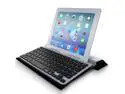
Minisuit BluBoard Wireless Keyboard for Android Blackberry Kindle iOS OS X, Microsoft Surface, iPad Air 2 3 4, Samsung Galaxy, Chromo, ASUS MeMO Pad, Google Nexus
Pros: Works as intended; always a nice option. It's the only one I've seen with a handy slot to hold your tablet up, makes it look somewhat like a docking station. Has a "chicklet" style keyboard, which makes touch-typing possible for me; I need to feel each key distinctly, there are about 3mm between these keys. Battery life seems excellent as long as you don't leave it on for a week or two at a time, apparently there is no automatic shut off.
Cons: Its USB port is for charging only, so that it's useless with cheaper tablets that have no Bluetooth. While the cover looks pretty good, it isn't very functional, It's a cheap grade of PU imitation leather. I wound up ripping it off and spacing the back of the keyboard up about 2cm for a better angle. The metallic-finished plastic case is somewhat flimsy (so don't throw it down the stairwell). The slot for the tablet is not adjustable, so while it works for thinner tabs, anything over about 9mm stands straight up and seems in danger of falling onto the keys.
Overall Review: I cannot believe no one else has bothered to write a review of this handy little thing. I just bought another, I may leave the cover on this one. It would be nice if it had USB connectivity as well as Bluetooth, and I'd pay half again as much if it actually had a USB hub with another couple ports for, say, a mouse and maybe a universal card reader.
11/7/2014See more detail
Display renders it useless
Xelio P1001A-BK 4 GB 10.1-inch Tablet PC - 1 GHz Processor - 512 MB RAM - Android 4.1.x Jelly Bean - Black
Pros: Inexpensive. Nice looking case, has a rubberized back, will probably take more abuse than most. Boots up very quickly. Play Store easily installed.
Cons: The display is terrible. The display is horrible. The display makes the tablet nearly useless. The usable viewing angle is roughly 3 degrees, meaning that you cannot get a clear view of any spot on the display with both eyes at once, and if you only use one eye, you must shift the angle of the display to see another spot, even if it's only an inch away from the first.
Overall Review: This thing might be good for a media streamer, it has an HDMI out. But you can get a refurb Roku for half what this costs. But I would not think of using it in any capacity that required actually viewing its screen.
9/7/2014See more detail
Not as advertised
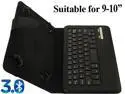
OXA Wireless Bluetooth 3.0 PU leather Black Black Keyboard Cover Case with stand for 9"-10" Tablets
Pros: Does what it's supposed to, connects to tablet and inputs keystrokes. The cover, well, covers.
Cons: This is not the keyboard shown in the picture! I need a keyboard with discrete keys, either island style or raised so that there is space between them, in order to touch-type. The pic shows island-style keys, the device I received has flat square keys with no separation. Only good for hunt&peckers, and of course the tablet has a software keyboard for that. The cover is rather unimpressive also, but it does cover the tab and keyboard. For my Transformer 300 I had to remove two of the hooks, one of them sat squarely on both the power button and the volume button, but two diagonal hooks seem to hold the tab OK.
Overall Review: It's cheap, but at least it's not overpriced. This thing will work but it's not a great bargain, I got what I paid for.
4/28/2014See more detail
Best bang-for-the-buck
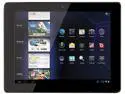
COBY MID9742-8 1GB Memory 9.7" 1024 x 768 Tablet Android 4.0 (Ice Cream Sandwich) Black
Pros: Excellent price for a near-10" screen (which is nice & bright). Two cameras, one of which is 2MP. Speakers are loud enough to hear even if someone is talking in the room. Handles high-def video (although it won't with VLC media player, probably because VLC fails to use its GPU chip well). Mine is a refurb, but I couldn't tell except for the price tag, no visible wear or software leftovers.
Cons: No Bluetooth. Processor and wi-fi are both a bit slow. Included apps are all ad-supported, and many require an account setup somewhere. Coby's customer support is simply not there; their website just displays their logo and that's all, no links, no downloads, not even a 'phone number. There are no custom rooted ROMs available for it; IF YOU FIND THE ROM FOR THE EARLIER VERSIONS DO NOT INSTALL IT! IT WILL BRICK THE TABLET! I have (so far) utterly failed to find a way to backup the ROM in it now, and as noted above, there is no help from Coby.
Overall Review: The MID9742-8 can be rooted with SRSRoot and a 32-bit Windows 7 PC, in fact it was rather easy and painless. Simply connecting the Coby to my 64-bit Win7 PC crashes the PC. Doesn't help with backing up the ROM, unfortunately, since ROM Manager won't run even though the device is rooted. The Android OS itself is obviously experiencing severe growing pains; it looks to be in about the same stage of development as Windows 98 first edition, with lots of bugs and very intrusive advertisements. Once I've managed a ROM backup I'm tempted to try a Linux distro ported for ARM (I think this is v7). The 2MP camera isn't bad, but it likes lots of even light and very little movement. My dog's tail is always blurred, and don't shake when touching the button. I don't really know about the webcam because I'm not interested in staring at my own ugly puss! I do sort of wish it had a full-size SD slot so that I could take the card out of a better camera and view the pics on this screen, it's really quite good
12/15/2013See more detail