
Your Browsing History


Dennis M.
Joined on 05/25/07
0
0
product reviews
- 4
Do Not Recommend for Windows 2000
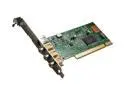
Hauppauge ImpactVCB Video Capture Card RCA connectors plus one S-Video/ PCI - OEM
Pros: Good tech support. No wait by phone.
Cons: This card will not work with Windows 2000. I spent a few hours total with tech support and even sent the card to Hauppauge to reprogram the EPROM--all without success.
10/23/2008See more detail
Worthless after a Couple of Years
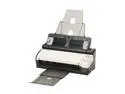
Visioneer STR0BE-500 Up to 600 dpi Duplex Mobile Document Scanner Plus Docking Station
Pros: Works well when new. Small footprint. Duplex scanning. Sheet feeder. Versatile software.
Cons: Sheet feeder malfunctions after about two years and causes software to crash.
Overall Review: I have owned three of these machines for over three years and all three gradually developed problems with the sheet feeder failing to grab the paper. At first you can overcome the problem by putting downward pressure on the paper edge so it will catch, but after a while even that will not work. What is more frustrating is that usually when the feeder fails, the software locks up and you must exit the software via CNTL-ALT-DEL and restart the program or even have to reboot the computer. The scanner does have a replacement part, the ADF pad assembly, which supposedly will fix the automatic document feeder when it becomes unreliable. An extra one comes with each scanner. However, replacing the old ADF pad assembly with a new one made absolutely no difference on any of my three scanners. installation was simple and I did it correctly. I have tossed two of my three machines and the third one is close to going in the garbage. For reference, I scanned about 25 pages per week on each scanner. If you want a scanner that functions after two years, this is not the one to get.
3/9/2014See more detail
Often Frustrating to Use
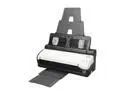
Visioneer Strobe 500 (STROBE-500) Duplex up to 600 dpi USB Document Scanner plus Docking Station with Automatic Document Feeder
Pros: Solidly built, produces quality images. provides options on resolution/file size trade-off plus choice of black and white, gray scale and color. Will produce pdf files and has a primative drawing program to edit files.
Cons: Document feeder often does not grabe the first sheet. Scanning software often locks up.
Overall Review: I have three of these machines for over two years. The longer I have them the less well the hardware and software works. The scanning software often locks up and to remedy this I have to either exit and re-run the program, turn the scanner off and on or sometimes reboot the computer before it will scan again. I am continually putting pressure on the paper when I insert it into the feeder so that the first page scans. Often in spite of this I am unsuccessful, the first page is not grabbed and the software locks up. I would not purchase this scanner again.
11/11/2012See more detail
RAID Fails
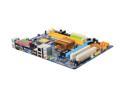
GIGABYTE GA-G31M-ES2L LGA 775 Intel G31 Micro ATX Intel Motherboard
Pros: Works very well if you are not using RAID.
Cons: I set up RAID 1 on three of these boards. The setup is easy and Window7 recognizes the onboard RAID, and no manual driver loading is required. The RAID works great for a month or two and then reports that one of the hard drives had failed. This has happened on all three computers several times. Each time diagnostic testing revealed that the drives were sound and functional. I switched to WD Enterprise drives, which are certified for RAID and got the same result. I finally have reconfigured two of the computers to conventional one drive systems. Perhaps Gigabyte has come up with a fix on an updated Bios. Perhaps Gigabyte will let me know. I have another Gigabyte board of a little older vintage with the same onboard Intel RAID and it has work flawlessly for over a year.
Overall Review: A temporary fix is to set the "failed" drive to non-RAID and then do a rebuild, but you have to face the same problem again in a month or two. Support is poor as you have to email someone in China and they make you go through all the basics first, even though you informed initally what you have done and checked.
12/12/2010See more detail