




 here!
here!
I’m your shopping assistant for PC builds, upgrades, and everything tech.
Got questions? Ask away!
Start a conversation
here!
I’m your shopping assistant for PC builds, upgrades, and everything tech.
Got questions? Ask away!
Start a conversation

Joined on 02/23/04
Worth the price?
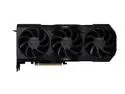
Pros: Fits in Ncase M1 Works with a corsair sff 600, 10700k, PC4 25600 3200mhz ram, dual nvme, and 1440p monitor.
Cons: Price - it's a reference model that is $50 more than AMD's ref. *though I did get a free game... AMD adrenaline overlay causes lag in some games. *use afterburner instead Ray tracing leaves something to be desired, but I knew this coming in
Overall Review: If you're looking for a reference model because you need all the space you can get, this one is usually in stock. Coming from an FE 3080, you definitely see a performance uptick. Is it worth the cost? That is subjective and dependent on how you game. Don't get too wrapped up into value vs performance because these things are always nice to haves. It's also funny to me that reviews bench at 1080p with a current gen i9. If you're looking to buy anything above a 30 series rtx or 7k rx, you don't game at that resolution. With that said, your system should be specced accordingly. I am probably at the lower end of this use case, but its fine for now. It fits in my ncase m1 with two 120x15mm at the bottom as well (which cuts down the temps a little). In any case. I had the upgrade itch. My son went from a 1600x and 2080ti to a 5800x3d and 3080. Was this necessary? Probably not, but I'm OK with it as it will future proof both of us for a little while.
Not bad, not great
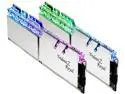
Pros: Very pretty to look at.
Cons: Doesn't run at 4600 stable.
Overall Review: Mine will clock to 4300 with xmp. If I go any higher, wonky things happen like randomly crashing apps/OS. But, you probably already know this.
Awesome RAM

Overall Review: Worked straight out of the box expo II on my Asus ROG Strix b650e-i.
Runs at rated speed
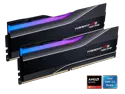
Pros: Uses Expo
Overall Review: MB - asus rog strix b650e-i
Finicky, but works pretty well
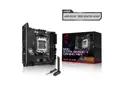
Pros: Bios flashback Expo seems to work well Build quality
Cons: Finicky firmware Asus armoury enabled by default Slow wifi Inner nvme requires a drive without a headsink Expensive No nvme fan, but may not be necessary as my internal drive sits under 40 degrees under no load.
Overall Review: Got everything up on the first try, but when I updated the bios to the latest version, my system would no longer boot to Windows. Instead it kept going to memtest, no matter what I selected. I was almost about to RMA, but I eventually got the system to downgrad to the first revision and slowly worked my way to the most recent non-beta. And, here I am. Running Expo I, with PBO, and everything seems pretty good. No instability issues as of yet. *pro tip - if you're system is stuck on a black screen after flashing your bios, shut down the machine, unplug the power, power it on to drain it, plug back in the power, and power the system back on.
Interesting, weird, but pretty nice

Pros: Comes with a lot of screws Good instructions Riser cable works out of the box (zotac 2080 ti) Great thermals Looks good Comes with an L shaped HDMI cable
Cons: You will need to buy an L shaped displayport cable if your GPU is longer than 300mm (my zotac 2080 ti barely fits) Cable management could get messy. You'll probably want to build the pc and then go back and reroute cables. Could only use two screws for my 240mm AIO radiator GPU feels a little flimsy once mounted No 3.5mm audio jack Can't choose which side to put the tempered glass panel on. (full mesh does not appear available in black)
Overall Review: Overall, a fun case to build in with some minor quirks. Most notably the required video cable. Everything else is pretty good for a sub $100 itx case.


