

Your Browsing History


Todd P.
Joined on 09/13/03
0
0
product reviews
- 17
Good Discs For the Price
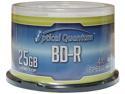
Vinpower Digital 25 GB 4X BD-R 50 Packs Spindle Disc Model OQBDR04LT-50
Pros: Excellent quality for the money.
Cons: None that I can find. Had a coaster once, but that can happen with any media. Made more bad DVD's with better brands than these.
Overall Review: Many of the newer burners can burn at faster speeds than the disc is rated for. A previous reviewer wrote that they had a bad experience with this product. What they didn't tell you was what speed they were burning at. I found that if you burn faster than the discs spec, you run the risk of having a bad burn or the recording fading away, I've found this as well in other more expensive, so called BETTER brands. Also your burner has a lot to do with it. Nearly every disc I burned using a Lite-on burner (my first) has become unusable. I now own 7 Pioneer burners, 1 BDR 206, 3 BDR 207, 3 BDR 208. I have used Optical Quantum discs for a year now. The oldest discs including DL's read fine. I burn everything BD SL/DL, DVD DL in 4X SL 8X no problems. Age and number of burns on a burner also seem to be a factor. Burners for me are retired from recording after six to nine months. When you see DVD's especially DL's begin failing continuously for no reason in the middle of the burn, or you notice dark streaks or "holes" in the burnt area of your disc, Replace the burner immediately! The laser is dying at that point. Most problems, at least from my own observations are with the hardware or the software, not the media. When you burn discs, especially multiple discs at once, dedicate your machine to doing just that and only that. Playing games, surfing, whatever runs the risk of screwing something up. Remember the biggest enemy in performance is Windows itself, high overhead and not well optimized (Vista). Keep hard drives clean and defragged. Don't try to run multiple burners like this off of USB. Even USB 3.0 can be flakey (Drivers). System: AMD 8-core 3.6 GHz ASUS M5A97 Mobo 16 GB Ram NVidia GTX 560 graphics with 3GB ram 44 Hard Drives 72 TB total configured as JBOD 4 Lite-on DVD burners, 7 Pioneer Blu Ray burners mentioned above. Windows 7, Nero 2014 Platinum 4 WDTV Live Streamers.
12/2/2013See more detail
Stay Away
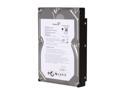
Seagate BarraCuda 7200.11 ST31500341AS 1.5TB 7200 RPM 32MB Cache SATA 3.0Gb/s 3.5" Internal Hard Drive Bare Drive
Pros: Large capacity
Cons: Even with the latest firmware update all seven of these drives are unreliable under Windows XP MCE, Moving the drives from the case to a Rosewill RSV-S5 enclosure did not help. One drive would not spin up after about six weeks. Sent it back to Seagate. The replacement exibits the same problems as the others with the updated firmware already in place.
Overall Review: I'll try one more time sending all of the drives back for replacement. If they fail to work correctly, I will destroy them and go back to Western Digital drives. Seagate's were great until this model. Wonder if buying Maxtor had anything to do with their downturn in quality.
2/6/2009See more detail
Excellent discs
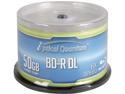
Optical Quantum 50 GB 6X BD-R DL 50 Packs Blu-ray Double Layer Logo Top Disc Model OQBDRDL06LT-50
Pros: No coasters. Depending on burner, they can burn faster than rated. Have had no problems with this.
Cons: None.
Overall Review: While Some burners like Pioneer and LG, can burn faster and I have had no problem with discs burnt like that, My general recommendation is to burn at or below rated speed. Better safe than sorry. Haven't had a bad one yet. The only time I ever lost one was during a quick power outage while burning. Guess I need a new UPS.
12/14/2015See more detail
Best Transcoder I've used

Nero Recode 2014 - Download
Pros: Batch encoding, Very speedy, Interface has been tweaked for the better over Nero 12.
Cons: The only thing I've found is the internet video downloader, while it pulls in the video you request, it doesn't get ALL of the video. It's not a big deal for me. I have plenty of other software dedicated to that function. Also your DVD rips have to clean. If the disc you are trying to copy has any structural protections, (these don't always come out completely in the ripping process), you have to use more software to clean out the rip before this software can work with it. This is more of a heads up rather than a negative, as it may be by design, AND we're not supposed to be doing that anyway. Why else would someone need or buy this kind of software. This issue shouldn't effect older discs. Just newer ones from the last say 5 years or so.
Overall Review: I am not a fan of Nero's anti consumer customer service. I was treated poorly by them in the past and vowed never to buy their products again. However after trying this version out, I just had to have it. At least it has a reasonable priced and I don't have to buy a bloatware suite which had been their hallmark over the last few versions. To the previous reviewer. This software is NOT for ripping DVD or Blu Ray discs. You need other software for that. This is a transcoder. It converts dual layer content down to single layer for you, as well to other file types. And does it very quickly. With my AMD 8 core processor it can transcode a 50 GB Blu Ray to 25 GB in about 3 hours. That is exceptional considering that DVDfab's built in function took 14 hours on my old Intel Core2 duo. DVD's convert to single layer in about 4 - 5 minutes. I am currently converting my media server from Mpeg2 (DVD converted to uncompressed mpeg2 file) to MP4. With this software, I am retaining DVD quality in about half to a little less than half the space at about 14 minutes a file. Very impressive. The feature I love most is that you can be in mid batch and still add more files to it while it is transcoding. This is very useful if one wants to convert media for a massive Home theater streaming server. The interface has been simplified when it comes to choosing file types and size, over the previous version. It is a very worthy purchase.
11/4/2013See more detail
It Works Wit 4TB Drives!
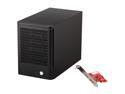
Rosewill RSV-S5 - 5-Bay 2.5" & 3.5" Hot-Swap Storage Encl. System - RAID 0 / 1 / 5 / 10 / 5 + Spare / Spanning / JBOD - 120mm Fan, Port Multiplier, Tray Design - Controller Card Bundle
Pros: Working solid for months with no problems.
Cons: Had one out of six that stopped communicating with the system. It's an older one and out of warranty. It happens.
Overall Review: Just got a Seagate 4TB drive and put it in for the heck of it. Fired right up and formatted no problem. I'm using these for JBOD for a home media server, with a total of 60TB. I just wish the eSATA cables would lock into the ports. Otherwise they are great.
10/29/2013See more detail
Increasing size, decreasing quality
Nero 12 Platinum
Pros: Burning ROM is still tough to beat. The best part of the package.
Cons: Nero Recode was the best transcoder out there at least up until version 10. i didn't use version 11. While it has a few nice touches like batch encoding, it just doesn't work. It crashes too much. Was alot more stable in older versions.
Overall Review: It was a mixed bag. I like what they tried to do, It just needs more fine tuning. They should concentrate on fixing what they have and less on adding useless bloatware to the package. I don't know why I bought this. The deal was too good to pass up. I had swore off this software back at version 9 when I purchased it, had some problems with new hardware I had installed that forced me into several Windows reinstalls. When the publisher didn't want to revalidate my key, (Their phone representitive basically accused me of software piracy), I had to threaten them with action from my state's Atterney General's office to get revalidated. Poor customer service, paid for live tech support that was useless. This will truely be the last time I buy a Nero product.
12/10/2012See more detail