

Your Browsing History


Travis M.
Joined on 01/08/08
0
0
product reviews
- 2
Disappointed
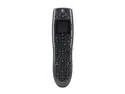
Logitech Recertified 915-000220 Harmony 700 Rechargeable Remote with Color Screen
Pros: Cheap Newegg's shipping
Cons: No quality control Product shows heavy signs of use Faulty USB cable included Remote still faulty No documentation or installation materials included
Overall Review: Whoever is "refurbishing" these remotes for Logitech needs a new career. There are clear signs of heavy use (buttons worn down, lcd screen scratched, etc...), the remote is malfunctioning and there was clearly no "refurbishment" done to this used remote, but hey I did get free pine straw in the box with the remote. Read other reviews on some of Logitech's "refurbished" products. Please feel free to picture me doing air quotes when I type "refurbished". If Logitech is doing their own "refurbishing" they need to reassign that dept to licking stamps. If they're outsourcing it then they need to find another 3rd party to "refurbish" their remotes. These remotes are obviously heavily used and at least in my case still malfunctioning. It's experiences like this that give people a dirty taste about ordering refurbs and I can tell you I will not ever order another "refurb" from Logitech.
11/27/2012See more detail
Onboard graphics issues
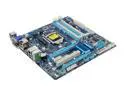
GIGABYTE GA-B75M-D3P LGA 1155 Intel B75 HDMI USB 3.0 Micro ATX Intel Motherboard
Pros: Board works great and very solid when it does work. Great for a hackintosh build. Seamless compatibility.
Cons: Persistant integrated graphics issues make it almost unusable.
Overall Review: I've usually had great luck with Gigabyte boards. They've been my go to mobo for years now, but I must've gotten a lemon with this one. From a cold boot, the board will not recoginze any monitors hooked to ANY of the onboard video ports (vga, hdmi). So, every time this happens, I have to pull out an old video card plug it in, boot to BIOS and change the default from Auto to igfx, reboot, plug in the hdmi monitor, reboot and remove the video card. If at any time during the process I cold boot, the BIOS reverts back to not detecting the integrated video ports. I've literally flashed every BIOS version to see if it was specific to a BIOS update, but while flashing the BIOS does seem to reset it to detect onboard video, a cold boot reverts back to the same issues. Gigabyte "support" wasn't any help, so I'v just reverted to never shutting down.
11/12/2013See more detail