

Your Browsing History


Jeffrey C.
Joined on 07/04/06
0
0
product reviews
- 6
Nice drive
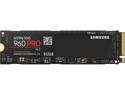
SAMSUNG 960 PRO M.2 512GB NVMe PCI-Express 3.0 x4 Internal Solid State Drive (SSD) MZ-V6P512BW
Pros: - Read and Write are 3-4 times as faster than SAMSUNG 850 EVOs. - You can boot Windows 10 from them.
Cons: - Even though they read and write faster, it's not really noticeable from the SAMSUNG 850 EVO. - The setup process to get Windows 10 to boot from them takes some work.
Overall Review: How to setup M.2 as a bootable drive for Window 10 and Asus motherboards. 1- The M.2 drive has to be the only drive installed. 2 - Go into the bios, under the boot tab there is an option for CSM, make sure it is disabled. 3 - Click on secure boot option below and make sure it is set to other OS, not windows UEFI. 4 - Click on key management and clear secure boot keys. 5 - Insert a USB memory stick with a UEFI bootable iso of Windows 10 on it, USB3 is quicker but USB2 works also. A Windows DVD won’t work unless you’ve created your own UEFI Bootable DVD. 6 - Press F10 to save, exit and reboot. 7 - Windows 10 will now start installing to your NVME drive as it has its own NVME driver built in. 8 - When the PC reboots hit F2 to go back into the BIOS, you will see under boot priority that windows boot manager now lists your NVME drive. 9 - Click on secure boot again but now set it to WIndows UEFI mode. (see #3 above) 10 - Click on key management and install default secure boot keys 11 - Press F10 to save and exit and windows will finish the install. Once you have Windows up and running, shutdown the PC and reconnect your other SATA drives.
11/12/2017See more detail
I wont buy from MSI again
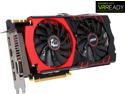
MSI GeForce GTX 980 GAMING 4G
Pros: The card ran very well, when it wasn't messing up.
Cons: Mine became unusable after 2 months of use. One fan died and the card would randomly stop sending a singnal to the monitors, causing them to go into power off mode for a couple seconds. I had to RMA it with MSI and the whole process took about 3 weeks without a video card to use my computer. Needless to say, I wont be buying from MSI again.
Overall Review: I've had to RMA parts before. It happens to the best of vendors. But MSI's RMA process left me without a computer for 3 weeks. I've had several vendors send parts as soon as I RMA and the process only took a week at the most.
1/29/2015See more detail
Huge, hard to assemble, bug works well
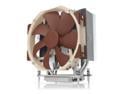
Noctua NH-U14S TR4-SP3, Premium-grade CPU Cooler for AMD sTRX4/TR4/SP3 (140mm, Brown)
Pros: - Huge quality heat sync that is able to keep the 16 core thread rippers running cool in air.
Cons: - You have to screw it together from the backplate. It makes installation difficult and imperfect when it comes to cpu grease distribution.
11/12/2017See more detail
As expected, a wonderful CPU
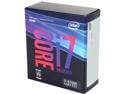
Intel Core i7 8th Gen - Core i7-8700K Coffee Lake 6-Core 3.7 GHz (4.7 GHz Turbo) LGA 1151 (300 Series) 95W BX80684I78700K Desktop Processor Intel UHD Graphics 630
Pros: - Was a nice upgrade from a Haswell
Cons: - I haven't found any.
11/12/2017See more detail
One of my favorite cases so far.
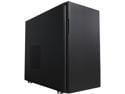
Fractal Design Define R5 Black Silent ATX Midtower Computer Case
Pros: Quality materials and build. Well designed. Great cable management. Very quite case. Full bottom and front intake dust filters. Build 2 PCs and didn't get any cuts or nicks on my hands. That's a first.
Cons: Wish that they included dust filter options for the side intake.
Overall Review: I bought 2 of them and I'm happy with my purchase.
3/13/2016See more detail
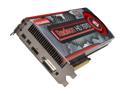
DIAMOND Radeon HD 7970 3GB GDDR5 PCI Express 3.0 x16 CrossFireX Support Graphics Card 7970PE53G
Pros: 100+ fps in wow cities loaded with players. 200+ fps out in the wilds. No micro stuttering at all, unless vsync is turned on.
Cons: A stock card with the current driver and no overclocking in the system nor card, has some overheating issues. Ambient room temperature is 75f. Case has 2 80mm fans pulling cool air in, 2 80mm fans on the CPU heatsync blowing to the exhaust port, and 1 120mm fan exhausting out the back. Once the card reaches ~75c while gaming, I start to get jagged triangles shooting across the screen, yet the fan will only be running at 40% of capacity. So I bought a Item #N82E16835888112 PCEI fan and mounted it in a slot above this card. Unfortunately it doesn't blow on the card, but it sits close enough to the silicon on the back of the card to lift hot air off of it and blow it up to the exhaust. It's made the card drop 10c and is now stable.
Overall Review: It would be a great card if the driver cranked up the fan more. I know you can force the fan to run at constant rate through the overclocking settings in driver, but there is a warning that doing it could shorten the life the card. ><
2/16/2012See more detail