

Your Browsing History


Jason F.
Joined on 01/07/06
0
0
product reviews
- 4
As Advertised
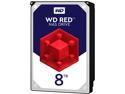
WD Red 8TB NAS Hard Disk Drive - 5400 RPM Class SATA 6Gb/s 128MB Cache 3.5 Inch - WD80EFZX
Pros: I bought 4. I ran S.M.A.R.T. Tests on them. None were DOA. After a few weeks of use inside a QNAP NAS, none of them have had alerts.
Cons: None yet
1/29/2018See more detail
1/4th of the drives were DOA
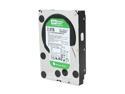
Western Digital WD Green WD20EARS 2TB 5400 RPM 64MB Cache SATA 3.0Gb/s 3.5" Internal Hard Drive Bare Drive
Pros: Cheap.
Cons: 1 out of 4 were DOA. One of the remaining three had clear shipping damage, but I don't count that against the manufacturer. Also, I formatted as ext4 under linux and it doesn't appear to be performing very well at all... but I don't really count that against the manufacturer because If I wanted blazingly fast access, I would have purchased a SSD. I bought this drive for the purposes of storing a bunch of data for archival.
Overall Review: had to pay RMA shipping charge for DOA... not cool.... that's not the fault of the manufacturer, but given the many reviews about DOA drives, you might want to think twice...
11/16/2010See more detail
Broken HDCP implementation with less than optimal resolution
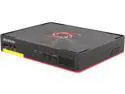
AVerMedia C285 Game Capture HD II
Pros: records some types of video at less than optimal resolutions without problems
Cons: There are a few complains that I have with this device. 1) the user interface is garbage. I acknowledge that it needs to be simple enough for weak-minded xbox gamers to use, but they really did haul in the bottom of the barrel for their UI design on this one. 2) game capture devices implement copyright protection known as HDCP. This is to be expected. Without much difficulty, however, (and quite accidentally) I was able to find a bug in the implementation of the Game Capture II to think that I was streaming HDCP protected media when I really wasn't. It appears that it caches the HDCP flag, and doesn't reset it unless you disconnect the device and reconnect it. The end result is that I cannot record stuff that's not HDCP protected that I intended to. Quite disappointing. 3) While avermedia says that it supports 1080p, in truth, it messes with the signal so that even if you have 3 IDENTICAL output monitors, you cannot use features like nVidia surround, (something to do with the difference between 1920x1080 current vs 1920x1080 native). My conclusion is that the Game Capture HD II has limited monitor support. Now you're instinctive reaction might be "Why would I try to record video from nvidia surround", right? Well, you wouldn't. But you cannot even connect the device to such a monitor; So if you occasionally bounce between nVidia Surround and normal SLI modes, this device will prevent you from doing so unless you want to rewire your setup every time.
Overall Review: If all you intend to do with this device is record games from an xbox or other console, it might be your solution. By the way of contrast, if you're a PC gamer, or have other recording needs, stay away from this device.
1/19/2014See more detail
Underpowered
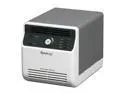
Synology Disk Station DS410J Diskless System Budget-friendly 4-bay NAS Server for Personal and Home Use
Pros: Cheap NAS device; Plenty of features; runs net-SNMP, which means it can be remotely monitored without TOO much configuration.
Cons: I have two big complaints with this device thus far. First, when I connected the system to my LAN, I ran the setup program that comes on the installation CD. It was unable to format the system drive twice, and disconnected one other time. This was nothing that a little persistence wasn't able to solve, but I thinks it's evidence of of a need for refinement. An error message would have been helpful too... Secondly, it's clearly underpowered. I connected a USB drive up to the device and started copying files over. During the file transfer process, the system was maxed out on CPU. I would expect this if I were having it calculate fibbonacci numbers or some heavy-math operation, but a machine shouldn't max out simply from simple IO... I can't imagine what would compel someone to try to use the other features of the system like mysql or PHP, knowing how poorly it performs it's primary function of being a fileserver.
Overall Review: I also have owned a synology CS407 NAS device in the past, and I think that might have been better than this DS410J.
11/13/2010See more detail