
Your Browsing History


Ken H.
Joined on 10/16/02
0
0
product reviews
- 8
Great Mouse
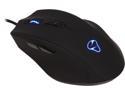
Mionix NAOS 7000 Black Wired Optical Gaming Mouse
Pros: Really comfortable, fits my hand like a glove! Great scroll wheel, the back button for my hand is perfect. Love the fact that you can change the color of the mouse to anything you want.
Cons: The only con is it doesn't like my mouse pad, I have a hard plastic pad, very similar to a Ratzpad and the optical senor didn't like it all, just having the pointer in the middle of the screen it would start moving all over the screen without touching the mouse, but tech support (which is Great) said try a cloth pad which I did and it is flawless....only reason I took away 1 star
Overall Review: Overall a Great Mouse!
2/5/2014See more detail
Vapor-X dual screen flicking?
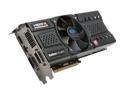
SAPPHIRE Radeon HD 5870 1GB GDDR5 PCI Express 2.0 x16 CrossFireX Support Graphics Card 100281VXSR
Pros: Very fast, Very Quiet and runs Cool, DX11, plays everything I play at 1920x1200 with everything on high!
Cons: If your going to run a dual screen setup with extended desktop, you better wait for better drivers, I have same problem with my card has one of the other reviewers on this page, except its my right hand screen that flickers when ever you scroll or drag a window around, changed cables, and ports no LOVE....thinking about a RMA, but might just get the same thing with another card from what I've seen!
11/9/2009See more detail
Great Motherboard BUT?
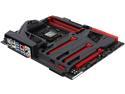
ASUS MAXIMUS VII FORMULA/WATCH DOGS LGA 1150 Intel Z97 HDMI USB 3.0 ATX Intel Motherboard
Pros: Good looking motherboard, works great with my 4790K, easy install, using 16 Gigs Corsair Dominator Platinum CMD16GX3M2A1866C9 ram, loving the UEFI bios.
Cons: Here's the problem my Corsair SP2500 speakers POP on boot up and shutdown, never did with the Asus P8Z68 Deluxe Gen 3 motherboard, I'm using a Corsair AX750 power supply on both systems, there's supposed to be a special circuitry to prevent this on the VII.
Overall Review: I wrote a E-Mail to Asus tech support on this problem, and here's what the tech support said to do....you won't believe the answer! "Hi Ken, It is my pleasure assisting you with the issue of popping sound during shutdown/boot. It is normal that a sound comes from the speakers,to solve this I suggest you to reduce the volume of the pc when shutting down. The amplifier of the speakers are intentt to amplify the signal given to it,that''s why we hear a sound. Kindly also ensure the grounding of the pc/speaker is properly done. Thank you very much. Victor S Customer Service Center. ASUSTek Computer Inc." If this is there answer then don't ever expect to ever get anything fixed with Asus tech support....this a joke for a $350 motherboard with SupremeFX Formula 2014 audio. By the way the sound is great, its just the popping that is the deal.
10/22/2014See more detail
Screen quit after a month!
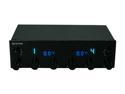
Fan Controller
Pros: Worked great until the lcd screen went black.
Cons: I can still raise and lower fans but have no Idea at what rpm's they are and if the screen went down how long until it quits altogether. Two fans are on my Corsair H100 and would hate to have them quit altogether!
1/5/2012See more detail
Good USB 3 Controller!
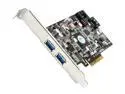
ASUS Model U3S6 USB 3.0 & SATA 6Gb/s Add-on card
Pros: Best price if your looking for a USB 3.0 controller, plus you get Sata 6! Works fine with a Asus P5E3 Deluxe Wi-Fi motherboard, installed without problems in about 5 minutes.
Cons: None
Overall Review: Haven't tried any sata ports yet but for what I bought for it works great! A big plus on any of the other USB 3.0 add in boards you have to add a power connector to the board, plus they are more expensive! I'm using the bottom pci-e 16x slot on my motherboard, very simple...Thank You Asus!
2/26/2010See more detail
Dual screen problems!
SAPPHIRE Radeon HD 5870 1GB GDDR5 PCI Express 2.0 x16 CrossFireX Support Graphics Card 100281VXSR
Pros: Fast and very quiet and very cool running!
Cons: Having the same problems has the other reviewer, when running extended desktop with 2 x 24" Dell monitors the right hand screen flickers when ever you scroll or drag a window around the screen....NOT GOOD! Google and you'll see lots of problems with dual screens!
Overall Review: Hope new drivers fix the problem or its RMA time!
11/9/2009See more detail