
Your Browsing History


Thomas P.
Joined on 06/22/02
0
0
product reviews
- 11
Mr. Mojo Ryzen
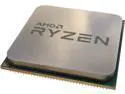
AMD RYZEN 5 3400G 4-Core 3.7 GHz (4.2 GHz Max Boost) Socket AM4 65W YD3400C5M4MFH Desktop Processor – OEM
Pros: CPU/GPU in one chip, so , unless you're a hard core gamer, its perfect. even does light gaming very well. have always been AMD buyer. you get more processor for the money compared to Intel. more CPU cycles per dollar. (:
Cons: can't think of any other than serious gamers might want to pass and do the separate CPU/GPU thing. didn't apply to me
Overall Review: alot of processor for the money. put a Noctua cooler on it in my ASrock a300 Deskmini and couldn't be happier. (bought the cpu OEM without cooler) Installed Linux Mint 19.3 MATE and works great. recommend AMD > Intel for the money.
3/25/2020See more detail
Great/Fast little Mini Desktop/HTPC/IPTV Streamer - step aside Nvidia Shield
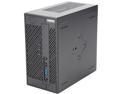
ASRock DESKMINI A300W AMD Socket AM4 AMD A300 1 x HDMI Barebone System
Pros: Fast Fast seems to be well built. solid caps. size of an ATX power supply uses AMD proc/GPU which has better open source drivers in Linux than Nvidia. wanted to get away from Nvidia graphics
Cons: can't think of any.
Overall Review: seems to be well built. put an OEM (no cooler) Ryzen 5 3400G proc in it with the Noctua cooler. the cooler gave me more assurance that things wouldn't get too warm. works great, stays cool, and very quiet. installed Linux Mint 19.3 MATE on it and couldn't be happier. no install problems on new hardware. recommend if you want your TV to marry your Desktop.
3/25/2020See more detail
Quality Cable -- thicker than kb/mouse cable
Tripp Lite U324-010 Blue USB 3.0 SuperSpeed A/A Extension Cable
Pros: thicker cable than kb/mouse cable, which suggests good shielding.
Cons: none
Overall Review: good buy
3/25/2020See more detail
Well Done Netgear
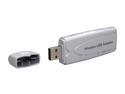
NETGEAR WG111US Wireless Adapter IEEE 802.11b/g USB 2.0 Up to 54Mbps Wireless Data Rates
Pros: Worked right out of the box with Ubuntu Linux 10.04 32 bit. all i had to do was put my wireless router key/password in. supports WPA and WPA2 (tkip or AES crypto) despite saying it does not on newegg's site. great coverage. also worked well in XP home sp3. has a Realtek chip (rtl8187b) which works great with open source drivers. this is version 3 of the device. works on windows, Mac, and Linux. what else could you ask for? comes with a USB extender cable and cradle (includes velcro strips) so you can attach it to your monitor/desk/etc for greater coverage. that was nice. i don't like plugging these directly into the back of the PC.
Cons: gets a little warm, but no big deal. just keep it away from any other heat source. i don't see that as being a con unless its next to another heat source. i wouldn't put it at the top of your LCD/monitor since that is where heat is ventilated.
Overall Review: Couldn't buy on Newegg because I needed it immediately because PC was being shipped on same day. growl. (: a very nice little USB wireless adapter at a great price. don't know if it works with 64 bit Ubuntu. i don't see why it wouldn't.
8/12/2010See more detail
Intel who?
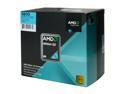
AMD Athlon 64 X2 5600 - Athlon 64 X2 Brisbane Dual-Core 2.9 GHz Socket AM2 65W Processor - ADO5600DOBOX
Pros: AMD offers the best CPU speed/dollar spent. simple. very happy with this processor. love AMD's Cool-n-Quiet which 'steps' the processor speed in 8 different speeds, depending on load. the CPU idle speed for each core is 1.0GHz. max. is 2.9GHz. the result is it uses less electricity and runs cooler. why have a Porsche's gas peddle to the floor all the time when you only need it at certain times? Runs Ubuntu Linux 8.10 64 bit without a hitch.
Cons: i tried to come up with one, but can't. not even one. okay, it wasn't free?
Overall Review: best bang for the CPU buck, unless you enjoy spending 50 to 100 per cent more for an Intel CPU. and unless you enjoy paying the Intel Advertising Tax. Stock heatsink works very well. fan runs at 3000 rpm, so fairly quiet. CPU idles at ~ 35 C and maxes at ~40 C. sweet! i'm not an overclocker, so can't comment on that. i prefer CPU's that stand the test of time over a 5 or 7% increase in speed. the harder you push an electronic component, the more likely it is to fail and/or not last. Stock heatsink comes with thermal tape, so very easy to install. PS - Cool-n-Quiet is enabled in the BIOS. my motherboard had it disabled by default.
1/6/2009See more detail
Great Monitor for 300 Smacks. ((:
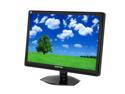
SCEPTRE X24WG-1080P Black 24" 2ms Widescreen LCD Monitor 300 cd/m2 4000:1 w/ Built in Speakers & HDCP Support, US Warranty
Pros: Great Value for a 24" widescreen. only 13.1 lbs and uses max. 50 watts. works great on Ubuntu 8.10 64 bit and a Nvidia 9500 gt value card. replaced a 5 year old sceptre 19" LCD that runs well still. i hope this one lasts for 5 years or more too! Got free shipping with THE NEW EGG. took a week, but who's complaining? (: very happy with this monitor.
Cons: one stuck on green pixel and two dead pixels. rubbed one of the dead pixels out with no problem. the other dead pixel can barely be seen. the stuck on green pixel is the most visible, but with this size monitor, i quickly forgot about it. the pixel thing is mostly in the head, unless you are heavily into graphics, etc. and/or pal around with steven spielberg. with a huge screen, it becomes moot. within an hour, i didn't notice any pixels.
Overall Review: here's my adustments. i'm using the DVI port which is preferable to the VGA. Turned brightness to 0 (off) --why push the backlight if you don't need to? set contrast to 70 --plenty bright for me. kept Dynamic Contrast(DCR) to default(off) --again, display is plenty bright for me. turned Over Drive from default (64) to off -- i'm not a gamer so i don't need the fastest pixel response times + i don't like the idea of 'temporarily' flashing a pixel with a higher voltage than necessary to 'trick' the pixel into changine color more rapidly. i prefer a monitor that will last many years over peak speeds. if you push any electronic component to its limits, it won't last as long. set White balance to 7500 (neutral) set sharpness to 1 (most sharp) running at native resolution: 1920 x 1200 60Hz refresh for best detail and picture. PS -- i use the plastic bag/insert that the monitor came in as a dust cover. it fits perfectly over the monitor and does the job well. what else can i say?
1/6/2009See more detail
seller reviews
- 1
Quality adapter for HDMI port to DVI monitor cable.
Quality adapter. it did ship from China so it took some time to get here but i was in no rush so no big deal.
On-time
Delivery
Product
Accuracy
Customer Service
Satisfactory
5/9/2023See more detail