

Your Browsing History


Ice C.
Joined on 02/27/10
0
0
product reviews
- 4
Straightforward motherboard and installation
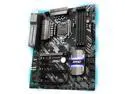
MSI Z370 TOMAHAWK LGA 1151 (300 Series) Intel Z370 HDMI USB 3.1 ATX Intel Motherboard
Pros: - Stable so far, holding my 8600K at 4.8Ghz w/ 1.129V vCore on load. Haven't played around enough with the overclocking features to really tell how far I can push my 8600, but with an H55 and this board it seems stable enough for the 3 days I've been running the overclock. Prime95 does push the temps on the cpu but I have a pretty old AIO, even though my case is pretty cable managed (not professionally like everyone else's, mind you. Just rudimentary stuff-it-in-the-back stuff, like a quick 'n dirty Vegas romp...heh). - XMP worked as advertised and clocked my G.Skill TridentZ to its rated 3200Mhz. Have not tried overclocking the ram yet, but the board seems to have ample features. - Capacitors seem solid and not cheaply slapped on. Connectors are smartly placed. M.2 is thankfully positioned above the GPU, not under it like the B350 version. - Reinforced PCIe slot is a nice touch, and definitely feels secure for my 980. My old board (Z68MA-D2H-B3) allowed my gpu to sag like 80-year-old tattooed skin. - Mounting holes lined up with my Lian Li case; one of the reasons I chose this board over Gigabyte was because the standoff holes looked off on the Gigabyte. - Unobnoxious lighting; I don't prefer RGB lighting so seeing less of it is nice. However, it does come with some lights on the board and behind it, as well as a connector for another strip if that's your preference. I'd say RGB potential is limited. - Looks pretty nice and "office-like" in person, despite the gaming label. This fit my needs perfectly and is more in line with "function over form", although impressing your friends at a LAN gathering isn't impossible with this board. - Rebate put the board in the 109.99 price point. Was considering pulling the trigger when the board itself was 149.99, but really happy I was patient enough (rare occurrence) to see the 129.99 price.
Cons: - Bios seems a bit messy with unhelpful hints, if at all in some parts. I've never used a UEFI bios, however, so I am definitely not the best person to be commenting on this feature. It's just it conflicts a bit with my ocd. There is a new bios update as of 11/02 I believe, which fixes some throttling issues using Prime95 on the 8700K. Can't comment on the effectiveness of the update, as I don't have an 8700K. - I did play around with the RGB lighting options in the Mystic Lighting app for fun, and they're pretty limited: there's only one color from what I could tell, and that's red. Blue comes up when you toggle the on-board lighting to the "CPU Temp" setting. I'm guessing the color changes from blue to red depending on the temp. Not sure if there's a middle color, but I doubt it. - Rebate sucks to complete, but you knew that already.
Overall Review: - Upgraded my motherboard and cpu, and everything went as smooth as I could have wished for. - Came with extra SATA cables and some RGB cabling (I'm assuming). A nice touch compared to the motherboards of yesteryear, to which I'm comparing this board to. - Upgraded from a Z68MA-D2H-B3 by Gigabyte, my trusty i5 2500K, and 4 sticks of 4GB DDR3 @ 1333 to this board, an i5 8600K, and 2 sticks of 8GB 3200. Gotta say, well worth the investment. From light work on Photoshop to my after-work Arma III gaming, this board, paired with the 8600K and new ram has given me many more years of what is seeming to be stable performance. Being used to the 2500K, I was thinking I wouldn't need to upgrade for a while still, but having this set up has breathed new life into my desktop. *** Side-note: I run Arma III in SP mostly, with weapons mods, AI improvement mods like VCOM and bCombat, as well as the all-important JSRS and Blastcore. With my 40-some mods, I used to get 10-26 FPS on high settings with draw distance turned down, and Steam subscribed missions and AI-heavy SP games as my usual modus operandi. Cities would be unplayable after vehicles would enter the picture, and even open country scenarios would lag heavily after all my badly mashed together mods would start loading their numerous scripts onto my CPU and RAM. YAAB ran at 22FPS max with all my mods, and 35FPS max with only AI mods and JSRS. With this new setup, I'm easily getting 39-45FPS on YAAB and 70+ with AI mods and JSRS. Just blown away by the performance difference.
11/30/2017See more detail
Great compound and seller
ARCTIC MX-2 (4g) Carbon-Based Thermal Compound, Non-Electricity Conductive, Non-Capacitive
Pros: - Bought this for a black friday deal of $3.99, and dropped this bad boy on top of my 8600k with an aging H55. Makes up for the age in my AIO. I definitely didn't win the TIM lottery, but makes sure the 8600k stays within 75-80C under load @ 4.8 and 1.129v. Can't say the same for some random Cooler Master paste I found lying around. - Corn Electronics, the seller, seemed nice enough. Left a little paper asking for me to review them and included a smiley face. The smiley face made my day. Kinda sad, but true.
Cons: - Can't brush my teeth with it.
11/30/2017See more detail
Quieter than my Hitachi 2TB, that's for sure
Toshiba X300 5TB Performance & Gaming Internal Hard Drive 7200 RPM SATA 6Gb/s 128MB Cache 3.5 inch - HDWE150XZSTA (RETAIL PACKAGE)
Pros: - Wanted a larger capacity, faster, and quieter (seek) drive to replace my aging Hitachi non-Deskstar 2TB 7200 HDD. This one fit the bill, was priced right with the black friday deal, and is loading my files and programs the way I want them to. - Cloning was a breeze. Used Macrium Reflect free and it cloned the drive just fine. Increased the allocation size in disk management and the drive showed the full 4.54TB. No issues at all.
Cons: - Seek noise still noticeable, but I have my Lian Li case (mentioned because it is a bit thin and aluminum) next to my head on my desk, usually open for better airflow. However, waaay quieter and way faster than my Hitachi drive. I haven't done benchmarks, but this drive is clearly a winner. - Warranty might turn some people off.
Overall Review: - Use it for my files and programs, as well as to load Arma III and all my mods in SP. My Hitachi would grind and gurgle at parts and would actually cause some texture loading issues. This drive has solved that, at least. Can't really complain.
11/30/2017See more detail
Really good cooler for the price
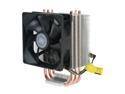
Cooler Master Hyper TX3 - CPU Cooler with 3 Direct Contact Heatpipes
Pros: I bought this cooler off of a site that is named after a tropical rain forest (can't put competitors' names here) since it is only $20.00 there. Installation of the brackets was easy, and once I got them in, I took the fan off (mine had the easy-clip design, not the metal clips in the CM video). Installation of the heatsink and fan itself was quite difficult, but I'll get into that in the Cons. After installation, I booted up my computer, which has an AMD Athlon ii x3 @ 2.9ghz (Rana), and I instantly noticed the difference. The fan is super quiet, and if you use speedfan, the fan speed can be manually adjusted. My cpu used to reach temps of around ~30C when idle, and when playing somewhat demanding games (RTW), creating cd's, and even watching Netflix, it would reach up to 95C. This heatsink/fan combo would bring my temps down to 17C idle and 30C on 100% load (running prime95 for a good hour or so)! Overall, I am EXTREMELY pleased with this product
Cons: The installation of the heatsink was a pain for me, but I think that it had something to do with me owning a mini ATX case.
Overall Review: This cooler fits inside of a mini ATX case (mine is some old HP Compaq one). Comes with thermal paste, which I tried. It is actually decent considering that most pastes that come with cpu coolers are atrocious. Comes with screws to fasten another fan onto the heatsink. I installed another 92mm on the heatsink, and the push/pull configuration is really great; my temps are a lot better now! (Running 17 idle and 25@ 100% load). REALLY good product!
1/29/2011See more detail