
Your Browsing History


Timothy M.
Joined on 08/01/02
0
0
product reviews
- 12
Highest Areal Density = Fastest Barracuda
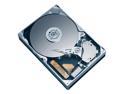
Seagate BarraCuda 7200.10 ST3250410AS 250GB 7200 RPM 16MB Cache SATA 3.0Gb/s 3.5" Internal Hard Drive Bare Drive
Pros: Check out Tom's Hardware drive comparison. This drive tests extremely high, especially in read and write throughput. (Surprising comparison to Raptor,too.) Why? High areal density, the highest currently made by Seagate, same as their 7200.11 series 500, 750 and 1000GB drives. They have 2, 3 and 4 platters respectively; this drive has one, hence its low profile. Runs very fast, cool and quiet.
Cons: None yet. Day after I ordered this I saw the Seagate 320GB locally advertized for $65. (Ouch!) But, you know, it has 160GB platters and I'd rather have the higher density, speed.
Overall Review: Newegg price is $70 vs $120 for the 500GB version. If this tests out solid, I'll get another for 500GB in RAID 0. Would prefer that to a single 500GB. Great fulfillment from Newegg as usual; received it the next day with the free UPS shipping. (Okay, I am in the LA area.) Regarding speed, XP and games load way, way faster than my previous Seagate 80GB/platter drive. And Crysis, my biggest system hog, ran noticeably smoother. MSI P6N Platinum, C2D E4500 @3.3GHz, 2x1GB Ballistix PC6400 CL4, PNY Geforce 8800GT @680/1850/45% fan. (A budget upgrade running Crysis smooth and stable at 1280x1024, all High settings). Nuff said? Hey, all you Newegg reviewers, keep up the good work! Often the most relevant comments.
1/11/2008See more detail
UNDERVOLTING RESULTS: HOW LOW CAN YOU GO?
AMD A6-5400K - A6 Series Trinity Dual-Core 3.6 GHz Socket FM2 65W AMD Radeon HD 7540D Desktop APU (CPU + GPU) with DirectX 11 Graphic - AD540KOKHJBOX
Pros: The numbers say it all. All-around efficient little processor for HTPC.
Cons: Are you kidding?
Overall Review: The stock clocks tested more than good enough for my HTPC build, so I concentrated on lowest energy use and heat. Stability testing was done with IntelBurnTest, 3DMark11 and Furmark. Post/boot tests showed that NB/GFX voltage could not go quite as low as they could in Windows, but the difference was minimal. The voltages below are fully stable and what I am running at now: CPU = 1.125 volts (BIOS) stable for 1 hour IBT (30+ passes) NB/GFX = 0.975 volts (BIOS) stable 3DMark11 (multiple passes) and 3 hours Furmark Energy use tested at wall with Kill-a-Watt (monitor not included): Sleep = 2 watts; Windows desktop @ idle = 17 watts; Netflix HD movie streaming = 25-30 watts; IBT = 49 watts; Furmark = 58 watts AMD A6-5400K (stock cooler) ASRock FM2A88X-ITX+ G.SKILL DDR3-1600 2x2GB Crucial M500 SSD Corsair CX430M Lian Li PC-Q07B Windows 8.1
4/11/2014See more detail
Noise Question for us Quiet PC Freaks...
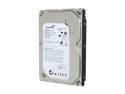
Seagate BarraCuda 7200.12 ST3250318AS 250GB 7200 RPM 8MB Cache SATA 3.0Gb/s 3.5" Internal Hard Drive Bare Drive
Pros: Indeed very fast. HD Tach showed 117.6 MB/s average read. That's within 3% of my Spinpoint F3s. Also fairly low vibration, much lower than my F3s. And low seek noise, which I admit does not bother me in general.
Cons: Constant high-pitched whine, noticeable several feet away. Reminds me of what HDs sounded like before fluid bearing motors, though not that loud. By comparison, my Spinpoint F3s spin virtually silently, as does my older single-platter 7200.10. You have to put your ear up to them to detect the noise.
Overall Review: So, once again, the annoying reality of HD noise: there's acoustic noise and vibration noise, which is arguably much worse, because it can turn your case into a sound (noise) system. My acoustically silent F3s produce so much vibration and audible case resonance that I have had to place them on low-density foam to isolate it. (Door weather stripping works nicely.) This should not be necessary with these Seagate 7200.12s, IMO; loose screws should due fine. However, I don't know yet how to reduce the high-pitched whine without blocking air flow. Might just have to live with it, which annoys me.
9/30/2010See more detail
Maximum Overclock on Lowest Possible Voltage Settings
Intel Core i3-530 - Core i3 Clarkdale Dual-Core 2.93 GHz LGA 1156 73W Intel HD Graphics Desktop Processor - BX80616I3530
Pros: Overclocking champ, excellent value, low voltage with 32nm, HT, good graphics, bla bla...
Cons: Wish I were overclocking this with maximum voltage for my gaming machine!
Overall Review: Bought in a combo with a Biostar TH55B HD to upgrade a household server running 24/7. Goal was to achieve fastest speed with least energy use and stress on components (longest life). I set all voltages to their lowest in BIOS: CPU -.08V (~1.092 max. in CPU-Z, ~.082 min. EIST), VTT 1.15, PLL 1.8, PCH 1.1, IGD “Spec” i.e. lowest. To my surprise, reached a stable overclock of 3.608 GHz (22 x 164), which has passed every test I’ve thrown at it and has been running for a week now. Temps no issue with stock cooler--no surprise. At idle, Kill-a-Watt readings for the system with integrated graphics, 1.5V DRAM, Corsair 80+ 400W PS and 1 HD spinning (not incl. monitor) is an amazing 39W. With 3 HDs spinning and 100% CPU (IntelBurnTest) the highest reading is 86W. Of course, if you’re 3-D gaming with the GPU overclocked the draw will be greater. But, with four threads (HT) at 3.6 GHz on tap, idling at 39W, this is incredible power per watt for 24/7 running, not to mention per dollar.
7/11/2010See more detail
Maximum Overclock on Lowest Possible Voltage Settings

BIOSTAR TH55B HD LGA 1156 Intel H55 HDMI Micro ATX Intel Motherboard
Pros: Excellent value. Generous overclocking options for such a basic motherboard. Everything worked the first time it was powered on. Several useful utilities are included, particularly one for accurate monitoring. Biostar’s CPU Smart Fan implementation in BIOS works beautifully in “Quiet” mode, smoothly scaling up from near silent at idle (~1400 rpm) to whatever the processor demands.
Cons: Don’t bother with memory faster than 1333 MHz. This board will accept faster memory and you can set the speed appropriately. However, the Uncore frequency is set automatically, with no manual settings, and it is based on 1333 maximum. Since Uncore will not scale up higher than 2666 MHz (2 x 1333 DRAM) you will get no benefit from faster memory. I’ve benchmarked this several ways at ~1333 and ~1600. So save your money or spring for lower CL memory.
Overall Review: Bought in a combo with an i3 930 to upgrade a household server running 24/7. Goal was to achieve fastest speed with least energy use and stress on components (longest life). I set all voltages to their lowest in BIOS: CPU -.08V (~1.092 max. in CPU-Z, ~.082 min. EIST), VTT 1.15, PLL 1.8, PCH 1.1, IGD “Spec” i.e. lowest. To my surprise, reached a stable overclock of 3.608 GHz (22 x 164), which has passed every test I’ve thrown at it and has been running for a week now. Temps no issue with stock cooler--no surprise. At idle, Kill-a-Watt readings for the system with integrated graphics, 1.5V DRAM, Corsair 80+ 400W PS and 1 HD spinning (not incl. monitor) is an amazing 39W. With 3 HDs spinning and 100% CPU (IntelBurnTest) the highest reading is 86W. Of course, if you’re 3-D gaming with the GPU overclocked the draw will be greater. But, with four threads (HT) at 3.6 GHz on tap, idling at 39W, this is incredible power per watt for 24/7 running, not to mention per dollar.
7/11/2010See more detail
SPD tRC timing vs. tested timing on 750i MB
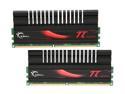
G.SKILL PI Black 4GB (2 x 2GB) DDR2 800 (PC2 6400) Dual Channel Kit Desktop Memory Model F2-6400CL4D-4GBPI-B
Pros: Runs at stated speeds, timing and voltage, effective heat spreader, very cool under sustained load. No comparison to my previous hot-running pair of 2.2V Ballistix.
Cons: Feel like I paid too much @ $94, but that's just poor timing on my part. Should have loaded up on this stuff last fall.
Overall Review: CPU-Z shows the SPD EPP on these to be 4,4,4,12,36 (tRC),2T @ 1.9V. My EVGA 750i BIOS only goes up to 31 tRC. I decided to set tRC to "auto" to see what happened and it posted at 23. I torture tested that setting (4,4,4,12,23,2T @ 1.9V, no OC) for 12 hours in Prime 95 "Blend" and 12 hours in Orthos "Large FFTs" with zero errors. I could test further, but I'm pretty satisfied that tRC 23 works fine. Will see if any problems arise... EVGA 750i F*W w. Core 2 Duo E7200 @ 3.8 GHz (9.5 x 400) etc.
12/8/2009See more detail