
Your Browsing History


Jeffrey H.
Joined on 01/02/04
0
0
product reviews
- 4
Great looking case
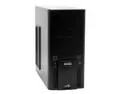
GIGABYTE GZ-XA1CA-STB Black Front bezel : Aluminum Body : SECC ATX Mid Tower Computer Case
Pros: This is a solid case. Gigabyte has made it a lot easier to install drives and PCI cards with this case. The 5" bays have one quick install rail.. just slide the drive in, move the rail forward and lock it. Presto! Done. The smaller 3" bays work the same too. Just think, no more screws needed to put drives in. Rails just pop on the sides, and they slide right into the bay. The inside isn't too cramped either.. and they've included little clips for wire management.
Cons: The 120mm fans included in the case seem to be a bit weak.. but my temps are still low. Also, this case will NOT fit a thermaltake bigwater radiator inside or out. Too small on the inside, and when mounted on the outside, you can't put on the side panel due to one little bump for a future chassis intrusion switch.
Overall Review: Overall, I think the case is pretty sturdy. It's light, and has little grips on the bottom to keep it firmly planted on a desk or floor. Gigabyte has definately made a winner here- especially with all the little details (I won't spoil them for you). They do however, let you choose between the side grill and a clear peice of plexiglass. It's even pretty quiet too! There's minimal lighting, but it still looks great- and the lighting display gimmick is kind of cool.
7/1/2006See more detail
SSD's are ridiculous, in a good way!
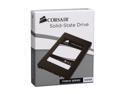
Corsair Force 2.5" 120GB SATA II MLC Internal Solid State Drive (SSD) CSSD-F120GB2-BRKT
Pros: System boots into Win7 in 15 seconds. 'Nuff said.
Cons: No instructions, but seriously, if you can't figure out how to plug in two cables, should you really be allowed to own a computer?
Overall Review: Win7 takes care of some of the things you need to do for SSD drives like the TRIM feature and disabling defragmentation. In addition, I have a second HD for storage that is not an SSD, and I moved my user files (pics, music, downloads, video) to that drive to save space. Yes, SSD's are small. But they're for programs and your OS. Use another drive for storage :)
1/29/2011See more detail
Running just fine....
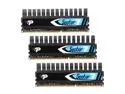
Patriot Viper II Sector 7 Edition 12GB (3 x 4GB) DDR3 1600 (PC3 12800) Desktop Memory Model PV7312G1600ELK
Pros: Easy to install, nice heatsink should move heat away easily. If your BIOS tries to run this memory at 1333, just enable the XMP settings in your BIOS. I did, and it immediately knew that this memory should be 1600 9-9-9-24 at 1.65v.
Cons: None at all, except for the LLK vs. ELK model difference... nobody knows what that means anyway. Not a fault of the memory, just the company.
Overall Review: Right now I have this memory running at 8-9-8-24 timings and it's doing just fine.
1/29/2011See more detail
Best antivirus out today!
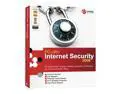
TREND MICRO PC-Cillin 2006 Downloadable Software
Pros: Low profile, and doesn't pop-up every 10 seconds like norton or the others.
Cons: I didn't give it a 5 because the firewall isn't as configurable as I'd like it to be.. but it does its job!
Overall Review: The guy below me gives it a bad review just because Dell installed it OEM on his system? That's what you get for buying a Dell!! Don't trash the software just because Dell won't let you uninstall it... you should be yelling at Dell!
7/7/2006See more detail