

Your Browsing History


Earnest E.
Joined on 09/26/01
0
0
product reviews
- 7
It worked without included software!
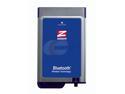
Zoom Technologies Inc. 4312-00-68AF Bluetooth Adapter
Pros: Easy to setup on a Dell Latitude D610. Fast connection with Dell Axim x51v
Cons: Confusing software/drivers
Overall Review: Don't even bother installing the software off the CD. If you own a system with a newer version of Windows XP Pro, it should automagically configure the bluetooth card and already have all the necessary drivers. I bought it so I can sync my Axim w/o it being docked (when I'm traveling, etc.). It was a pain to try to get Activesync to work with the included drivers, but after uninstalling them and then just popping the card in on a whim, I was able to configure it to sync my pda within 5 min.
7/24/2006See more detail
Works but weak on documentation
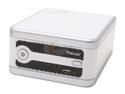
Thecus N2100P Network Storage
Pros: It works, looks cool, adequate for home NAS
Cons: Poor documentation. A little noisy. User Interface looks good but not informative. Cannot figure out how to change its network name (the only place this is defined is under the LAN1 config page in the web interface, which I changed, but it still shows as the default N2100 in my network) after finally getting it to work after 3 days (see other thoughts)
Overall Review: It took me 3 days to get this box to work properly. First Day: Initially I had 80GB (Seegate) and 500GB (Maxtor) attempting to set it up as JBOD. Using the Wizard I was able set up all the basic things, and even get to the point where I could navigate to the web admin interface. In order to set up a folder on the N2100 so I can start copying files, I had to set up RAID (as JBOD). I expected things to work after running the wizard, but at the web admin, I found it was not. Attempting to set up JBOD via web interface left the N2100 hanging indefinitely (at least a couple of hours before I pulled the plug). Second day: Since the 80GB was a used freebie from someone, I decided to remove that from the picture. Went through the same setup process, first with wizard, then with web interface. Same problem: hangs. Third Day: pulled the power (as every time I could not reboot/power down with N2100 with any of the buttons), went through the same process, and automagically it worked.
12/13/2006See more detail
Good Price. It works, but is noisy.
StarTech.com ST124L 4 Port VGA Video Splitter - 250 MHz
Pros: Low Price. Works smoothly.
Cons: The distinctive "beep" that occurs when switching channels could not be disabled.
Overall Review: I bought this unit to be a video switcher at for our church's sound system. The price was right, but the loud "beep" when switching was quite distracting during a service. I'm of the mind to open up the box, and pull the wire to its internal speaker. Other than this little annoyance, the unit works.
6/25/2009See more detail
Made my coworker happy
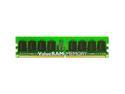
Kingston ValueRAM 2GB (2 x 1GB) DDR 400 (PC 3200) Dual Channel Kit Desktop Memory Model KVR400AK2/2GR
Pros: It works.
Cons: None I have found yet.
Overall Review: Thanks to newegg's memory configurator, I was able to find the right memory, and choose one at the right price. This matched my co-worker's existing 512mb memory so I was able to increase memory to 2.512gb giving new life to a 6-year old system.
6/25/2009See more detail
Works... that's what matters
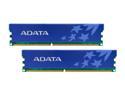
ADATA 2GB (2 x 1GB) DDR 400 (PC 3200) Dual Channel Kit Desktop Memory Model AD1U400A1G3-DRH
Pros: Not much to say. It's 2 GB of memory. It makes my computer run nicely as it is a Windows MCE I use for TIVO... Thanks Newegg for the good price and prompt shipping!
Cons: None to report. As in the pros... it is memory, and I'm not running anything serious.
Overall Review: Although I haven't had any problems yet, I am concerned if it will heat up my system too much since it resides in a Shuttle XPC SB59G and there isn't much space inside for airflow. The most taxing task I would do is view previously recorded video while it is recording live TV.. this worked with 1GB memory but I have had unsuccessful recordings. Hopefully the memory upgrade smooths things out.
12/12/2007See more detail
Works!
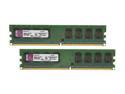
Kingston ValueRAM 2GB (2 x 1GB) DDR2 533 (PC2 4200) Dual Channel Kit Desktop Memory Model KVR533D2N4K2/2G
Pros: Good Price for 2 gigs! Nothing fantastic... going from 256mb to 2gig of memory is a drastic performance increase. This is a budget computer station for running powerpoints and recording audio simultaneously
Cons: None thus far
10/14/2007See more detail