




 here!
here!
I’m your shopping assistant for PC builds, upgrades, and everything tech.
Got questions? Ask away!
Start a conversation
here!
I’m your shopping assistant for PC builds, upgrades, and everything tech.
Got questions? Ask away!
Start a conversation

Joined on 08/19/04
Building & re-building PCs since my first NewEgg build of '04. 😎 40/m/🧀🎩


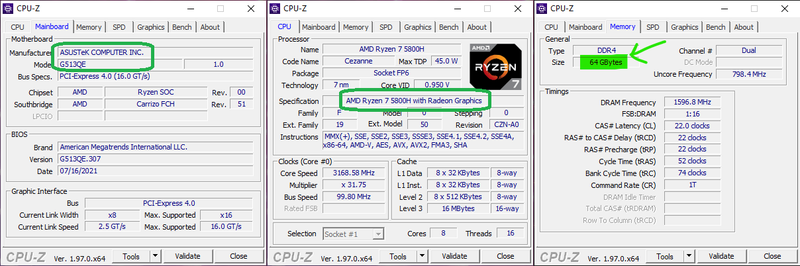
Compatible with my ASUS ROG Strix G15 Gaming Laptop 👍
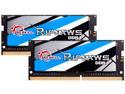
Pros: The Internet gave me wishy-washy vibes when Googling whether or not this RAM was compatible with my laptop. I took the gamble, and thankfully it works! CPU-Z reports both 32gb sticks running @ 3200MHz. 😁
Cons: Now I have to figure out what to do with the 2x 8GB RAM sticks I pulled out. 🤷♂😅
Overall Review: Is 64gb RAM overkill for a laptop? Very likely. (But the price was just about right for me to jump on it. There's gotta be something cool I can do with 64gb RAM. 😜)
Compatible, but Misleading Title
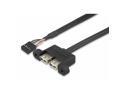
Pros: + Fits, albeit I had to plug it into the DeskMini X300W motherboard FIRST before any other header cables because the length (when pinched in the metal grab behind the front panel) was just barely long enough
Cons: - Arrived as just a USB-to-2-port-header cable mounted to a Low Profile PCI slot bracket; so the bracket is basically a waste - Does NOT include flush-mount, black screws - Instead uses ugly round-head silver screws (from the bracket), which stick out and could scratch things - ports are white, which doesn't match the rest of the DeskMini X300W theme
Overall Review: This is NOT the official ASRock DESKMINI USB CABLE. The REAL one has a specific rubber shape, black-colored ports, and [probably includes] flush-mount screws. The unit I received just makes it seem like the seller is trying to liquidate extra stock of LP USB header add-on cards. Will it work? Yes. Is it fugly? Also yes.
Overall Good 👍, BUT Misleading Store Photo 😠
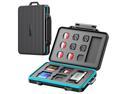
Pros: ✅ holds plenty of MicroSD cards, SD adapter cards, SD cards ✅ compact, durable, watertight ✅ keychain is handy
Cons: ❌ Will NOT FIT "ORICO 6 in 1 Card Reader" (Item# 9SIA1DSB8K4914), even though it looks exactly like the one in the store page photo. The space is TOO THIN for the Card Reader.
Overall Review: ➕Overall good product to organize a bunch of memory cards so you don't lose them ➖Knocked 1 🥚 for not being compatible with one of their other products
3 Strikes. I've lost confidence in this brand.
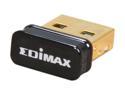
Pros: I've had good luck with PREVIOUS plug-and-play adapters from Edimax. For some reason the two of these I purchased--AND the replacement I received for one of them--ALL failed.
Cons: Bought two of these adapters. Both triggered "USB Malfunction" errors in Windows on different systems. I unplugged one from the usb port and it felt warm for some odd reason. RMA'd one of the two; when I received the replacement, I received the same errors. Tested on different PCs and they all simply would not work.
Overall Review: I will NOT be recommending EDIMAX wireless adapters any longer. All 3 units would not work as intended. I can't believe that I got a 3-in-a-row bad batch of them.
Reliable Workhorse
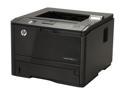
Pros: Easy network configuration (ie. Static IP). Additional bottom tray was simple to add. High-yield cartridge lives up to the name. Much faster responsiveness compared to the machine it replaced. Printing directly on envelopes with the bypass tray is easy. Automatic, smart sleep mode is cool. Carrying handles on the sides!
Cons: Duplex is manual, via the bypass tray, which can be confusing as far as orientation. The additional tray does not clamp/clip on to the bottom of the main unit.
Overall Review: Purchased this 3+ yrs ago as a bookkeeper's work printer (bottom tray is plain paper, main tray is check-stock). There was a point in time when some documents printed with garbled text. This issue mysteriously went away on its own later; I suspect it was something wonky with Adobe Reader/PDFs and not with the unit. Overall a great peripheral! :-)
Solid, reliable, simple
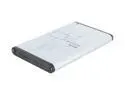
Pros: + Includes Y-cable, but you can use other standard Mini USB cables + I've purchased 5 of these total (1 blue, 1 red, 3 grey) and none of them have ever failed me + Got an extra 2.5" drive? Pop it in one of these; you'd be surprised how handy these are for backups!
Cons: - Doesn't come in green, orange or purple (Oh man, that would be awesome!)
Overall Review: ~ The older versions of these came with a small screwdriver (I think) ~ IF you're having trouble squeezing the drive in the shell, I recommend taking the top AND bottom off first, as there are tiny rubber pieces and foam inside that might possibly get in the way ~ When programs (ex: CloneZilla) see the drive, it will have a prefix of "Transcend" in the name, followed by the size of the drive you put in it ~ I have not used the included software, so I cannot attest to its value


