
Your Browsing History


Michael M.
Joined on 09/18/10
0
0
product reviews
- 11
Capable little cooler
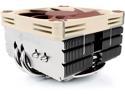
Noctua NH-L9x65 SE-AM4, Premium Low-profile CPU Cooler with 92mm Fan for AMD AM4 (Brown)
Pros: - Fits the cramped space around the ram and GPU on my micro ATX board. - Noctua mounting system is very good - Average cooling performance - Quiet
Cons: - long recovery time from high temperatures - had trouble getting the screw threads to grab on to the mount during installation - poop brown fan
Overall Review: On my 1700x at stock speeds, windows high performance power mode, with CPU-Z stress test running on all threads, ryzen master app reads temps stabilizing at 94.75C. Apparently there is a 20 degree C offset with temperature reporting on ryzen processors that have extended frequency range (XFR), as of the current R7 processors. [This is likely done to improve the cooling environment so XFR has more ability to overclock your CPU. XFR responds to your individual cooling solution. In short, it's a way for AMD to cheat fan curves, and keep the CPU fan speed higher. In the future, CPU monitoring apps may automatically take into account this 20C offset and subtract 20C from reported temps to display a "real" temperature.] Subtracting 20C from reported temperatures, that would translate to about 75C load, if you can trust news reports and the ryzen master app. At 99% CPU utilization, clock speeds stabilize at 3.34 GHZ, fluctuating up to 3.37. So there is a tiny amount of throttling happening with this cooler, under a synthetic workload. Under normal applications, this cooler seems to enable XFR to boost clock speeds a modest 40mhz over stock speeds. I've seen 3.64 GHZ on my 1700x, which is 40 mhz over stock clocks. When the load is removed, temps drop by 1 degree C approximately every 4-5 seconds, to a reported temp of ~75C, or 55C actual temperature. 55C/75C idle/load temps seems about right for a small, yet premium cooler. I'd expect a stock cooler to be 5-10C higher under load with a stock cooler, for a lot more noise. At idle, XFR will spike the clock speed up to 3.88GHZ sometimes, and the temperatures will shoot up dramatically. This cooler will not win any overclocking challenges, and does not respond well to dramatic power state changes. It provides a stable and consistent heat dissipation ability, at a temperature ceiling that isn't uncomfortably high. I purchased this to hold me over until the bracket for my AIO cooler arrives. But I've fallen in love with the attractive nickle plating, and nice form factor. The poop brown fan has its own classy charm in a way. I've found that setting my RGB lighting to orange compliments the fan color well. --- I had trouble installing this cooler to the mount. One screw would catch the threads, and then the opposite screw would be lifted up ever so slightly, unable to catch the threads on the mount. I kept thinking the holes were not aligned for the longest time, or that I had to push hard to overcome the springs. Eventually I turned the first screw about 1/8th of a turn, then very carefully turned the other side about 1/8th of a turn. Juuussttt enough to engage the threads on each side, but not enough to significantly move the cooler. Even a 1/4 turn or 1/2 a turn was too much. Then carefully going back and fourth, I was able to get more of the threads. Once I had a good hold I was home free, and was able to walk the cooler down on to the CPU.
3/19/2017See more detail
Really happy with my purchase 1 year on.
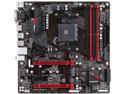
GIGABYTE GA-AB350M-Gaming 3 (rev. 1.0) AM4 AMD B350 USB 3.1 HDMI Micro ATX AMD Motherboard
Pros: - ram compatibility - amd virtualization support Initial bios was bad, and subsequent releases were few and far between. Revisited ram compatibility and my 3200mhz, 4 stick 32 gig kit works flawlessly with its XMP profile.
Cons: - VRM doesn't put out a lot for overclocking, can run my 1700x at 3.6ish GHz.
2/20/2018See more detail
Unbelievably sharp and vibrant, crazy color performance
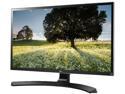
LG 27UD68P-B 27" FreeSync IPS LED Monitor 4K UHD 3840 x 2160 16:9 Widescreen On-Screen Control with Screen Split Game Mode & Black Stabilizer, VESA Mountable
Pros: - Very vibrant and sharp. Even when compared to a very high quality AH-IPS 27" bezeless panel (1080p). The colors are richer, the contrast is better, text is better delineated. Pixels aside, the raw color and contrast performance of this screen is remarkable. - good view angle - I am fairly sure this has speakers(?) - A not bad input method for the OSD - sRGB mode - bright enough to deter aircraft from landing on my house
Cons: - slight light bleed in bottom corners on all black. - (not much of a con) possibly fragile, according to the included instructions - (really, really not a con) power led blinks on and off when the display is in rest (has no input). Seemingly doesn't have an option to be turned off, as of ~1 week ownership. I've taken to pressing the power button after using my computer. I don't like this solution.
Overall Review: Purchased this primarily for more screen real estate while programming. Used to use two 27" 1080p panels. This fulfills that role beautifully. I honestly can't believe I went so long without a screen like this. It totally changes what a 27" screen is like, the entire panel feels 'bigger.' The trick with using a screen like this for something like programming, is that it can essentially hold a lot more, albeit smaller text. With 150% scaling (my vision isn't too hot, I'm not one of those people who can read an unscaled 4k monitor). I can have 5 to 6 classes open @ 80 character line lengths on my primary screen. Where as before I would only have two on the primary monitor. There are so many pixels to use, that underneath my 5 classes I can fit the console plus the entire file browser in a tiny corner. That bottom corner of my screen that I'm just using for the file browser is practically the resolution of the entire IDE environment that I'd try to use. Even though the text is smaller than the same size 27" screen, it is noticeably sharper and easier to read. The mild scaling I have on is increasing the size of the letters, so way more pixels are being devoted to them on a per-character basis than a lower res monitor.
3/2/2017See more detail
Great laptop, little to complain about

GIGABYTE - 14.0" - Intel Core i7-4710HQ - NVIDIA GeForce GTX 860M - 8GB Memory - 128GB SSD - Windows 8.1 64-Bit ()
Pros: * Form factor - The best thing about it; very light, slim, sturdy little laptop. It really hides its specs well. * Screen - The next thing you notice about it. Anti-glare, a little brighter than average, great viewing angles, 1080p resolution. It is good enough to use outside, with easy legibility in pretty much anything but direct sunlight. * Keyboard - I am used to small laptops so this may be only a pro for people who have used them in the past. I typed at basically full speed the moment I started using it. Layout and keys are good enough, the backlight has two settings: too bright and way too bright. Because of that and a few other reasons, the keyboard will make its way onto the con list as well... * Performance - I purchased this laptop to mostly supplement my workstation while I am away from it. It needed to be able to run some virtual machines, photoshop, gimp, and compile programs simultaneously sometimes. I also wanted to be able to do some gaming during my off time. Well imagine my surprise when I did some benchmarks and realized it is almost as fast or faster than my workstation in basically every category. I have an i5-2500k and a 580 in my desktop, the i7 in this laptop is about 30% faster, and the GPU can be within 20% of the 580 sometimes, in some rare games it will be 10% faster than the desktop 580 0_0 I was not aware the new improvements in the haswell and maxwell stuff was so significant. Even on battery it can push out a shaky 60FPS on 1080p/ultra in skyrim. Under those conditions the CPU is limited to a paltry 1.5ghz. For some reason the battery seems to give up, and it goes to 15 fps after 10 or 15 minutes of battery skyrim. Still a fun test. * Cooling - The cooling solution they went with works quite well. With fans on auto or quiet mode it will idle at about 50-60C on battery. If you put the fans to 100% (very easy with their included software) it can bring the idle temps to 40C quickly. The heat pipes and syncs in it have good passive cooling properties, with the fans cranked up it can really expel heat. It is overkill on battery, but badly needed plugged in under load. In artificial benchmarks the temps will go up to 85C, gaming it mostly sits around 75-80C. For a mobile processor those are good temps, I was expecting 95C.
Cons: * Battery - I should start off by saying that if you are seriously considering this laptop, you probably don't care about battery life that much. At least you shouldn't. It is a 125 watt laptop with a 47 watt/hour battery. There is a version out in the wild somewhere with a ~65 watt/hour battery at the expense of the mechanical hdd. I couldn't find it so I settled with this, but I am not sure if it is worth the loss of storage space. I didn't care about battery life, but all that being said it is starting to get to me. Sometimes you just want to chill out and watch a movie or browse the web without having to be plugged in. Plus it is a much more enjoyable lap experience because it doesn't get very hot on battery. I average around 3 hours of battery life, 4 if the laptop totems are smiling on me that day. The GPU and CPU are so power hungry that adjusting screen brightness, power mode, keyboard backlight, volume, wifi on/off, have roughly 0 effect on the battery life. The settings are there only to make you feel important. The battery life wouldn't be such a hard pill to swallow if the power brick wasn't so huge. * Keyboard - It is a good keyboard, but build quality suffers a bit. Some keys clank, and the enter key seems to grind and chomp against something once in a while. It can be a grating experience sometimes. The backlight is also too bright, it is good if you are worried about aircraft landing on you, but for day to day use the brightness doesn't make any sense at all. At night it just needs to be a dim illumination, not so bright that you need to brighten the screen to compensate. This may be my subjective opinion however. * Build quality - If you only looked at the price of the laptop you would expect a much better build quality. It is understandable considering the components they put it in, the case is where some compromises were made to meet the price point. It isn't bad by any means, but here and there is a seam popping up, or something flexing that shouldn't be flexing. All in all it is sturdy, but not perfect. Also the metal they use on the top attracts fingerprints easily and you can only get them off using a liquid of some kind.
Overall Review: This laptop is essentially perfect. It is only possible with the power saving advancements of newer architecture. Perhaps it is still a generation ahead of its time, I think after another die shrink from both intel and nvidia these laptops will feel much less compromisey. The decision to purchase this should be easy, because for the price and form factor it is your only option. You can spent a lot more and get a slightly more refined razr blade with less ports, or spend a little less and get a chunky 13" clevo with the same specs. It is also pretty easy to repaste the gpu and cpu if you so choose. I am pretty sure it doesn't break any warranty stickers, gigabyte doesn't enforce them anyway unless you break something while working on it. Also I wish I had spent a bit more and went with the bigger ssd. It is easy to upgrade, but it will be a pain to reinstall now that I have everything just how I like it. Even though it has 4gigs of gddr5 it isn't a kepler gpu, some 800 series are and there was some worrying and confusion surrounding this laptop. I can tell you that it is maxwell based on GPU-z. Here is the windows 8.1 experience index score done through the command line and powershell (note that the GPU score is for the integrated graphics, not the 860m because that stays off): CPUScore: 8.1 D3DScore: 5.4 (integrated intel graphics) DiskScore: 8.2 GraphicsScore: 5.2 (integrated intel graphics) MemoryScore: 8.1 (stock ram) WinSPRLevel: 5.2
9/28/2014See more detail
Hooray ram!
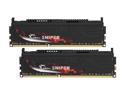
G.SKILL Sniper 8GB (2 x 4GB) DDR3 1333 (PC3 10666) Desktop Memory Model F3-10666CL9D-8GBSR
Pros: -Price -1333 (max for a core i5-2500k) -Very accessible -arrived a day early -heat spreaders impress the ladies
Cons: -Timing is so-so, but it is cheap ram whaddyagonnado?
Overall Review: I put this kit in my system to bump it up to 16 gigs of ram for some reason. I had to overclock my other 8 gig kit to keep up with this ram (1066 to 1333), but from what I can tell there is nary a voltage increase. Remember when overclocking ram you never, ever go past 1.8 volts. Now that I have 16 gigs of ram I felt it safe to turn off my swap file, it is now about 64 MB and my computer seriously flies with my hard drive freed up. Although I still don't think there is much I can do to use up more than 12 gigs of ram. Maybe I should install one of my video games into a ram disk and see what happens. If you want to turn off your swap file you should not turn it off completely, leave at least 12 or 16 MB for system files. Windows will get really buggy if you turn the whole thing off.
9/28/2011See more detail
Great ram
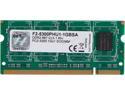
G.SKILL 1GB 200-Pin DDR2 SO-DIMM DDR2 667 (PC2 5300) Laptop Memory Model F2-5300PHU1-1GBSA
Pros: -Price -Works great -Very accessible -arrived a day early
Cons: -If I was suddenly teleported back in time 30 years with this stick of ram, I would be arrested and questioned as a Russian spy for having such advanced technology.
Overall Review: I put this in my new netbook to max out its ram at 2 gigs. Having an extra gig of ram in a netbook takes it from a sluggish mess to a nice, clean, enjoyable experience. If you are getting a netbook or have one now, the very first thing you should do is add more ram because they typically have slower processors and hard drives.
9/20/2011See more detail