

Your Browsing History


Richard R.
Joined on 09/14/04
0
0
product reviews
- 49
Floppy + Reader
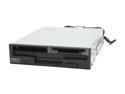
SIIG JU-91RW12-S4 9-in-1 USB 2.0 Card Reader/Write + Floppy
Pros: Fits in the slot for a floppy drive, is quiet
Cons: On a new build make sure NOT to hook the reader usb cable up until AFTER you finish the build so you don't get drive letters assigned to the reader slots prior to other devices.
Overall Review: For those who need a floppy (for setting up a raid configuration until Vista comes out) and you want to read various card types this unit will work.
11/29/2006See more detail
Artifacts
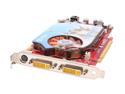
MSI GeForce 7900GT 256MB GDDR3 PCI Express x16 SLI Support Graphics Card NX7900GT-VT2D256E-HD
Pros: Reviews looked good at the time
Cons: Got it in August and a month or so ago (=4 months) started getting artifacts. Researched and apparently the 7 series are having major problems from all companies marketing the card. Comments center around a power issue or memory. Hit or miss on replacements. MSI's tech isn't easy to use.
Overall Review: Comments suggest that eVGA has been the friendliest and most supportive and may have fixed the issue with their cards.
1/13/2007See more detail
Full featured...and BIG!
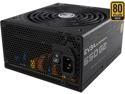
EVGA SuperNOVA 650 G2 220-G2-0650-Y1 80+ GOLD 650W Fully Modular EVGA ECO Mode Includes FREE Power On Self Tester Power Supply
Pros: Top quality product
Cons: None atm
Overall Review: Our issue was size. It's longer than many PSU's (probably to fit all that gold stuff) but we tried to use in an Aprevia case but it was too big. We had to switch to a Bronze Corsair. Just make sure to look at the size of this unit and make sure it will fit.
10/25/2017See more detail
Case is ok but no space for modular PSU

APEVIA X-QPACK3-PK Pink SECC Micro ATX Cube Case Computer Case
Pros: Reasonably solid. Some sharp edges (cut my hand during assembly)
Cons: Bought a EVGA SuperNOVA 650 G2 220-G2-0650-Y1 80+ GOLD 650W Fully Modular PSU but there simply isn't enough room between the left vertical support for the hdd bay to plug in the power cables. I tried for an hour and simply impossible. Even if it would fit you need to run the cables through the upper of the 2 hdd bays so you lose that one. I'm trying to find a PSU that will fit. I called Apevia's tech dept and they said no one has ever complained. I check online and others have commented that it's only possible by attaching the cables without setting the screws and then running the cable through the upper hdd area and then putting the mobo in. So Apevia's tech dept is either unaware or not telling the truth.
Overall Review: Find the shortest possible power supply and you may not be able to use modular Follow up: Buying the right size PSU is critical. I ended up buying a Corsair CX650M because it was smaller. When I installed it there was enough room (although not a lot) to use the modular cables. You can also route to the side of the case and then loop through the back to keep the 2 hdd spaces
10/25/2017See more detail
Failed
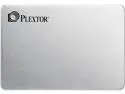
Plextor S2C 2.5" 512GB SATA III Hynix 16nm TLC Internal Solid State Drive (SSD) PX-512S2C
Pros: None
Cons: Bought on 3/27. Built the system the first week of April. The SSD started having issues within weeks. Had to reinstall the OS 4x. Checked everything we could. This morning, after a reboot, it showed critical error.
7/1/2017See more detail
Touchy, finicky and question of reliability
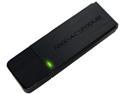
Rosewill RNX-AC1200UB, Dual Band Wireless AC1200 Wi-Fi Adapter, IEEE 802.11AC IEEE 802.11a/b/g/n, Up to 867 Mbps (5.0 GHz) + 300 Mbps (2.4 GHz) Wireless Data Rates, USB 3.0 Interface
Pros: Price was acceptable; claims dual AC
Cons: - Physically large unit - Could not get it to be recognized by a ZBox unit. Other USB wireless fobs worked but not this one - Drops in and out of connectivity without any pattern
Overall Review: - Would not recommend to others - Was using an Rosewill I purchased ~6 months ago on another system (that Rosewill has already stopped supporting). Since this unit wouldn't work on the ZBox I moved it to my work PC and it was recognized (since a Rosewill was already working on it). I then took the first Rosewell AC1200 and plugged it into the ZBox and it worked. - Must be an issue with different chipsets in different Rosewill AC1200 usb wireless units. They should be consistent. The user should not have to fight through compatability issues. - Bottomline? Look elsewhere. I won't be buying Rosewill USB wireless units in the future. - Using Windows 10
6/25/2016See more detail
seller reviews
- 1
Slow and poor CS
It took 3 emails from me to get the pens shipped and then they never answered my email's. Incredible slow service and non-existent customer service.
On-time
Delivery
Product
Accuracy
Customer Service
Satisfactory
1/4/2014See more detail