
Your Browsing History


Murray M.
Joined on 02/12/03
0
0
product reviews
- 7
Does the job
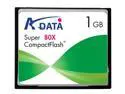
ADATA 1GB Compact Flash (CF) Flash Card Model 80x 1G
Pros: Cheap and decently fast
Cons: it can't make me a sandwich
Overall Review: Combined this with the SYBA SD-CF-IDE-BR IDE adapter to make my IPCop box (an old Compaq P3-450 Deskpro) silent. It works perfectly. I had absolutely no trouble at all.
6/20/2007See more detail
Skip it
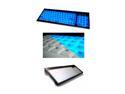
ADESSO EL-9805PB Blue 105 Normal Keys 18 Function Keys PS/2 Standard Illuminated media Keyboard
Pros: Looks pretty, compact size
Cons: Strange key layout, keys are smaller than they look, keys start sticking after a couple weeks of use.
Overall Review: When the keyboard is new, it's ok but after a while, the keys start sticking badly. Also, although the keys look similar to a laptop, they don't seem to be quite the same size. My fingers are always running into each other or hitting the wrong key and I've been using it for *months*. I'm currently looking for something else.
5/4/2007See more detail
Fantastic for $90, unbeatable after the rebate
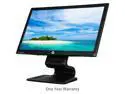
HP Compaq LA2206x 21.5" 1920 x 1080 Widescreen LED-Backlit LCD Monitor Tilt-&-Swivel 250 cd/m2 1000:1 (Static) / 1000000:1 (Dynamic) Black
Pros: Bright and accurate colors. Responsive enough. DP input. Built-in usb (2.0) hub. VESA mount.
Cons: It makes my other two monitors look dull. "Dynamic" contrast mode is useless because it adjusts the whole backlight at once.
Overall Review: I needed something a little larger that would do 1920x1080 and had a VESA mount. The displayport was also a big plus because I didn't have to replace any cables. I mostly use this for programming so screaming refresh rates don't really matter to me but even so, it's no slouch.
4/22/2017See more detail
Worked for my Lenovo T61
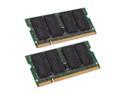
G.SKILL 8GB (2 x 4GB) 200-Pin DDR2 SO-DIMM DDR2 667 (PC2 5300) Laptop Memory Model F2-5300CL5D-8GBSQ
Pros: I have a Lenovo T61 laptop that is rated as only supporting 4GB. This ram matched all the specs of my existing ram so I figured I'd give it a go. Installation was plug and play. The bios recognized all 8GB and so did the OS (Windows 10 Pro). The VirtualBox VM that wouldn't start previously due to lack of ram works fine now.
Cons: Nothing so far.
10/8/2016See more detail
Lasted 2 months
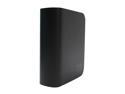
WD My Book Home 500GB USB 2.0 / Firewire400 / eSATA 3.5" External Hard Drive WDH1CS5000N
Pros: Good size, features for the price. Looks nice.
Cons: Runs hot. Doesn't last long at all. Started getting bad sectors after two months. Cheap feeling construction - it just feels fragile.
Overall Review: After using the drive for a couple of months, the computer started hanging randomly. After trying a bunch of other things to make sure it wasn't the computer, I ran WD's diag on the drive and it came up with "too many bad sectors."
5/25/2008See more detail
Don't put anything on it you can't afford to lose
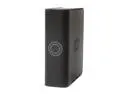
WD My Book Premium 500GB USB 2.0 / Firewire400 3.5" External Hard Drive WDG1C5000N
Pros: Still under warranty when it died.
Cons: Worked great for a few months, then one day just started clicking and wasn't recognized by the computer any more. Substandard warranty length (1 year).
Overall Review: Unlike many, I didn't have any problems getting it to work right out of the box. Unfortunately, it started clicking / having IO errors / disconnecting one day with no warning at all. Once that happened, I was able to get it to work for just enough time to save ONE GIG of irreplaceable data ... then it died for good. From what I've read, this is just how these drives are. I'll never buy WD again, and still haven't decided if I'll keep the warranty replacement.
10/20/2007See more detail