




 here!
here!
I’m your shopping assistant for PC builds, upgrades, and everything tech.
Got questions? Ask away!
Start a conversation
here!
I’m your shopping assistant for PC builds, upgrades, and everything tech.
Got questions? Ask away!
Start a conversation

Joined on 05/19/01
Good to Great Deal
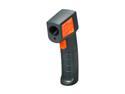
Pros: Got it on sale. Big plus there. Easy to use. Just point and click. Seems fairly accurate. Battery life.
Cons: Feels sturdy enough but also very light.
Overall Review: Temps seem to be around 2 degrees + when compared to thermostats, which really isn't the best benchmark for testing. Whose to say they are correct? Honestly, it's mostly a toy at the moment. I will use it when working on engines, electronics, etc. but so far I've checked the freezer, the attic, light bulbs, a door down the hall and my knee cap (90F by the way). I also tested temps on the asphalt in the hot summer here, and the ambient temp may be hear 100 but the pavement shows 132. Interestingly enough I can hit an object from 30 feet away and then again at 1 foot and the temps are 1 degree apart. It will be well worth the price once I use it for its intended purpose. I've got a 2 cylinder engine I am working on and soon I will need to know the cylinder temps to see if the fuel mixture is okay.
First and Last
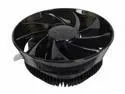
Pros: Stylish. Big on looks. Comes in a nice round coffee tin, which will come in handy for screws and spare plugs. 120mm fan is super quiet.
Cons: Short on performance. The latch is absurdly difficult to use. 3 pin fan.
Overall Review: I didn't expect much and I got it. The cooler was purchased for a 45W AMD home server where quiet operation is essential and the 120mm fan accomplished that. I never complain about hardware being difficult to handle or install, because as a DIY'er I know there will be times when some parts are going to need a little "massaging" to make them fit right, but this latch is a disaster on AMD sockets. It's the standard clip type but the machining on mine was poor. It's also thinner than most. One side would twist when I pushed down, and that plus the convex fin design of the cooler made catching the second lug a real pain. I finally got it on and it's not coming off unless it fails. It would have been easier to install with the board out where I could get better access but that was not an option. It's light, which is good, but I wouldn't use it on anything higher than a 65W chip. The temps on my 45W chip are no better than they were with the OEM cooler - maybe not quite as good.
Easy install and works fine
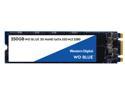
Pros: Works as advertised. Fast enough. Windows 10 boot to desktop is just under 8 seconds
Cons: None
Overall Review: Recommended. I have always had great success with WD and hope the quality carries over to their SSD market. No issues with the lowly ASUS H110M and an Intel G4560.
Performed As Expected - for 3 months
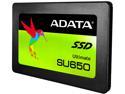
Pros: Very acceptable performance for the price. Not the best but it didn't cost 3X as much either
Cons: Lasted a little over 3 months as a boot drive until it began to randomly disappear. ADATA's software could use a face lift. It makes HD displays look like an Atari 2600.
Overall Review: I removed the SU650 as the boot drive, installed a spare and started testing. the SSD. Cables and power are fine and the test results show no errors and 100% health, but as soon as multiple or large files are read to or copied from the drive it will disconnect and stay that way until the computer is restarted.. Multiple tests produced the same result. My spare is a 9 year old WD Black that I've used in my last 4 builds and is working perfectly, but my almost new SSD is essentially useless. I guess I shouldn't be surprised. Any drive can fail but it has been my experience that the risk is greater with inexpensive drives. I gambled and lost. Not a huge deal overall, just an inconvenience. I can of course get an RMA but probably won't. Anyone can make a dud and I'm willing to accept the risk - to a point. However, when one manufacture has a product that takes a predictable dive after 3-4 months, as seen in these reviews, a pattern emerges that I want no part of. Instead of getting a replacement I'll likely toss it and scratch ADATA from my list. There are many other manufactures to pick from.
Yes it's Fast!
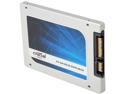
Pros: I have the M4 and the MX100 and both are fast. The MX100 benchmarks slightly faster. Possibly the sweet in capacity spot for an OS drive loaded with frequently used suites and apps. At least it is for me. Windows 7 Boots the same as others have stated. About 7-8 second after POST. Install is a no brainer.
Cons: None noted
Overall Review: I started with the Crucial M4 @128g about a year ago and to be honest it was fine for a while. I found myself recently moving and deleting filed and cleaning temp files out just to keep some free drive space available. I had already mapped my documents folder to a platter drive to save space which started to defeat my purpose of having an SSD. Fast boot times are good for bragging but that fades quickly once the frequently used files like documents, photos and music have been moved to free up space. This is where you need a little larger SSD The MX100 @256 seemed like the right place to be and it is. I'm not a big gamer by any stretch so Steam and all games stay on a WB Black which is fine for my occasional needs while my frequently used files now reside on the new SSD and load almost instantly. The speed is good. I didn't get the 550 some claim to get but I'm consistently solid in the the mid-400's and when benchmarked against my M4 the MX100 is faster in every way, but it's not something you will feel at the keyboard. There's no WOW factor going from an older gen SSD to a newer one. You see it in benchmarks but that's about it, and I don't care about speed unless I can see it or feel it. If this is your first time buying an SSD go for more than you think you need. You will always find a use for the extra space and keep a fast mechanical drive for backups and the things you don't need to access every day. Bottom line- Get the right SSD so you won't have to do it again a year later. And don't get caught up in the hype that you have a slug just because you see new drives boasting much faster and higher speeds. They will be faster but will almost always require a benchmark to notice the difference. But if you really want to wiz in the tall grass with the big dogs and money is no object then go for the gold. There's nothing wrong with either option because once you go SSD you won't go back to a spindle drive, at least not for your OS. Have fun with your SSD!
WARRANTY!!!!!!
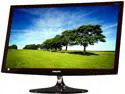
Pros: Outstanding color Very bright Good viewing angel. BIG. Perfect for aging eyes that still use a 1920 x 1080 res monitor and want more display area but not more display. 5 eggs for the monitor, but only the monitor.
Cons: Warranty listed by Newegg for this 27" S27C500H, item # N82E16824001802 monitor clearly states 3 years parts and labor... but the box and warranty information shipped with the monitor clearly state ONE YEAR!! I have been in contact with NE and will not keep this monitor unless I get the 3 year warranty as advertised. A three year warranty was a key buying decision My complaint is unresolved as of this writing but it is far from over.
Overall Review: This monitor is no longer in stock as of this review and may not be back now that Samsung has other, newer 27" options but I'll complete the review anyway. My sole reason for buying this was because of Samsung reviews and reputation for turning out great HDTV's and monitors, plus the ADVERTISED 3 YEAR WARRANTY. As good as this monitor is there are other great monitors available with a 3 year warranty and unless this gets corrected I will return this and buy elsewhere. I did not make a mistake buying it. The mistake was advertising the product as having a warranty the manufacture does not provide. Enough with the rant. For anyone with eyes that are not as sharp as they once were I would recommend this or similar 27" 1920 x 1080 resolution monitor, especially if planning a move up from a 24" as I did. The larger screen provides a larger desktop - not more desktop. As far as pixel density and the concern about the dot pitch on the 1920x1080 being too widely spaced on a 27" screen I can only say that I don't see any issues at all. I sit about 30-36" inches from the screen and the detail is sharp and super clear. The bezel is gloss black but the panel has a matte finish and is therefore not susceptible to reflection or glare. The color adjustment software that came with mine was not compatible with W7x64 but one that is may be downloaded from Samsung. It's okay but you would likely have better results setting your display preferences through the graphics card software. A calibration tool would be nice but I don't have one. It looked great right out of the box and only needed a few minor tweaks My desk is on a tile floor and very solid so I have zero issues with the stand and no wobble problems. Movies look great but I don't watch movies with it. I only tried one to see how it would do. If you need the larger display for vision problems then my advice is to go for a 27. Just make sure the item you receive is as advertised. This is a very nice monitor. This monitor replaced a 4 year old Dell 24 with a TN panel that I thought still looked pretty good - until I lit this thing up. WOW!


