
Your Browsing History


Bobbye M.
Joined on 02/08/05
0
0
product reviews
- 29
Finally a controller that does it all.
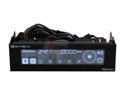
BitFenix Recon Fan Controller
Pros: Automatically adjusts fans based on YOUR SET TEMPERATURE. Can communicate with your PC to allow settings adjustment through Windows. The screen can be shut off for when you don't want the extra light. Huge touch screen. Can be used with PWM fans. (doesn't use the 4th pin) Unused fan cables can be removed. Can turn fans completely off. Can turn off touch screen beep.
Cons: The piggy back USB connector. The one on the end does nothing. You have to use the connector in the "middle" of the cord for it to work with your PC. I removed the extra "blank" length with a needle by pushing the pins out and set it aside. The included instructions just tell you to connect "to motherboard usb header" but not which connector to use specifically. It doesn't control certain fans properly at lower RPMs. Thermal probes can't be removed. A little slow to bring fans down to set RPM.
Overall Review: I've tested it with and without the USB connected and in auto/manual mode. At lower RPMs it doesn't keep the fans constant. The Silverstone FM121 could be set for 900 RPMs and seem to "pulse" or "breathe" between 900>1100 RPMs. It doesn't stay constant until you get to half power around 1700>1800 RPM's on the controller. I also tested the Rexus DF121225BH fan which had the same issue. I can't say how that might sound once they're inside a case since I'm not currently using either of the fans mentioned. I'm using AeroCool Shark 120mm fans which stay exactly at 700 RPM at the lowest setting with this controller. It seems to be a semi-common issue. It may have something to do with the way the controller operates the fans or just certain motors/brands. I can't speak for the official software as I haven't used it. I didn't like having to use an internet browser to operate the fan from my desktop. I knew of another program called Phoebetria that connects to the controller within its own window. The program can't operate it remotely yet, but I have no need for that function. The thermal probes are hot glued on and cannot be removed. So I had to find places for all five.
12/6/2012See more detail
Good while it lasted
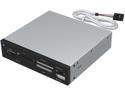
Sabrent 7 Slot USB 2.0 Internal Memory Card Reader & Writer (CRW-UINB)
Pros: Reads most modern day cards Gives an extra USB port
Cons: Failed 5 years of little use on the SD card Killed my Micro SD card after just one use
Overall Review: This is the second card reader I brought in 2009 after the first version from 2006 couldn't read HC cards. The model numbers where the same, but the older version just couldn't read the HC cards. I've already brought a simple USB card reader that reads SD and Micro since those are the only card formats I use.
3/1/2015See more detail
4 years and counting also
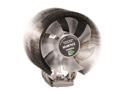
ZALMAN CNPS 9700 NT 110mm 2 Ball Ultra Quiet CPU Cooler
Pros: Green LED fan looks good. Keeps my CPU cool. Quiet. Compatible with the current i3/i5/i7 CPUs with use of adapter.
Cons: It's discontinued. :(
Overall Review: I had planned to continue using this if I ever upgrade, but with it now discontinued and the adapter for it getting hard to find I dunno.
12/6/2012See more detail
4 years and counting
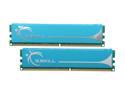
G.SKILL 2GB (2 x 1GB) DDR2 1066 (PC2 8500) Dual Channel Kit Desktop Memory Model F2-8500CL5D-2GBPK
Pros: Fast.
Cons: I pity the cons.
Overall Review: Still using these right now today on a Gigabyte DS3L board. No worries here.
12/6/2012See more detail
Review for older version
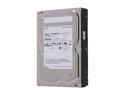
SAMSUNG EcoGreen F4 ST2000DL004 2TB 32MB Cache SATA 3.0Gb/s 3.5" Internal Hard Drive Bare Drive
Pros: Quiet. Fast enough. Huge capacity.
Cons: Still none after 2 years of use.
Overall Review: I have 2 of these mirrored for backup data and they haven't given me any problems after almost 2 years of use. But these are from when they were true Samsungs and not Seagate.
12/6/2012See more detail
Does what it should.
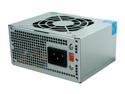
Athena Power AP-MP4ATX30 300 W SFX-12V ATX-12V eMachines, HP Upgrades/Replacement Power Supply
Pros: Perfect replacement for those tiny PCs.
Cons: None yet.
Overall Review: These seem to be hard to find in local stores. Had it since April 2012 and it's still going.
12/6/2012See more detail