
Your Browsing History


JOHN T.
Joined on 10/08/10
0
0
product reviews
- 8
Plenty of room
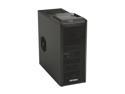
Antec One Hundred Black Steel / Plastic ATX Mid Tower Computer Case
Pros: Has plenty of room and cable management options what more can one ask for.
Cons: This was a part of the Gigabyte 870A-UD3 combo, the motherboard required 3 more holes to be drilled into the metal to install additional stand-offs, proceed to do so at your own risk.
Overall Review: When you do the drilling, place the motherboard to mark the holes that are required for the drilling.
5/25/2011See more detail
Asus
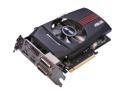
ASUS Radeon HD 7770 1GB GDDR5 PCI Express 3.0 x16 CrossFireX Support Graphics Card HD7770-DC-1GD5-V2
Pros: Great card, amazing feature set.
Cons: Buy anything else.
Overall Review: Asus needs to get their act together. I purchased the card for light gaming, diablo3 on the weekends type of deal. I started to see horizontal lines across the screen, then sometimes anything that runs on the Direct3D api would crash or make the computer reboot.
6/11/2012See more detail
A HDD for dad's computer
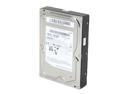
SAMSUNG Spinpoint F3R HE103SJ 1TB 7200 RPM 32MB Cache SATA 3.0Gb/s 3.5" Internal Hard Drive Bare Drive
Pros: This drive is very responsive, and has plenty of room for the price.
Cons: Latency is a little higher then other brand hard drives, but that really don't concern me.
5/25/2011See more detail
Love em'
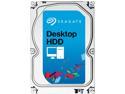
Seagate BarraCuda 7200.12 ST3500413AS 500GB 7200 RPM 16MB Cache SATA 6.0Gb/s 3.5" Internal Hard Drive Bare Drive
Pros: I have these drives in a raid 0 configuration and so far they do great. A single drive has sustained writes of 130Mbps, and double in RAID 0
Cons: These drives vibrate an all metal case.
Overall Review: I thought one of the drives were failing, it was due to a bad SATA cable actually.
5/25/2011See more detail
Great value
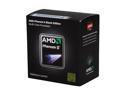
AMD Phenom II X2 555 Black Edition - Phenom II X2 Callisto Dual-Core 3.2 GHz Socket AM3 80W Desktop Processor - C3 Revision - HDZ555WFGMBOX
Pros: You can unlock the CPU for the 2 extra cores that are hidden, runs cool and very stable. I don't plan on over clocking with this as it suits my needs.
Cons: None I can think of
Overall Review: Only if it came with an awesome heatsink, like the ARCTIC COOLING heatsink/fan or that Zalman LED heatsink
5/25/2011See more detail
Great board
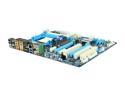
GIGABYTE GA-870A-UD3 AM3 AMD 870 USB 3.0 ATX AMD Motherboard
Pros: This motherboard has plenty of room for expansion. Everything is laid out neatly, and the board itself is amusing to look at. Installed Windows Vista with a Raid 0 setup.
Cons: When running controllers in AHCI mode, the optical drives aren't detected by the bios same as RAID.... See other thoughts.
Overall Review: When you configure your board for raid, there is a setting where you can set it for IDE, AHCI, RAID. If you're doing raid with hard drives, set it as RAID. If you're doing individual drives, set it as AHCI for extensive performance. Optical drives, set it as IDE. But overall no complaints this board meets all my standards.
5/25/2011See more detail