




 here!
here!
I’m your shopping assistant for PC builds, upgrades, and everything tech.
Got questions? Ask away!
Start a conversation
here!
I’m your shopping assistant for PC builds, upgrades, and everything tech.
Got questions? Ask away!
Start a conversation

Joined on 01/20/12
solid enterprise drive
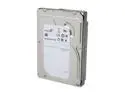
Pros: Works fine, fast for sata, I can't hear it.
Cons: none
Overall Review: A Vantec Stealth 80mm case fan is louder. Outperforms competitors of the same interface type and rpm on sustained sequential read/write. Probably only achieves SATA III speeds (minus overhead) when reading from or writing to the drive cache (the platters cannot deliver 6gb/sec on 7200 rpm drives).
Follow-up to POC below
Pros: See below
Cons: See below
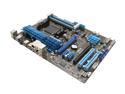
Overall Review: This is a follow-up to my earlier review and reply to Asus. The memory downclocking was reasonable. Cpu was a Phenom II 965, 1333 mhz is factory spec on a Phenom II. As for the rest, that PCIe-16 vga card worked fine on an M2N68-LA (HP OEM), running both Vista and linux, and it also worked on a Supermicro server/workstation board with an Intel chipset, with no complaints from either the BIOS or the OS about vga modes. (Your BIOS is bogus.) Failure to Clear CMOS and restore BIOS defaults is perhaps an electrical defect. I won't comment further on the bad judgement to integrate an ethernet chip on the board that identifies itself with the same pci id as an earlier chip and then expects a device-driver to figure that it is different. I never had these problems with my PVI-SP3. Sheesh, these products seem to have gone downhill in product quality.
Works fine
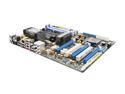
Pros: Works fine with Phenom II 965, Corsair Vengeance 1866 DDR3, not overclocked. No instability problems (not running Windows). NCQ in sata controller works (ahci). Enough PCI-e 2.0 lanes to add one or more SAS controllers without giving up PCI-e x16 graphics.
Cons: BIOS lies about PCIe-1.0 incompatibility (minus 1 egg for unnecessarily annoying me). See notes below.
Overall Review: With a PCIe-1.0-x16 graphics card in the first PCIe-x16 slot, you get 5 beeps at boot from the BIOS and no post display. But the BIOS setup screen comes up anyway if you enter BIOS setup, displays fine with no distortion. The boot loader's menu comes up at boot and displays fine, and the linux kernel boots and has no issues with the PCIe-1.0 graphics card. (Older Nvidia quadro from PNY, works with the nouveau open source 2d kernel driver, but I assume it would be the same with any PCIe-1.0 graphics card.) If you replace the PCIe-1.0-x16 graphics card with a PCIe-2.0-x16 graphics card, the beeps go away, you can see the post display at boot, and everything else is the same (the newer PCIe-2.0 graphics card is a litte faster, of course, but I do not use this computer for gaming or anything else that needs cutting-edge graphics display performance, so I don't really care about that). BIOS-1.80
works
Pros: works with linux, very affordable
Cons: not for what I use it for
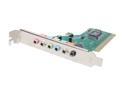
Overall Review: I have only used it to play analog stereo out through a line-out jack to a 2.1 speaker set. It works fine for that. I have not tested surround, 7.1, spdif out, Dolby out to an external amplifier, recording, phone mike, etc. Linux kernel 3.3.8, ice1724 device driver, alsa only (no oss emulation), no /etc/asound.conf or ~/.asoundrc needed for this use of the card.
fyi memory speeds
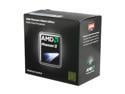
Pros: Fast enough, quad core
Cons: Adhesive heat sink compound: I used the cpu for half a day, then needed to RMA a defective motherboard with numerous defects. When trying to separate the AMD-supplied heatsink from the cpu, the cpu pulled out of the ZIF socket without opening it first. The heat sink compound on the bottom of the heat sink had glued the heat sink to the cpu. If I leave it that way, it will not clear the ZIF clamping arm on the cpu socket on a new motherboard. I will need to heat it up with a heat gun or hair dryer or soldering iron or whatever to get the cpu and heat sink apart so that I can install the cpu in the cpu socket in a new motherboard without bending any pins.
Overall Review: FYI, running this cpu with DDR-3 clocked at anything above 1333mhz is technically overclocking it, whether the motherboard manufacturer says it is stable or not, which voids the cpu warranty. From an AMD page on this processor: "1. AMD’s product warranty does not cover damage caused by overclocking (even when overclocking is enabled via AMD Overdrive™ software)." Web search for "DDR3 Memory Frequency Guide" (at an amd.com URL) to see what speeds are supported by which processors without overclocking, and for how many dimm sockets. (The FX Zambezi processors support 1866mhz in 2 dimm sockets, and 1600mhz in 4 dimm sockets; the Phenom II only supports 1333mhz as its highest native DDR3 clock, and then only with "single rank memory".) I assume that "single rank memory" means "not dual channel". That does not mean that a motherboard cannot run dram at higher clocks than 1333mhz with these cpus without crashing. It only means that AMD will not honor its warrant
Works
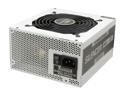
Pros: Works well, sufficient connectors for my needs, low voltage ripple.
Cons: Fan on one side instead of on the end. (Inconvenient in some cases.) Stiff cables can be annoying.
Overall Review: So far so good. ATX and EPS 12V, 38A on 12V (not really a quad gpu, etc, ps). It is quiet, but tight voltage control matters more to me than decibels from the ps fan. I can always replace a noisy fan with a quiter one. I cannot replace sloppy voltage control without buying a different ps.


