
Your Browsing History


william r.
Joined on 09/04/04
0
0
product reviews
- 19
Asus EEE Pc
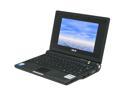
HP Debranded Eee PC Eee PC 4G – Galaxy Black Intel Mobile CPU 7" WVGA 512MB Memory 4GB SSD NetBook
Pros: Great design, sleek and light, very productive, (expansion ports especially), and not too expensive. No moving parts! (Solid State Flash!)
Cons: (Under XP)Touchpad drivers supplied DID NOT work for me. The touchpad did not respond, nor could I use the driver version. (I was supplied with v10) I also figured out that the mouse was NOT showing up under the Synaptics control panel. I reverted to version 8.xx and the conflict was solved. (Warning 8.xx does not support scrolling.)I also cannot turn off tap-to-click. I have checked some fourms and this is a rare problem.
Overall Review: Overall this PC is a great addition to any pc hobbist. It also is a "one laptop per child," computer, and I think it was a good addition to the market. Overall I would say buy it, even if you leave the linux on it, the default os is more than enough to satisfy any pc guru.
12/25/2007See more detail
Flawed Design
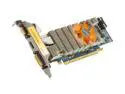
ZOTAC GeForce 9600 GT 512MB GDDR3 PCI Express 2.0 x16 Low Profile Ready Graphics Card ZT-96TES3L-FSL
Pros: Fast for a low profile card Decent running temp. ATX Molex power connection (Standerd Power connector for hard drives, Optical drives, etc) Plays games decently Highly Functional
Cons: Flawed design! This card fits only into a few PCI-x16 slots because of its rear heat sync. The rear heatsync sits very low to the slot and motherboard surface. If you are taking what I though about it fitting into other zotac motherboards think again! See other thoughts for non-compatible motherbaord, that I have found. I hate to bash Zotac, but DO NOT BUY. I hae RMAed my card and would not-ecommend this card to anyone. If you are looking for a decent small itx machine like I was, try the Zotac ION chipset with a dual core HT atom.
Overall Review: Evga/XFX 780i = Small Cap gets in the way of the 1st slot Zotac 730i - 9300m Mini-itx = You must remove bios battery to fit that card. Also blocks more SATA connectors. (Quick fix is a right angle cable) Asus p5b-VM = Cap and a heatsync mount gets in the way
6/29/2009See more detail
AWESOME
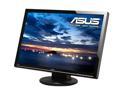
ASUS VW266H Black 25.5" HDMI Widescreen LCD Monitor 300 cd/m2 1000:1 (ASCR 20000:1) Built in Speakers w/ component connector
Pros: I have had two of these units for about 3 months. All I have to say is WOW. They are so bright and clear at 1200! I recently bought another for 2D surround it was one of the best ideas I have had. Sadly this review will go no where since they are discontinued...
Cons: Difficult to mount 3 of them in 2D setup. The cheapest bracket is about 250 bucks for a good setup. I made one for about 80 bucks, that halfway does the trick.
Overall Review: Great Monitors for the price!
2/2/2011See more detail
6 Months later...
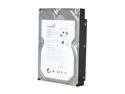
Seagate BarraCuda 7200.12 ST31000528AS 1TB 7200 RPM 32MB Cache SATA 3.0Gb/s 3.5" Internal Hard Drive Bare Drive
Pros: Data loss
Cons: 3 out of 4 failed at same time....really? I had all 4 drives running in a server, with a UPS and have only lost power completely once. I have restarted the system 12 total times, and only powered down 4 of those 12. I now can't even rebuild my volume because Seagate drives are manufactured poorly. I remember Seagate drives used to rock before they bought Crapstor. I would defiantly never buy a Seagate again after this experience.
Overall Review: I would go with a Spinpoint drive, over a Seagate or a WD, but that is just a new preference.
5/30/2010See more detail
Not just loud
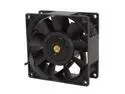
Delta PFB0912DHE-F00 92mm Case Cooler
Pros: Moves the amount of air it says
Cons: Loud, but let me specifiy the kind of loud. Everyone says loud, but it whines because the the 8000RPM I have heard loud fans, but this takes the cake. It mostly whines because its 92nm. I personally would go with a 150CFM 120mm fan with a 92 to 120mm adapter if you can, that would whine much less Finding a fan controller for this beast is near impossible. I put mine in series with a peilter to lower the CFMs to 100, this stopped the whine.
Overall Review: Forget about noise reduction, it isn't happening.
2/11/2010See more detail
Impressed
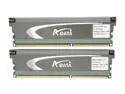
ADATA 4GB (2 x 2GB) DDR3 2000 (PC3 16000) Desktop Memory Model AX3U2000XB2G9-EF
Pros: Price! Remember JDEC ram clocks down to 1333. Don't spend money on ram that is not going to be fast enough in a year! Ram fan does wonders with a little Artic silver
Cons: Clips easy to lose for fan and wish fan leds were not blue.
Overall Review: Anyone who is having trouble, use Everest, it has alot of win. It tells you all the timings certified by JDEC and those that aren't but the ram with do. No need to think about it, if your board supports 1333mhz, GO FOR IT.
2/8/2010See more detail