
Your Browsing History


Jeffrey P.
Joined on 10/06/01
0
0
product reviews
- 7
Efficient and Adequate for Mild/Moderate Gaming
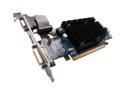
SAPPHIRE Radeon HD 4550 512MB DDR3 PCI Express 2.0 x16 Low Profile Ready Graphics Card 100252HDMI
Pros: Plays games like Bioshock, Prey, Oblivion, COH, Mass Effect, Portal surprisingly well although I am not gonna quote framerates. If you are the type of person going to install Fraps and are interested in actual FPS in these games, you probably aren't going to like this card. Its not slow, more like what I would call adequate. I average, depending on the game, a resolution of 1280x960 and medium settings. Its pretty close to buttery smooth, maybe a quick hitch or lag every now and then. No fan, no noise whatsoever. I have found that fanless cards sometimes are so quiet that you can hear the circuitry which defeats the purpose of fanless, but nothing like that from this present card. My whole aim for this card was not for a HTPC, I have an older HP laptop for that. But I have to say that the video is gorgeous with .MKV x264 encoded with handbrake. Have not tried Blu-ray yet but I'll get to it. Does not add a lot of heat to the case, I am guessing that it uses ~18 watts
Cons: Clocks are 600 core 750 mem, which is different than advertised, but easily fixed with the ATI driver. Had a little trouble setting this up with a specific Viewsonic vx2035wm 16x10 20 inch LCD. As soon as the driver loaded then the display would report no signal at 1680x1050 under DVI. I would have to reboot and then it would be fine as long as the analog was used. Booting into safe mode worked fine under DVI, but not with the proper loaded driver. Very weird but as soon as I plugged up my 4:3 Samsung, it was smooth sailing under DVI. It is undoubtedly a monitor/display driver problem, and it needs to be fixed, but I liked my samsung better anyway. This card would run so much better with more bandwidth, so if you are to overclock, start with the ram. This card kind of reminds me of a Chevy Aveo with a V6 in it. Plenty of power, really small wheels. I think if they were to put a 128-bit memory bus on this card, there would be no reason for the 4650.
Overall Review: My whole philosophy regarding computers is efficiency. Of course a 9600 gt gets much better performance per watt of power, but in terms of absolute efficiency this card rocks. It is about as powerful as a 6800 gt or a 7600 gs in older games and as good or better than a 7600 gt in newer games. I consider this true progress when we have more performance for less power. A decent mild gaming card and a superb media card all for 18 watts max. All in all Daddy likes.... My build is SFF using an XFX 630i mobo, 4GB crucial ddr2, an intel core 2 duo E7300 @ 1.6 Ghz passively cooled and at less than 1 volt, My trusty Chaintech AV710 Envy 24GT Antec TruPower 430 Ultra Microfly black SFF case Sapphire 4550 @ 600/850
3/13/2009See more detail
The way a netbook should have been
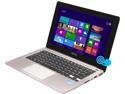
ASUS VivoBook X202E-DH31T 11.6" Touchscreen Notebook Intel Core i3 3217U 4GB 500 GB HDD Intel HD Graphics 4000
Pros: Light, not tablet light but easily portable. I am an owner of an Asus 1000 HA and this thing is way thinner and somewhat lighter. It even runs much cooler and the performance is orders of magnitude better than the original netbook. I can game on this thing. I have many games from humble bundles that I haven't played for awhile and this thing plays them well. I have popcap games that were just made for touch and this thing doesn't break a sweat. I have had to turn off hardware acceleration in each popcap game or it is a slideshow, but I think that is windows 8 and not the fault of the hardware in any way. I can play orange box games and other FPS as long as it is 1024x768 the frames stay mostly above 30 fps. Portal 2 is good, diablo 3 is a little slow but playable at 1024x768 {24-30 fps}. I haven't tried any more games but I expect it to run SWTOR and DDO. The video performance is comparable to an HD2500 though it says it has an HD4000. It only has one channel of memory and so it is bandwidth starved. Video performance is better with the most recent driver from ASUS. If you are going to play games, make sure you upgrade the driver. Thing runs cool, even while gaming... did not expect that. The hottest it got was relatively warm while updating. I have not encoded any video or done anything too processor intensive but so far I am pleased with the heat output. The notebook is bigger than the 11.6 dimensions as quoted which is great because 11.6 notebooks are hard to type on. This is more like a 12.1 width which is the absolute minimum for typing. I would say that the keyboard is great, almost full size. The keys are a little small but the shift keys are in the right place and good size if that is important for you. Have not had any issues yet with the touch pad. The windows 8 gestures are weird, but I understand why they do what they do. It is a little redundant having them on a touch screen notebook, but they work. Windows 8 is different, I wouldn't say it is bad. I would actually like it once I get it figured out I think. The touch screen in responsive but good for use with such a small notebook. I had expectations when I bought this that I would not use the touchscreen much because thinking about it I felt that some type of arm fatigue or positional hindrance would make touchscreen windows computing difficult.. It is not... it is a very natural tool. I have even found myself holding the notebook at the hinge and using it with my thumbs like an ipad. The hinge does not open at a very wide angle so this use is limited, but I think that app store games may be played well this way. Build quality is excellent just like every other ASUS device I have owned.
Cons: Screen is not the brightest and its viewing angles are limited, but it was also cheap so... YMMV. The beveled angle of the front edge of the noebook is a little sharp, not turkey carver sharp but you could cut a clean slice of cake with it. ;) not a big thing but it does affect how comfortable it is to type on this thing. ASUS plays the proprietary driver game with this thing. The last update for the video driver was 11/2012. There have been a few driver upgrades in the time between now and then and I know performance has increased with them so I hope that ASUS will release a new driver soon.
Overall Review: This is a good deal at $599.00. I got it significantly cheaper recently so I feel a little guilty at the value that I get for the price I paid. Buy it if you want an easy way to experience windows 8. I was considering a WIn 8 atom tablet but the graphics drivers for those are wonky and you would have to eventually buy a keyboard anyway to use it like a PC. This is a better performing option at a good price.
5/19/2013See more detail
Why again would I buy AMD?
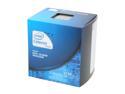
Intel Celeron G530 - Celeron Sandy Bridge Dual-Core 2.4 GHz LGA 1155 65W Intel HD Graphics Desktop Processor - BX80623G530
Pros: Very fast for the money. Almost ridiculously fast considering that it is under 50 dollars. I see no difference in day to day use with my Phenom II 975. In fact, for some things (single-threaded, games) it is quicker. I would put the wattage used for a task would be close to 15% of the total that I was pulling for the Phenom II. The HD 2000 graphics come with an unlocked multiplier. Expect at least a 40-50% free increase in clock speed. It has calculated for me to about a 38% increase in frame rates in games. It never though gets to the performance of an HD 3000, I would say about 50 to 60% percent closer. Very cool with stock cooler. I did remove the stock paste and replaced it with artic alumina. I have no qualms torturing this little chip, its very cheap.
Cons: Can not overclock the cores at all. Nope not at all. If you want to overclock, you have to pay for it, which is silly, and totally is against the point of overclocking. You can use any ddr memory speed, but it will only run at either 800 or 1066 MHz. This is not a big deal, you can adjust memory timings if your board supports that, but you still are not gonna get anywhere near any significant bandwidth increase that way... Bandwidth that would help video performance immensely. These Intel guys... they got a nice racket going. For fitty dollars, I can't complain much more.
Overall Review: As soon as the cheaper HD 2500 chips are released, Daddy is gonna get a newer, prettier yet still cheap girlfriend named IVY. Don't look at me that way SANDY, you knew the score from day one. Daddy likes them CHEAP and FAST.
7/3/2012See more detail
Very Good Laptop
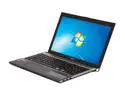
Acer Aspire TimelineX 15.6" Intel Core i5-2430M 6GB Memory DDR3 1066 Windows 7 Home Premium 64-bit AS5830TG-6614
Pros: Best performing laptop I have ever owned, in fact it is faster than my quad core Phenom 2 Desktop with a HD 4670 Graphics card. Stays cool when playing flash, reading websites, downloading etc. Very quiet at low loads. Intel Quick sync is awesome, encodes standard def H.264 at roughly 420 fps. Same x264 encode with handbrake is about 80 fps. Handbrake quality is SLIGHTLY better but not worth the difference in time. HD 3000 is okay for older games/gaming on the go. You could easily play games like KOTOR 2 and SW TOR at medium settings and 1366x768 res comfortably. GT 540 is really all that you need so far for modern games at this resolution. Sound quality and positional audio are very good for a laptop. Keyboard is nice, not macbook quality, but not bad. Keypad is a must have. Usb 3.0 is not a big deal now but you are future proof with it. Resumes quickly from sleep. Battery life is phenomenal under low load. 81% and I have 7 hours left according to windows.
Cons: Gets hot under load with and without the 540 GT activated. The other reviewers are right about the viewing angle, it annoying but not a deal breaker. Some crapware, wasnt sure which was crapware so I ended up uninstalling more than I should have. Off center trackpad sucks, i mean really sucks. Trackpad is also too small for my taste. There is no two finger scroll or two finger right click like with Macbooks and many other notebooks I have owned. Fixed that by downloading a tool to give those options. Not as light as I would like. My DVD ram is kind of strange, reads discs a little slowly. Hardware multimedia key placements absolutely suck. Not very Hackbook OSX86 friendly
Overall Review: Bought this as a cheaper replacement for a 13" macbook pro. Not sorry I did, the quicksync support and Discrete Graphics more than make up for the lack of OS X. This was the best computer buy I have made in a long time.
12/13/2011See more detail
Better than I thought
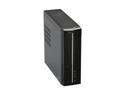
Foxconn R40-G4 Intel Socket T(LGA775) Intel G41 Barebone
Pros: I actually did not have high expectations regarding this purchase. considering the price. This build was to replace a burned out MB due to an errant screw shorting out the mobo. This barebones is very nice looking, cheap with good documentation. It only holds one hard drive and is SATA only which caused me to purchase an additional 1.5tb hardrive my mistake, not newegg's. The performance is much better than the previous mobo, things open and close faster with pretty much the same setup as before. I dont exactly know why.
Cons: A little cramped, more noise than my previous build. Not loud or whiny, just sounds like air moving. Getting the front panel back on correctly took some patience because of the guesswork of getting the DVD drive the perfect distance so that the front cover can activate the eject button.
Overall Review: I would seriously consider these barebones as a competitive alternative to any Shuttle box. I have a HD4550 in it and my TV is only 720p, so I can do more gaming than you would think with this little guy. Good purchase.
9/26/2010See more detail
Update on video drivers
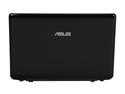
ASUS Eee PC 1201T-MU10-BK Black AMD Athlon Neo MV-40(1.60 GHz) 12.1" WXGA 2GB Memory 250GB HDD NetBook
Pros: This is an update regarding poor flash performance due to the netbook being limited to asus support for the video drivers which I think are a version that does not have hardware flash support. If you google 1201t ATI 10.6 you "might" see a link on how to get the most modern drivers to install. It involves downloading a hacked installer that bypasses a hardware check. As it turns out there is no reason that the newest drivers shouldn't work, except for this imposed backlist. Once it is removed HD flash works very well, although it is much more smooth with cool and quiet disabled.
Cons: This netbook did not have really any cons, now it is just that much better.
Overall Review: Love for newegg.
7/12/2010See more detail