
Your Browsing History


Michael B.
Joined on 08/04/04
0
0
product reviews
- 8
Great Monitor/TV
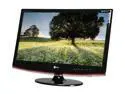
LG 27" LCD Monitor with TV Tuner 5 ms D-Sub, DV-DI, HDMI, Composite M2762D-PM
Pros: -Huge screen -Good connectivity options -Stylish -No glare/low reflectivity
Cons: -Power button hard to find if room is dark -When HDMI from a PC's videocard, the image is not completely edge to edge, and image not as sharp as DVI.
Overall Review: I have 2 computers hooked into this monitor using DVI and HDMI.
2/21/2011See more detail
Died withing 2 weeks
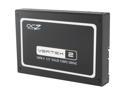
OCZ Vertex 2 3.5" 120GB SATA II MLC Internal Solid State Drive (SSD) OCZSSD3-2VTX120G
Pros: When it worked it was blazingly fast. Installing Win 7 only took a few minutes. Booting up into Win took only a few seconds. Installed and ran programs fast.
Cons: Died after 2 weeks. I don't know what happened. I initially installed Win 7 32-bit on the drive. Then I installed Win 7 64-bit after a partition delete and quick format. It booted once, but the second boot, the drive disappeared from the BIOS. Tried changing to IDE mode...still non-existent. Tried everything. Nothing. Bricked.
Overall Review: I don't know what bricked the drive. I don't think that re-installing the OS caused it. There were some power outages that might have been the cause....I didn't use a battery back up/UPS (uninterruptible power supply). I read somewhere that SSDs are sensitive to power fluctuations and need a stable and clean power source to the power supply. So....lesson learned. If you're going to use SSD drives in your system, make sure you have a quality power supply AND a UPS battery backup, or else there is a chance that you will brick your SSD. Or...I just had a defective drive. Will never know. RMA'ed the bricked drive...getting replacement next week. Newegg's great return policy earned an extra egg rating. Will give an update when new drive installed.
2/15/2011See more detail
Great Power Supply
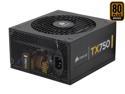
CORSAIR TX Series CMPSU-750TX 750 W ATX12V v2.3 SLI Ready CrossFire Ready 80 PLUS BRONZE Certified Active PFC Compatible with New 4th Gen CPU Certified Haswell Ready
Pros: -Very quiet -Enough power to handle SLI and Crossfire -Cords long enough for full tower case
Cons: -Long cords can be unwieldy and if not properly tucked away, can obstruct airflow
Overall Review: I have a CM HAF 922 case that has extra space behind the motherboard to tuck away the extra cords, so it wasn't a problem.
2/21/2011See more detail
Overclocks like a champ!
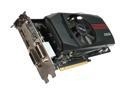
ASUS Radeon HD 6850 1GB GDDR5 PCI Express 2.1 x16 CrossFireX Support Graphics Card EAH6850 DirectCU/2DIS/1GD5
Pros: -Affordability -Overclockable -Highest performance per dollar when OC'ed -Low power consumption -Heatsink easily removable to add own/better thermal paste
Cons: -Overclock limits low: Core 1000 MHz Memory 1250 MHz
Overall Review: I removed heatsink by simply unscrewing the four screws on the back of the card. Then I scraped the waxy TIM (thermal interface material) off the heatsink and the GPU and cleaned it with rubbing alcohol. I applied Arctic Silver 5 on both heatsink and GPU and put back on heatsink. Using MSI Afterburner (free app can be used with any brand videocard, but can also use Catalyst Control Center as well) OC'ed core to 940 and the memory to 1250. I used 3DMark 11 as a benchmark for stability. Highest temperature is only 60 degrees celsius. -i7-2600K Sandy Bridge 3.4GHz OC'ed to 4.8GHz -Asus P8P67 Mobo -ASUS EAH6850 DirectCU OC'ed from 790MHz to 940MHz -COOLER MASTER HAF 922 case -CORSAIR CMPSU-750TX 750W ATX12V / EPS12V SLI Ready CrossFire Ready PSU -OCZ Vertex 2 120GB SATA II SSD
1/30/2011See more detail
Great value for features
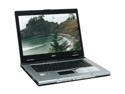
Acer TravelMate 15.4" AMD Turion 64 ML-30 512MB Memory DDR333 Windows XP Professional TM4402WLMi
Comments: I've had this notebook for a few months and it has been a joy to work with. I've used it at work and for travel (watching DVDs on the plane and surfing at airports with wi-fi). The only complaints I have are that the vertical view angle is small when watching DVDs and the battery life doesn't seem to be as long as advertised, although still pretty good.
11/4/2005See more detail
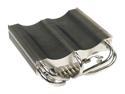
Thermalright XP-120 CPU Cooling Heatsink
Comments: One of the best if not THE best air-cooled heatsink when used with arctic silver 5. HOWEVER, make sure you check if it's compatible with your motherboard. Mine was listed as compatible, but I still had to finesse the heatsink arms by bending them down a bit. This was done so that it didn't hit the memory module when tilting it to install it. Temps: 34C idle and 45C under full load. Simply amazing considering I have an Athlon 4000+ that is overclocked.
3/22/2005See more detail