


Your Browsing History


stephen q.
Joined on 06/05/06
0
0


product reviews
- 9
Just as described! Fast PCIE 4.0 speeds
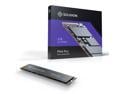
Solidigm P44 Pro 2TB M.2 2280 PCIe 4.0 NVMe Gen4 Gaming TLC Internal Solid State Drive (SSD) SSDPFKKW020X7X1
Pros: Paired this with a Aorus Z690 ITX with dual M.2 PCIE 4.0 slots. It delivered just as described. Reads are close to 7000MB/s & write is about 6000 MB/s. Pics attached from Atto Benchmark & Crystaldiskinfo for temps. Temperatures are really good for the speeds it delivers. Played Sims 4 & GTA 5 without a hiccup. Everything loaded smooth & quickly, seamless load times.
Cons: None yet
Overall Review: This is definitely another level of data transfer. Can see this being great for 8K video & even better for 4K professional media workstations. Rendering & exporting times will be cut in half, of course depending on the rest of your setup.
2/1/2023See more detail
Moore not bot remote control car with a camera
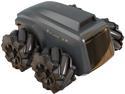
Moorebot SC3100 Scout the Tiny AI-Powered Mobile Robot for Home Monitoring
Pros: You can drive it around to scope out your house. Out of the box it was a really easy network install hassle free. First test drive was fun & amusing with its sideways drive capability. Overall maneuverability is executed well. Night vision is a plus.
Cons: Drove it mid way in my house & when my sister walked by it lost connection & then I had to restart the app to regain the connection. After my nephew walked by in that same spot again it lost connection. Also drove it away from home via 5G & after 5 minutes it lost connection. FYI I have an expensive ASUS Gaming router with really strong signal. Tried 6 times to program it for patrol mode & failed horribly. During a straight path patrol it somehow manages to go crooked crashing into the couch legs & other objects. I believe it CANT see objects so it just runs into them. It doesn't know what a wall is so it keeps trying to drive through. The pet companion or follow mode if just as bad. When it senses you it throws itself back about a foot or 2. Then it tries to follow but it turns the other way loosing you. Then when it does actual follow for a sec it crashes on objects because it doesn't detect them or see them. Pretty much the ONLY proper working feature is as a remote control camera car, period.
Overall Review: This is cool just for checking in around your house for whatever it is you want to look around for but probably not too far depending on your router strength & location. As I mention the Robot function is not functioning patrol & follow. I would recommend this only if you needed a remote control car with a camera because after 2 weeks of testing that seems to be what its actually good for. Instead of calling in to see whos at the house, just turn on the Moore not bot & scope it out.
11/29/2022See more detail
Thin, light with tablet mode & powerful

Acer Swift Spin 14 AI 2-in-1 Convertible Laptop - Qualcomm Snapdragon X2 Elite X2E-78-100 - 16GB RAM - 512GB SSD - Windows 11 Home SFSP14-Q51T-X867
Pros: The Snapdragon X2 Elite chip is powerful for everyday performance and great battery life. The 2in1 design is convenient for notetaking, drawing, or media. The 14 touchscreen smooth & bright. With the 120Hz it plays video & games super smooth and responsive. Runs cool and quiet. GPU performance is surprisingly decent for such a thin laptop.
Cons: Limited upgradeability. RAM is soldered, SSD is the only replaceable component.
Overall Review: The Acer Swift Spin 14 AI is a solid choice if you want a lightweight, quiet, and efficient 2in1 laptop built around Qualcomms new Snapdragon X Elite platform. For web browsing, productivity, streaming, light gaming, and general multitasking, it performs very well and stays cool. Battery life is one of its strongest points. Overall, its a good laptop for students, office work, graphics design and everyday use.
8/27/2026See more detail
Power House in Small Package. Excellent Performance Laptop for Gamers & Creators

GIGABYTE - GAMING A16 PRO 2-in-1 Gaming Laptop - 165Hz 2560x1600 WQXGA - NVIDIA GeForce RTX 5080 - Intel Core 7 240H - 1TB SSD with 32GB LPDDR5X RAM - Windows 11 Home (GAMING A16 PRO DYHG5USCC4SH)
Pros: Extremely powerful CPU/GPU combo Gorgeous 165Hz WQXGA display Fast 1TB SSD + 32GB LPDDR5X Great for gaming, editing, and multitasking Solid build quality Ive been using the GIGABYTE Gaming A16 Pro for a bit now, and its easily one of the most powerful laptops Ive owned. The combination of the Intel Core 7 240H and the NVIDIA GeForce RTX 5080 delivers outstanding performance across gaming, content creation, and multitasking. Modern AAA titles run smoothly at high settings, and the system stays surprisingly cool for the amount of power its pushing. The 16-inch 2560×1600 WQXGA display is a standout feature. The 165Hz refresh rate makes everythingfrom gaming to everyday browsingfeel incredibly fluid. Colors are vibrant, text is sharp, and the taller 16:10 aspect ratio is great for productivity. Storage and memory are more than enough for demanding workloads. The 1TB SSD provides fast load times, and the 32GB of LPDDR5X RAM ensures smooth performance even with multiple heavy applications open. Build quality feels solid, and despite the high-end hardware, the laptop remains relatively portable. Fan noise is noticeable under heavy load, but thats expected with this level of performance.
Cons: Fans can get loud during intense gaming. Battery life is average (expected for this hardware).
Overall Review: If youre looking for a high-performance gaming laptop that also excels at creative workloads, the GIGABYTE Gaming A16 Pro is a fantastic choice. It delivers top-tier performance, a beautiful display, and excellent hardware for the price.
12/18/2025See more detail
Useful eye candy

TRYX Panorama 240 White 240mm AIO 6.5'' AMOLED Curved Screen 3D Anamorphic Effect Display Customizable AIO Cooler 240mm 8th Gen Asetek Pump 280w TDP ROTA PRO 120mm Fan LGA 1851/1700/1200/115X AM5/AM4
Pros: Easy installation. Didn't have to juggle around holding the back bracket to the heatsink. Fans were already installed. Came with thermal paste tube & thermal paste already applied on the heatsink. Real-time stats CPU, GPU & load thermal temp option on the 6.5-inch AMOLED extremely helpful. Didn't hit higher then 50c with an i5-12400f. The additional fan on the heatsink is a plus! Very quiet. Dual 120mm PWM fans with up to 2000 RPM, delivering 75 CFM each while maintaining sub-30 dBA noise levels. 3-phase Pump motor offering up to 2.5 meters of water head pressure, ensuring efficient coolant flow. Custom videos, GIFs, and branding logos.
Cons: The AMOLED housing is a bit large blocking the radiator fan air flow. That's only an issue if your going to use a budget Micro ATX case.
Overall Review: Solid build, thick heavy duty fans. If your looking for an animated cyberpunk style feel setup, definitely recommend this TRYX AIO.
11/25/2024See more detail
Simple & easy to use!
Adobe Photoshop Elements & Premiere Elements 2024 for Windows - Download
Pros: User-friendly interface, suitable for beginners and professionals alike. Good for quick and simple edits Tutorials for beginners to learn the basics of editing media.
Cons: Program Lagged with RTX 4060 Ti 8GB, i5-12400, 2TB NVMe SSD PCIE 3.0 X4 & 16GB Ram 3200 MHz Possible limitations
Overall Review: The 2024 edition of Adobe Photoshop Elements & Premiere Elements offers an easy-to-use set of photo editing and video production tools. Each program has three options to choose from, Quick, guided, and advanced. It is easy to switch between these modes and is convenient when needing a specific tool, or need to learn how to use one. This software package has a simple, yet powerful interface, making it accessible to beginners while catering to more experienced users' needs. However, during testing, a few issues arose. The Blur tool in Photoshop Elements was lagging at first, but after some time it worked as expected. It did result in an unexpected smudgy display before resuming functionality. This was surprising because the PC used to test the program is fairly powerful. This was mostly the only notable drawback that was encountered while testing out this software. There were no notable issues in Premiere elements. It is very easy to use and it has very useful tools for simple video editing. In conclusion, Adobe Photoshop Elements & Premiere Elements 2024 is an amazing tool for beginners and professionals to easily make simple and unique creations. However, the possible bugs and delays may hinder the flow of ones work, but with updates in the future that might be fixed & no longer be an issue.
11/30/2023See more detail