
Your Browsing History


Paul R.
Joined on 07/03/04
0
0
product reviews
- 6
scary moment but great results!
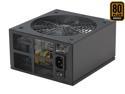
Rosewill RX750-S-B - Xtreme Series 750-Watt Active PFC Power Supply - Continuous @ 104 Deg. F (40C), 80 PLUS Bronze, ATX 12V v2.2 & EPS 12V v2.91, SLI & CrossFire-Ready, Compatible with Core i7, i5
Pros: 750W with 4 rails all at 20A. Silent operation and did not raise the temps in my case. Very good price (puchased this while it was $99 after instant savings).
Cons: No longer $99. Had read previous reviews where some of these gave a squeal and did not power up. After first installing mine I hit the power button and got nothing, not even a squeal. Hit it again, same thing. Third time was the charm and it powered up! It has powered up the first time since, not sure what was up with the first two, but glad it works now!
Overall Review: Runs my DFI Lanparty DK 790FX-M2RS, Phenom 9850 BE @ 2.9GHz, ATI Powercolor AX4850, 8GB G.Skill (4 x 2GB) PC2 6400 RAM, 2 x Seagate 320GB SATA2 in raid 0, DVD burner, and Creative xtreme gamer sound card without a hickup!
7/7/2008See more detail
I would look elsewhere if you have a socket 1150 motherboard.
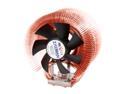
ZALMAN CNPS9500 AT 2 Ball CPU Cooling Fan/Heatsink
Pros: Looks like it would do a good job if it had a proper mounting system for a socket 1150 motherboard.
Cons: I've built many systems and used many different coolers in my past and by far this is the worst mounting system ever. I bought this for a simple i3 setup on a 1150 socket motherboard. For a socket 1150 install, Zalman only has two tiny retention screws to hold this rather large and heavy cooler in place. The tiny screws are supposed to go into the plastic mounting bracket and grab onto the threads of a small nut embedded at the bottom of the mounting bracket holes. The problem is, the screws they sent me were too sort to reach the nut way at the bottom of the mounting bracket. Luckily I had screws of my own that were longer and fit into the threads of their mounting bracket nuts, but even with the cooler fully tightened down, the cooler was able to shift around on the processor quite easily. I didn't dare stand my computer case up with this cooler installed in this horrible manner as all the weight and pressure of the cooler will be completely on the processor instead of being supported by the mounting bracket as it should be. So I installed the stock cooler that came with my processor until I can buy a replacement.
3/3/2016See more detail
Overall a great fan! Link Depot FAN-4LED-120GN
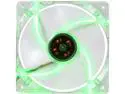
Link Depot FAN-4LED-120GN 120mm Green LED Case Cooling Fan
Pros: Moves a lot of air and the green LED's look very nice. Very inexpensive.
Cons: Knocked off half an egg because these fans are pretty loud, even at medium RPM's. I noticed in the reviews that several people reported their LED's not working, so I ordered a few more fans than I needed just in case, since they were cheap. Sure enough, the LED's didn't work on 1 out of the 10 fans that I ordered. I looked at the LED connections on the fan and found that one of them was shorting itself out due to it's bare wires touching each other (where the wires come out of their sheathing and are soldered to the LED). I simply separated the two wires to keep them from touching and this fixed the LED's not working issue. So I knocked half an egg off for poor quality control as I bet that most the other user's reporting their LED's not working was probably the same issue.
Overall Review: Overall a great inexpensive green LED fan that I would recommend to others if they don't mind the noise to keep their systems cool.
3/1/2016See more detail
Now we're talkin!
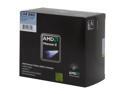
AMD Phenom II X4 940 Black Edition - Phenom II X4 Deneb Quad-Core 3.0 GHz Socket AM2+ 125W Processor - HDZ940XCGIBOX
Pros: This is what I was expecting from my Phenom 9850 BE. I was only able to get my 2.5GHz 9850 overclocked to 2.7GHz, was very disappointed. Not with this baby! Got my new Phenum II 940 BE to 3.8GHz rock solid stable on air cooling and 1.47 voltage and not overclocking anything else. 19 x 200 muliti.
Cons: Almost as much as the Intel core i7 920, but considering how much more the ram and motherboards are for the Intel's this is not much of a con.
Overall Review: Cooler Master HAF case (Awesome case) DFI LANPARTY DK 790FX-M2RS (need to use latest 12/26/08 Beta bios to recognize this CPU) POWERCOLOR AX4850 512MD3-RT Radeon HD 4850 Rosewill RX750-S-B 750W 80Plus Certified (Awesome PS!!!) G.SKILL 8GB (4 x 2GB) DDR2 SDRAM DDR2 800 ZALMAN CNPS 9700 NT Heatsink/Fan Seagate Barracuda 7200.11 ST3320613AS 320GB 7200 RPM 16MB (Qty 2 in RAID 0) Sound Blaster X-Fi Xtreme Gamer Windows 7 x64 Beta (should call it Vista SE)
1/18/2009See more detail
WOW! That's it, just WOW!
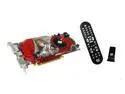
PowerColor Radeon HD 4850 512MB GDDR3 PCI Express 2.0 x16 CrossFireX Support Graphics Card AX4850 512MD3-RT
Pros: Fast and cheap! This replaced my X1900XT which still played most games well, but was getting out dated. Plays COD4, UT3, and Bioshock at 1650 x 1024 with max settings smooth as butter! Overclocks pretty well once cooled properly, up to 700 core and 1160 memory.
Cons: Could not play Crysis at max settings (but came close). HEAT! Drivers? Took a half an egg off for ATI and Powercolor releasing a product that idles at 75C!!! This of course being caused by the fan spinning at 20%. Took off another half an egg for ATI and Powercolor releasing a product with buggy drivers. Only thing available is the drivers that came on the cd with the video card and the Hot Fix from ATI website. If you go to either Powercolors or ATI's website there are no drivers available to download yet for this card. Took another half and egg for ATI and Powercolor releasing a product without sufficient drivers.
Overall Review: Replaced the very insufficient heat sink and fan with a Thermaltake CL-G0102 (Duorb) VGA Cooler which brought my idle down to 40C and 55C with load. I'm sure the stock heatsink would have worked okay once they fixed the fan speed bug, but in the mean time my video card would be frying and lowering it's life expectancy.
7/7/2008See more detail
Beep Codes?
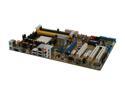
ASUS M3A AM2+/AM2 AMD 770 ATX AMD Motherboard
Pros: Great features for the price. Boots very fast. Very easy to setup. Booted up perfectly on the first try (luckily, see cons).
Cons: Documentation is very poor and missing important information. Tried to find beep codes in motherboard manual just in case I ran into an issue after installation, found the page that states "see beep codes in chart below." But there was no chart below on that page or any other page in the manual. Figured this was an oversite and proceeded to find the beep codes on their website. Their online motherboard manual has the same issue of the missing manual. Went through their troubleshooting info online and only reference to beep codes stated to call into their support. Lack of information about the different bios settings.
Overall Review: The board seems rock solid, which is a very good thing as troubleshooting an issue on this board would be difficult at best with the poor documention in the manual and on their website.
3/3/2008See more detail