




 here!
here!
I’m your shopping assistant for PC builds, upgrades, and everything tech.
Got questions? Ask away!
Start a conversation
here!
I’m your shopping assistant for PC builds, upgrades, and everything tech.
Got questions? Ask away!
Start a conversation

Joined on 07/03/04
The Best PS for the price
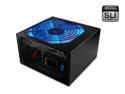
Pros: Wow I am totally impressed with this power supply: - the four 12 V lines are a real bonus - tonnes of connectors, SLI, dual mb connectors (ideal for dual processor motherboards) - Quiet, can't hear it especially over my Zalman 9500 - voltages are very stable, even after an aggressive overclock on my processor and video card, usually stay with 1 % tolerance - price, the only comparable power supply is a PC power and cooling, but those cost significantly more.
Cons: none so far.
The best OS available

Pros: This is by far the best OS I have tried - visually pretty like MAC and utilitarian like PCs. The OS stability is very good, I have had my computer run for 3 months without a crash and only needed to restart to install updates. The system management tools are also much better over XP, for example the disk management tool is very easy to use and is reminiscent of partirion magic.
Cons: The 64 bit version might not work with old hardware; I needed to upgrade to a SATA DVD drive from my old IDE drive
Correcting Data Speed Misconceptions
Pros: *Every* SATA drive manufacturer (Maxtor, Seagate, WD, Samsung, Hitachi and whoever I can't think of) uses 8B/10B encoding which is used reduce intersignal interference in the SATA cable. No matter who makes the drive, this is true. What this means is every 8-bits are encoded with 10 bits meaning for every 10 bits sent over the wire, there really is only 8 bits of data and 2 bits of chosen to maintain the DC level and disparity. That is why when they claim 3.0 Gbps, 20% is lost to the encoding scheme resulting in 2.4 Gbps (or 300 MB/s) actual DATA transfer. In the end this is still a moot point, because no consumer drive on earth can continuously provide even 1.5 Gbps let alone 3.0 Gbps. All the 3.0 Gbps is claiming is the SATA interface can handle that speed if there exists a hard drive that was physically able to sustain that speed. What you should really worry abt is whether the drive supports NCQ, low access times, high buffers etc.
Cons: Definitely not the transfer speed fiasco.
Overall Review: Yeah i hate it too when HD manufacturers (or thier marketing departments) trick people into believing their drive is faster by hiding behind technicalities of the number.
Great drive but......
Pros: Wow, I must say that this drive has been beyond my expectations, faster performance than a SINGLE WD raptor 74 GB. The noise level is barely noticeable and is comparable to my 74 GB raptors. The don't run that hot, but that could be due to good ventilation in my case.
Cons: I don't know what the other reviewvers are talking about, but my two 740 GD raptors SMOKE this drive by itself. I get average sequential read speeds of 112 Mbps (and sequential write speeds of 90 Mbps) on a two drive RAID-0 74 GB raptor as compared to a average sequential read speed of 71 Mbps on this drive. If you read the wd raptor specification page for the 1500, you will see that they promise only a buffer to disk sustained speed of 72 Mbps.
Overall Review: I was able to compare this drive directly to my WD 740GD RAID 0 setup on the same computer.I would absolutely recommend getting two WD 740GD drives and setting them up on RAID-0 instead of this one alone if you want to performance. I tested the EXACT same setup (using Norton Ghost) on my WD1500 and my RAID 0 WD740GD, and performance is not comparable. The RAID 0 740GD is a hands down winner. Don't believe the other reviewers that claim that one of the WD1500 is faster than 4 raptor 740 GD let alone two! They don't own four 74 GB raptors, they are just guessing. I tried both of them next to each other, so I know what I am talking about. Finally, my guess is setting up another WD1500 in RAID 0 is going to be hard to beat, but that will have to wait for me.
Pros: Good performance, better than other 15k SCSI hard drives.
Cons: Controller cards are expensive and choice of SAS card with PCIe is very limited.
Overall Review: SAS controller cards are compatible with SATA hardrives. However, SATA controllers are not compatible with SAS.
dual monitor setup
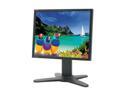
Comments: I bought a couple of these last week and they work great. I don't have any ghosting issues playing Counterstrike source. However while one of the screens was flawless, the other one had a dead pixel, and slight backlight bleeding in the corners leading to a white X which was only noticeable when viewing wide screen DVDs. The features about the monitor I like is that you can pivot it to potrait mode for webpages, documents etc, they have dual VGA inputs + 1 DVI port to switch between sources, screen pin code lock, saving defaults, auto-off, and an EXCELLENT BASE that allows for easy adjustment of the screen. Overall, a good buy. And don't use UPS, go fedex all the way.


