
Your Browsing History


Nicholas S.
Joined on 03/16/04
0
0
product reviews
- 8
Very fast... careful with your tweaks...
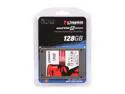
Kingston SSDNow V Series 2.5" 128GB SATA II Internal Solid State Drive (SSD) SNV425-S2/128GB
Pros: Fast Access times Excellent speed (not best, but good) Quiet, cool, and small
Cons: If you disable Write caching per some SSD instructions you can get this drive to stutter. Price/MB is the only complaint. Doesn't come with a 3.5" conversion mount if you need one for a home PC.
Overall Review: I don't understand why you'd turn off write caching on an SSD anyway. You want to minimize writes, so leave the write caching on. Turn off indexing, prefetch, etc... but leave write caching on.
10/17/2010See more detail
Looks like a nice supply... performed like junk
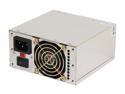
Athena Power AP-MP4ATX40 400W ATX12V / MicroATX / SFX12V v 2.2 SLI Ready CrossFire Ready eMachines, HP Upgrades/Replacement Power Supply
Pros: Looks nice... good connections and clips.
Cons: Within 1 week it stopped working. Returning for a refund.
Overall Review: I should have trusted my gut. I read reviews that said it failed in a week, bad quality solder, etc. I decided to give it a chance. I'd avoid this P/S unless you have time to spare in sending it back.
6/2/2009See more detail
One defective stick
Wintec 32GB (4 x 8GB) ECC Registered DDR3 1333 (PC3 10666) Server Memory Model 3RSH13339R5H-32GQ
Pros: Seems to run cool enough for those that worked.
Cons: Received one defective stick I had to RMA.
4/25/2013See more detail
Great card
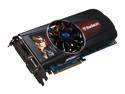
SAPPHIRE Radeon HD 5870 (Cypress XT) 1GB DDR5 PCI Express 2.0 x16 CrossFireX Support Graphics Card 100281-3SR
Pros: Very fast, quiet and stable card...
Cons: None yet
Overall Review: Maybe ATI had issues with previous cards/drivers, but I have not seen any with this one. I even installed CCC (the ATI control panel) hoping it would not crash or have issues with my games as reading around the net would suggest, but I've had no issues with the latest drivers (10.9 as of now)
10/17/2010See more detail
I mean, it's Windows...
Microsoft Windows 7 Professional 64-bit 1-Pack for System Builders
Pros: It works I guess. Fast enough on an SSD, though XP is as well... hell, everything is.
Cons: First off, I'm a big fan of Classic Windows, so this is where I'm coming from. I hate the configuration screens. I wish Windows came with an option for the technically inclined and the normal users because setting up anything in Windows now it a PITA. I had to edit the registry to change window borders (make em skinny), disable libraries, and remove favorites from file explorer. Some people may want them, I did not and I'm glad I could turn them off, but it's a pain. Configuration files are all over the place. There doesn't seem to be a consistency in where things are placed. The user folder is a clusterf*ck of folders. No ability to turn treeview lines back on as there was in Vista/XP. Wish the classic Control Panel was back. Configurations are buried in subcategories now. If it was customizable, that would be fine, but it's not. Can't seem to be able to get the memory footprint below 1GB. Wish there was the ability to change the window Minimize/Maximize/Close
Overall Review: I pretty much only got this for gaming. I use Debian Linux on my laptop for every day things (web/email/office) so I didn't need all the extra stuff that gets installed. It's been about a week now and I'm still finding things to remove. It's still a pain to install on AHCI drives. It's like the whole SATA/XP setup all over again. Overall it feels like a step backwards to me. There are still fragments of XP configuration screens, but they don't quite work right (Window border thickness, etc.) I pretty much had to upgrade since XP64 sucks and XP32-bit doesn't support over 4GB Core i7-930 6GB Triple Channel 128GB SSD ATI 5870
8/15/2010See more detail
Excellent Card
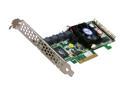
areca ARC-1220 PCI-Express x8 SATA II (3.0Gb/s) Controller Card
Pros: It's run reliably for 3+ years now. Setting up arrays is a breeze, adding drives is easy, it just works.
Cons: Wish it was cheaper! Honestly, I don't know of any cons to list of this card... possibly the configuration software? I'm not a fan of the archttp configuration software, but it works (if you have a volume setup [windows problem, not Areca])
Overall Review: I bought this in Feb 2007 (it's now Aug 2010.) I've run this on Windows XP, Linux (Debian) and Windows 7 now without a fault. Would definitely look to Areca if I ever needed another.
8/15/2010See more detail