
Your Browsing History


Paul K.
Joined on 09/19/01
0
0
product reviews
- 6
Western Digital WD80EAZZ Blue 5640 RPM 8 TB Hard Drive
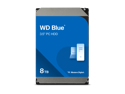
WD Blue 8TB Desktop Hard Disk Drive - 5640 RPM SATA 6Gb/s 256MB Cache 3.5 Inch - WD80EAAZ
Pros: - A little faster than a 5400 RPM drive - Quiet, reliable and cool running - Lots of storage space (I use these drives for video storage and backups) - Economical (especially if you catch it on a deep sale) - about 0.015 cent cost per gigabyte - Shipping was fast - it arrived a day early! - I now have 3 of this model and will probably get at least one more in the future. - MOST IMPORTANTLY - It is a CMR (NOT SMR) drive
Cons: Well if it was as fast as a WD Black 7200 RPM drive it would be a little better ... but then it would cost twice as much. It really does not have many cons if you use it for what it was designed for - a reliable data storage drive with a lot of capacity. Obviously, as they say, your mileage may vary if you use it for a purpose that it was not optimized for like gaming or as a boot drive. It would work for these purposes but would be slower than a Black drive or SSD. (Yes - I have tested a Blue drive as a boot drive - it was about 1/3 slower than the Black drive I had - no real hard data collected - this was just by looking at the screens during the boot process).
Overall Review: I recommend this drive if you need a large capacity and reliable drive for data storage.
4/26/2024See more detail
Slower compared to older model 4 TB RZ Blue Drive
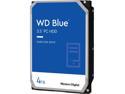
WD Blue 4TB Desktop Hard Disk Drive - 5400 RPM SATA 6Gb/s 256MB Cache 3.5 Inch - WD40EZAZ
Pros: Low price. Got here on time. Works with other drives on an older Win2008 server system. Runs reasonably cool in a fairly warm room. Formatted out to a little over 3.6 TB. NO ERRORS IN EXTENSIVE TESTING.
Cons: Slow. Since I had never used an AZ SMR drive, I decided to be extra cautious and do thorough testing on the disk before putting it in service. I installed the drive in the case and attached one of the motherboard SATA cables to it. Ran WD Data LifeGuard Diagnostic to verify drive, partitioned it as a single 4 TB drive. A Full (not Quick) Format of the drive took many hours (12 or so). Copied 3.5 TB / approx 16,000 files (video, text, pdfs, programs, etc.) to it-took about 16 hours to copy all files. Then used a file comparison utility to compare each byte of each file between source and copied - that has taken about 24 hours.
Overall Review: I might recommend the drive to someone not needing one with high speed performance. Since the AZ drive is an SMR drive it theoretically writes slower than the RZ model. As shown by my testing this is true (about 50% slower when writing-only was getting about 62 Mbps). Admittedly, this is an extreme test-most writes will be only a couple of files and less than a gigabyte for my use on the video server. I am hoping performance will be adequate in that usage. Note that I have used many WD drives over the years and hope to keep doing so but ... SMR recording is giving me some concern. I wish WD had not switched to this method of recording on the disk-I was quite happy with the CMR disks. Unfortunately NewEgg did not have any of the RZ 4 TBs in stock and they had a sale on the AZ so I gave it a shot. FWIW, I usually have given WD drives a 4 or 5 egg rating - this one I dropped a couple of eggs due to it being slower.
7/13/2021See more detail
Good CMR 8TB Data Storage Drive
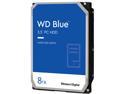
WD Blue WD80EAZZ 8TB 5640 RPM 128MB Cache SATA 6.0Gb/s 3.5" Internal Hard Drive
Pros: Lots of space for storage. CMR not SMR. A little faster RPM than most blue drives. Consistently about 110-115 MB/sec transfers on my system. Quiet. Cool running (about 92 degrees F max during formatting/writing/verifying).
Cons: It went up in price since I last purchased the same model. One slight problem was that it did not work at first with the add-in PCI SATA card I have in the Dell Vostro I am using as a server. Fixed that by moving the data cable to one of the motherboard SATA ports. Probably just that the add-in card is pretty old (i.e. obsolete). You might want to consider this if you are planning on adding this drive to an older add-in card.
Overall Review: I'd recommend the drive for anyone needing a fairly large amount of storage. I now have two drives (primary and backup) of this model for my home network.
12/19/2023See more detail
Good Power Supply (but hard to fit in a smaller or full case)
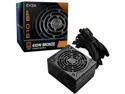
EVGA 610 BP, 80+ BRONZE 610W, 3 Year Warranty, Power Supply 100-BP-0610-K1
Pros: - Known good company for power supplies - Bronze rating on supply - 3 Year Warranty - SOLID build (pretty heavy in fact) - Cables use pretty heavy gauge wire (but see below for a Con on this) - Fit my case - Shorter length made extra room for cables to fold up into - Quiet - Good Price - Got here in 3 days - MOST IMPORTANTLY - IT WORKS AS ADVERTISED (3 days so far and counting)
Cons: About my only two complaints are (#1) that the power supply's cables are pretty stiff (some people may not care or may even consider this an advantage though). This stiffness makes it sort of hard to route things in a small or full of stuff case. Also (#2) the 20+4 pin plug would not stay together so I could put it in the socket as a single piece - had to remove a couple of hard drives to insert each plug separately into the motherboard 24 pin socket. Sorry - got to ding them an egg on my review for that one. One of the little pieces of plastic that holds the plug together seemed a little off and the two pieces were not tight together - never have seen that happen before. Not super critical since how many times do you take a power supply out of a case in typical use - would have just dinged them a fractional egg if that was available.
Overall Review: DEFINITELY would recommend for others and DEFINITELY would buy again (assuming this unit holds up long term).
2/1/2022See more detail
Good Product But Iffy Documentation
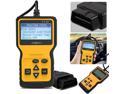
Ochine OBD2 Scanner OBD Code Reader & Scan Tools Car Engine Diagnostic Scanner Tool For All OBDII Protocol Cars
Pros: Simple to use - plug it into car's ODBII port and it reads the cars data and lets you clear engine warning codes by scrolling through the diagnostic screens. No batteries required. Screen was easy to see in bright outside light. Price - can't beat a price less than a premium pizza AND it had free shipping Shipping - OK - got here more or less on time - took about 8 days from NJ to TX FINALLY - A BIG PRO for a lot of folks - this model has lots of YT videos so you can see how it is used before you buy or hook it up to your vehicle. This helps with the so-so documentation.
Cons: The manual is pretty small (if you are of a certain age, you will need a magnifying glass) and some parts are unclear (i.e. poorly written) on how the unit should be hooked up or used. The manual does have some screenshots to make things more understandable though. Fortunately, for the less clear parts, the YT videos come in handy (just search for V310 ODBII car diagnostic tool). Not really the sellers fault but the delivery was a little slow due to the USPS leaving it sitting at the initial and intermediate shipping sites for an extra day or two. It got here which is what matters.
Overall Review: I'd recommend it to someone who is not a professional mechanic (or even an advanced amateur). While it does the basic code read and reset, it is lacking in some of the more advanced diagnostics and realtime readouts of engine performance so those type folks are going to want to pay a little more and get a more advanced unit. For me, IT WORKED JUST AS I HOPED so I could clear a sticking MASS FUEL AIR FILTER warning on my old Nissan that keeps setting everytime we get a cold, foggy, rainy day which is rare in Texas (has happened about 3 times over the life of the car). I just wanted that cleared so the main Check Engine light would go out. That way, in case something worse was happening in the engine, it would show immediately. The 4 egg rating was based on me taking off a point for the documentation. Sorry - spend a little more for the manual paper to size it to the size of the shipping box and have a novice proofread it and try to use the unit as it says before printing it.
11/11/2021See more detail
Great deal for the wife's computer
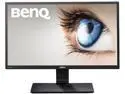
BenQ GW2270 21.5" 5ms(GTG) VA 1080p Monitor, 20M:1 DCR, ZeroFlicker, Low Blue Light
Pros: - Sharp, clear display. - Very bright (if needed for a well lit room). - Lots of control options and easy to access control buttons (under lower right side). - Little glare even with windows right in front of it (i.e. directly behind the user). - Easy to assemble - no tools required. Easy to set up also - I just turned down the brightness some since it is in a dim room. - Comes with analog cable. - Fit opening in computer table with 1/4 inch to spare on each side - it's the largest monitor I could find that would fit. - Reasonable price. - Wife loves it - it's larger and with a better display than her old failing monitor.
Cons: - No HDMI port. - No digital cable included. - No built in speakers . (In all fairness, I did not need any of these items for my wife's installation - that's why I did not take any rating eggs away.)
Overall Review: I would recommend this monitor to other people needing one. This is the second BenQ monitor that I have purchased from Newegg (the first one is a 27 inch model that has performed well for a couple of years now). That is one major point as to why I bought this one - reliability of the brand. My only small complaint about this monitor is that it is not large enough for someone with weak older eyes like mine. I need a larger screen just to see the smaller stuff but, for someone with decent vision, this 22 inch monitor should be just fine. The wife is happy with how it looks when she uses it for general office work, photo editing, web browsing, Facebook, videos, casual games, etc. (We have not tried it with any high performance 3D games so I cannot tell how it would work with these.).
11/13/2016See more detail
seller reviews
- 2
Good Seller - Good Power Supply
I bought this power supply for a replacement for a light use server I was building. The price was excellent (how can you beat a 500 watt power supply for less than we paid for a couple of pizzas last week?) I'm glad I got it - the item got here a day early, was nicely packaged (i.e. no damage) and works. It's still too early to tell about how it holds up long term since I've only had it in the server a few days but it has worked just fine during my initial testing phase. I would buy from this seller again and can recommend them to others.
On-time
Delivery
Product
Accuracy
Customer Service
Satisfactory
12/11/2021See more detail
Was Worried About Delivery
Upon reviewing other buyer's comments, I was concerned about delivery of the memory sticks I ordered. I tried to find a tracking number but, since I ordered memory from both this seller and from Newegg at the same time on the same invoice, there was only one number generated and it only worked for the Newegg side of the order. Fortunately, the memory was delivered as ordered a week after the Newegg side of the order. One stick looks a little funny though - seems like there might have been a sticker that was removed from covering some of the chips (there is sticky stuff on about 4 of them on one side of the stick). Don't know if that means I got a factory second/return/reused stick from the manufacturer without the seller knowing it or not.
On-time
Delivery
Product
Accuracy
Customer Service
Satisfactory
9/18/2019See more detail