




 here!
here!
I’m your shopping assistant for PC builds, upgrades, and everything tech.
Got questions? Ask away!
Start a conversation
here!
I’m your shopping assistant for PC builds, upgrades, and everything tech.
Got questions? Ask away!
Start a conversation

Joined on 06/03/06
a very bug free board for an "early adopter" chipset
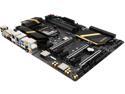
Pros: The bios on this board is very mature. I experienced next to no compatibility issues with my ram and processor. Granted there aren't that many processors available for z170 yet, but there is a plethora of ram and I was expecting to have issues with it adapting to my ram's OC rating given the recently released chipset. I also expected various bios quirks. I experienced neither.
Cons: The bios is a bit behind the times with fan control, it is not exactly intuitive. This is fine in my case as I use a fan controller. I debated knocking an egg off for this, but it honestly did not make sense given there are many motherboard vendors I have seen who do not even attempt to implement fan speed control at all, or limit it to just the CPU connector.
Overall Review: Honestly, it's rare to see such a mature bios shipping on a board that supports such a brand spanking new chipset. It's a breath of fresh air and if it seems I'm emphasizing that a bit much, it's because the rest of my experience has been so problem free I can't think of much else to say. I also find the general quality of Gigabyte's boards to be high and they seem to only be improving in that regard with features like the metal shields on the PCIe x16 connectors. Bravo on a board that is well designed in both software and hardware!
Follow up review...
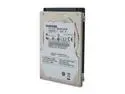
Pros: Is fast if it works. SMART seems to work (see cons)
Cons: Drive gave SMART errors 1 month into use. Died shortly after I made a backup as you should always do when given such errors.
Overall Review: I wanted to love this drive, as indicated below. But the failure rate is too high, despite great performance. Hitachi/Western Digital, if you're reading this, you could have a winner, just fix your quality control!
Works in PowerMac G5
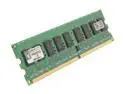
Pros: Have bought a whole bunch of these sticks to use in Late 2005 PowerMac G5's, it loves them!
Cons: None that I know of, price?
Overall Review: Not sure how useful this review will be outside the G5 Mac world, but thought I should post it to help out anyhow.
Ignore below review...
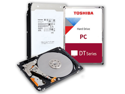
Pros: This drive is a good performer
Cons: none yet
Overall Review: I posted the below review to the wrong product, can a mod fix? The below review is meant for the Hitachi z7k500, I am leaving 5 stars on this review since this replaced my Hitachi and has been great thus far!
Very solid performance
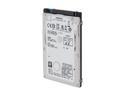
Pros: Very fast single platter drive, heaps of cache, small form factor. Works great in a thinkpad T500, despite being a smaller drive than normal
Cons: None yet, I have had bad luck with Hitachi drives failing in the past but so far this one has been good to me (granted only a week in, but usually they fail early).
Overall Review: I'm going to start putting these in my notebook builds. I may follow up with a review with a report on my approximate "failure rate." But one things for sure, these drives have great performance!
Great drive, but watch out for driver issues!

Pros: This drive is very quick, affordable, and has labelflash support. In short, all I was looking for in a drive.
Cons: I don't know about the DOA issue or the drives lifespan just yet, but I ALMOST thought I got a DOA when my drive couldn't finish a burn. About 20 ruined discs later, I discovered this drive HATES the windows 7 AHCI drivers! Don't use the generic microsoft drivers! Use the ones from your manufacturer and it works fine! In my case, all I had to do was go to ASUS's website and get the latest drivers for my intel SATA controller.
Overall Review: This should be mentioned in the manual, unfortunately it cost me some 20 labelflash discs before I figured it out... Fortunately they are fairly cheap now.


