
Your Browsing History


Michael C.
Joined on 08/27/03
0
0
product reviews
- 50
Plasma
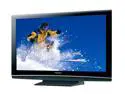
Panasonic VIERA 50" 1080p 480Hz Plasma HDTV w/Anti-Reflective Filter & 3 HDMI - TH50PZ80U
Pros: Very large screen, I prefer the Vivid/Zoom option. Rich colours, life like and shows out Blu Ray to perfection with 1080p.
Cons: It's not a con for the TV, just the cable company that can't draw on 1080p quality. Stock cable is 720p. The Egg needs to remove "White Glove" -You won't get it, the delivery will be exactly the same as free.
Overall Review: I'm not an expert on TV's, I am on PC's/software. With that noted I can appreciate an eye for detail with technology. I spent almost a year before buying this item; alnong with a lot of research in the intrim period. Almost a month later this thing still draws awe. Don't forget to order the Egg HDMI cable, you will probably need two for around $18.00; of course you could pay $157.00 but there is no gain to be had.
10/3/2008See more detail
VISTA
Microsoft Windows Vista Ultimate 32-bit for System Builders
Pros: I test software and patches an OS is part of that! VISTA for many is not ready for the average user. XP Pro, is still the OS of choice for an MS product.
Cons: XP Pro should be on your list. Let VISTA pass until the 4th quarter.
Overall Review: VISTA is now out, officially. There are issues with drivers and SECURITY. The upside is providing a high end system is used, you get the bonus of DirectX10, for gaming. Though be well aware that's the only known upside. Don't be confused, the actual requirements to run this OS, don't meet 'Minium' requirements. The hardware needs to be better than 'Entry level' 2g is the standard for DDR, not 512meg. A better than 'decent' Video card is required. Consider DRM. Not all new things are created equal.
1/31/2007See more detail
VRaptor
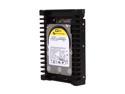
Western Digital WD VelociRaptor WD1500HLFS 150GB 10000 RPM 16MB Cache SATA 3.0Gb/s 3.5" Internal Hard Drive Bare Drive
Pros: Quiet, fast and reliable.
Cons: None
Overall Review: This was a move up from the old Raptor, significant upgrade. I have dozens of drives, several primary and multiple secondary drives. The VRaptor is almost small enough for a primary drive, I believe with advanced technology that using a drive for the OS for maximum tweak only makes sense and use the now available terabyte drives for storage. SSD has simply not matured for practical use just yet [Trim].
12/25/2009See more detail
Kiwi
Microsoft Windows 7 Professional
Pros: Faster than XP, treated like a true network OS. 64bit. Less limitations on up to date system configs. WIN 7 Pro has the added advantage of backward XP compatibilty -A strong plus.
Cons: Every OS has it's learning curve, this is no exception. I'm not sure at this point if I like the MAC feel. Renaming basic file structures added a headache. The leasee of this OS is made very aware that its not owned by the user, that's my experience so far.
Overall Review: In the past three decades understanding reg files and working off directories is how I worked, not so easy now. Still early days and it will take 3 months to appreciate enough expertize to really comment to changes. The old MS OS was a four hour load with updates included, with this OS its minutes, but thats traded out for customization and results in four hours, yet again.
12/25/2009See more detail
Burner/Player
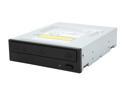
Pioneer Black 12X BD-R 2X BD-RE 16X DVD+R 5X DVD-RAM 8X BD-ROM 4MB Cache SATA Blu-ray Disc/DVD/CD Writer BDR-205BKS
Pros: Able to watch Blu ray on a PC and is more cost effective than just a player. PowerDVD 9 though the software states version 8.
Cons: (see other thoughts) Cyberlink software historically is a PITA and nothing has changed, used to be driver hell and poorly written software, now it's not allowing a customer to select just one software item as it's all or nothing. Because I like to test out of the box, had a brand new-unscratched Blu ray disk "Interview with the Vampire" -The Cyberlink suite encourages a moderately dark end result, both on my high end IPS LCD and 55" 1080p Plasma TV, barely acceptable and in that, did not replicate the originals quailty. Somehow I feel a stand alone retail PowerDVD 9 may well perform much better than being bogged down in the suite.
Overall Review: Unfortunately the DDR I ordered was bad and that cost several hours before the problem was identified, the idea was to load WIN 7 Pro full version and that's why a spendy upgrade package (Other items). So, all this was on XP pPro service pack 3. The burn was relatively quick at 16:29" to disk 10:47" 21.546G single layer Verbatim disk. States X4 speed but burned @ X10. Using Cyberlink bundle. Unfortunately I don't own the HD version of Clone 2 [AnyDVD] to try that out. The burner is pretty noisy while actually burning, though feels like it has a solid tray mechanism. At least I can watch blue ray on the PC, will probably swath the Cyberlink suite and buy just their stand alone PowerDVD version 9.
11/11/2009See more detail
Wireless
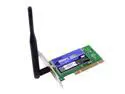
Linksys WMP54GS Wireless-G Adapter with SpeedBooster IEEE 802.11b/g 32-bit PCI Interface Up to 54Mbps Wireless Data Rates
Pros: It works, although the requirement is based on only 20' on an old PC.
Cons: Software. Provide the driver and forget the convulted half way automated setup.
Overall Review: Setup was on XP, bit of a pain trying to seperate just the driver, off setup CD. MS worked better. Newegg still delivers super fast service.
10/9/2009See more detail