
Your Browsing History


Dana T.
Joined on 11/09/05
0
0
product reviews
- 10
looks nice but some problems.
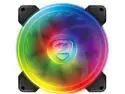
Cougar Hydraulic Vortex RGB SPB 120 mm PMW HDB Cooling Fan with addressable RGB and Omnidirectional Lighting - CF-V12SPB-RGB
Pros: Bright and look great when they all worked. Good cooling no matter lighting problems.
Cons: 3 of the 4 of the other lighting ring have stopped working.
Overall Review: Grabbed 4 of these months ago, one had a problem out with the outer light ring right off. But I put the fan as my front low intake so it didn't cause that much of a problem with all the other RGB I had going, now all 3 or my front intakes outer rings stopped working, just the inner rings work. lights from the inner ring kind of bleeds light into the outer so that helps, but you can tell the some of the leds are not working at all and others are frozen. Luckily my exhaust fan works fine, and I have had no problems from that one, but I see it coming. Two eggs off for bad lighting but 3 eggs as they are good fans for moving air. I have tried getting in touch with Gougar on this matter, and have heard nothing from them, I dont plan on using Gougar again, sad as I have always liked there products. Edit: Was able to find the right email to use for US service after that they were back with me in a couple of days. I just had to make a small vid of the problem I was having and give them the serial numbers of the fans after they had that and my address they tested and shipped 3 replacements no problem so back to 5 eggs here is the email for anyone else to use if needed. ([email protected]) This is USA support.
8/11/2020See more detail
Best AIO I have had
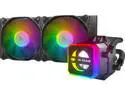
COUGAR Helor 240, RL-HLR240-V1, Liquid CPU Cooler, 240 mm, with 2 Vortex Omega 120 mm Fans, Addressable RGB, Core Box v2 and a Remote Controller.
Pros: Cools great for a med sized beast. i5 9600k @ 5.0Ghz all cores stays at 73c at full load under bench at 1.395 v Had no problem on the install. Refillable. RGB wheel lets you see that its working.
Cons: I have had none so far.
Overall Review: I use Couger fans and cpu cooling almost exclusively in my systems, lately I have had problems with there case fans not lighting like they should but this AIO of theirs has been a work horse for cooling. I do however use my own Thermal Compound GC-Extreme on all cpu and gpu that I have, and have had better cooling with it then the Grizzly Kryonaut that I have also. But what ever Thermal compound you use this cooler will do the job, for any cpu out there. Edit: for anyone needing USA service use ([email protected])
8/11/2020See more detail
Nice SSD for the price
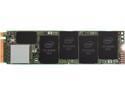
Intel 660p Series M.2 2280 2TB PCIe NVMe 3.0 x4 3D2, QLC Internal Solid State Drive (SSD) SSDPEKNW020T8X1
Pros: Good balance of speed vs price, and size.
Cons: Price has gone up payed 184.00 now its 240.00. Plays Star Citizen ok, but still has some jerking, will go for the 3200 mbps speed drive for my next 2tb.
Overall Review: Nice drive speed is consistent. Its my drive I'm using writing this review, has not had one problem. I have a lot of boot programs running, and it still boots in 35 sec, windows comes up in 4 sec. 2tb is the sweet spot for me, and system is running great.
1/26/2020See more detail
Ok for what it is
Thermal Grizzly Kryonaut Thermal Grease Paste - 11.1 Grams
Pros: One of the best
Cons: gelid thermal extreme keeps up with it and is cheaper.
Overall Review: It does its job and keeps my cpu well cooled under the water block. I use Gelid Thermal extreme in my system as well and it does just about as well and is cheaper. I give it 5 eggs as it does what its suppose to but they need to come down on there price as rely Gelid is the better option price wise, if you dont care about cost and you need that last 1c or so, then this is for you.
11/4/2019See more detail
Best card I have owned
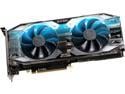
EVGA GeForce RTX 2080 SUPER XC ULTRA GAMING Video Card, 08G-P4-3183-KR, 8GB GDDR6, RGB LED, Metal Backplate
Pros: Fast good overclocking well built
Cons: Price what can be said
Overall Review: Change the thermal paste on all my cards as I do using Gelid Thermal Extreme. Card rarely hits 70c even overclocking to 2100 on core it sets at around 65 to 68 c some times it clocks higher at times lower, never goes below 2050ghz. Mem overclocked 500 ghz easy. However games using Real-Time Ray Tracing dont seem to like overclocking and crash often. They play fine without the overclock so I cant say much. Good upgrade from my gtx 1080.
11/4/2019See more detail
One of the best MB I have owned so fare
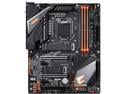
GIGABYTE Z390 AORUS PRO WIFI LGA 1151 (300 Series) Intel Z390 ATX Intel Motherboard
Pros: Plenty of hookups for fans, 2280 ssd's.
Cons: Update Bios from the start.
Overall Review: Have nothing bad to say about this board, its working as it should, and is one of the best I've owned so fare, I say so fare as with all things time will tell, but its been running for about two weeks never missing a lick. 2280 ssd I have in it works at its rated speed, MB saw it at fist boot. The bios layout can take some getting use too, but after that its not to bad. Update your bios from the start it comes with bios F8 its better to use F9 or F10. I use F10 and have no problems. Xmp profile booted my ram right up to 3200 ghz without problem. Rgb hookups work as they should, ram rgb however does not care to match rest of the system, but cant take a egg for that.
10/20/2019See more detail