
Your Browsing History


Joseph W.
Joined on 01/14/11
0
0
product reviews
- 9
Awesome Card and Tech Support
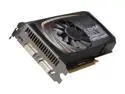
EVGA GeForce GTS 450 (Fermi) 1GB GDDR5 PCI Express 2.0 x16 SLI Support Graphics Card 01G-P3-1352-KR
Pros: This card isn't the best out there, but it's more than sufficient for running modern games at higher settings. Even more impressive is EVGA's tech support. I had an issue with this card that I had with an earlier one (GT 430). That card I purchased from Galaxy and their tech support didn't know anything, and told me to just RMA the card. That not only wouldn't have fixed the issue, but it would have cost me money shipping it.
Cons: Fixing the driver conflicts between my onboard audio controller and the graphics card was slightly annoying, but because of EVGA's awesome tech support I didn't even consider subtracting an egg.
Overall Review: Newegg was great, EVGA was great, and I'm one happy customer!
8/20/2011See more detail
Quality build but not enough room
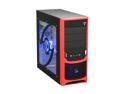
RAIDMAX Tornado ATX-238WRP Black SECC Steel ATX Mid Tower Computer Case with Raidmax RX-450K 450W Power Supply
Pros: It's a solid build.
Cons: Not a whole lot of room to work with. Getting some of the connectors attached to my motherboard was next to impossible. I had to use a set of tweezers at one point because I couldn't get my hands in between the board and the case. If the plug wasn't solid plastic that was sturdy enough to let me push it in with tweezers, then I would have had to pull the entire board out and do that plug set up first.
Overall Review: There's absolutely no complaints about the sturdiness of the case. The real problem is that a simple fix, such as also allowing the other side of the case to be removed as well, would eliminate the issues. I would go with the Smilodon instead, as it has tool-less drive bays and both sides open with an easy latch system.
1/26/2013See more detail
Failed after 6 months
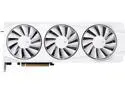
XFX Quicksilver AMD Radeon RX 9070XT RNDA 4 16GB 256-Bit GDDR6 PCI-Express 5.0 RDNA 4 White Gaming Graphics Card RX-97TQICKW9
Cons: Warranty is terrible
Overall Review: XFX makes you pay for shipping and won't send replacement unit first. You also have to pay for insurance unless you want to risk that the unit is damaged in transit and they refuse it. You have to wait for them to inspect the unit and then they'll replace if they choose to. They'll send you a refurbished unit, even if yours is only 6 months old like mine was. Not buying XFX again.
11/7/2025See more detail
Excellent Board
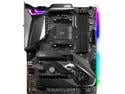
MSI MPG X570 GAMING PRO CARBON WIFI Gaming Motherboard AMD AM4 SATA 6Gb/s M.2 USB 3.2 Gen 2 Wi-Fi 6 HDMI ATX
Pros: Heat shields for M.2 drives Board is laid out well Wifi adapter achieves extremely high speeds
Cons: Software is awful compared to other manufacturers like ASUS BIOS doesn't detect memory properly and you need to manually turn on X-AMP
Overall Review: Had the board for two months now and it's been solid. No issues out of the box and it's handled hardware changes without issue. The BIOS is fine except that on both my computer and a friend's with the same board it failed to properly recognize the RAM that is specifically listed as compatible with the board. What is stranger is mine and his were detected at different frequencies. Clicking X-AMP fixed it, but users that don't know to check the BIOS settings could be getting substantially lower performance. My friend's ram was detected at 2333 and mine was detected at 3200, but the actual speed is 3600. Aside from the RAM detection and the lack of real software support, it's an excellent board that allows for future upgrades thanks to the X570 chipset, four RAM slots, and two M.2 heat shielded ports.
6/1/2020See more detail
Good product, but not for low tech level individuals
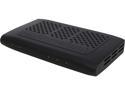
SiliconDust HDHR3-CC HDHomeRun PRIME 3-Tuner US CableTV with CableCARD Stream Premium Channels and Cut the Cord
Pros: 3 tuners, HD, ability to get all my channels, cable distributed to every PC on my network. Easy physical set up, and software is intuitive and easy to work with.
Cons: There can be rather complicated issues getting it to work, independent of any CableCARD issues that may arise. My CableCARD tech was one of the very few I've ever encountered who knew exactly what he was doing, so no issues there, but WMC had serious problems. I ran the QuickTV app from Silicon Dust just to confirm the CableCard was set up before I ran through WMC set up. That apparently tied up the tuners, so once WMC was set up it kept saying no tuner available. I accidentally released the tuners when I opened the HDHomerun set up application (not sure why/how that happened). After that, I then having issues with heavy pixelation on HD channels. It would start about 5 seconds after tuning to an HD channel, but nothing was wrong with SD channels. I ruled out signal strength because of the delay in pixelation, and it ended up being my graphics card settings. After adjusting those, everything smoothed out (for the most part, admittedly I don't have the greatest graphics card in my DVR). If someone has a weaker graphics cards, and doesn't know how to adjust settings, this could present insurmountable problems for them. For instance, when I updated my NVIDIA drivers, it changed some of my settings. I had to set it to single display performance to multi-display performance, change the defaults back to performance and not quality, and re-enable V-sync.
Overall Review: If anyone doesn't have sufficient technical knowledge to troubleshoot problems like the ones mentioned above, this might not be the best product to get. However, if you do or are lucky enough to not have the issues I did, then this product is amazing. My biggest piece of advice is to make sure you have a solid graphics card. I'm running an 8600 GTS, and it seems to be the minimum that I can get away with and still watch HD.
1/31/2013See more detail
Good but not great
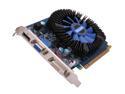
Galaxy GeForce GT 430 (Fermi) 1GB DDR3 PCI Express 2.0 x16 Graphics Card 43GGS8HX3SPZ
Pros: It works and runs game at decent settings. Do not hear this card at all.
Cons: I went from a 256MB 8600 GTS to this card thinking it would be a noticeable improvement. In reality it's only a slight one. The lack of DDR5 seems to hamper this card in relation to other cards with similar clocking speeds and memory size.
Overall Review: For $55 I'm not going to complain that much. I can play Dragon Age II on medium with the anti-aliasing and anisotropic maxed, and it can almost play the game on high settings. DX 11 support is nice as well. Also, make sure you go into the Nvidia settings tool and change it from it's defaults. You can get much better performance out of the card such as increasing it's rendering rates and telling it whether to maximize performance for a single or multiple displays (multiple is the default).
2/27/2011See more detail